
# Best Perplexity Rank Tracking Tools in 2026: Tested and Compared

10 best Perplexity rank tracking tools compared for 2026. Honest reviews, real pricing, and the data to decide whether Perplexity tracking deserves a line in your budget.

**Published:** February 18, 2026
**Author:** JP Garbaccio

---

Perplexity handles 780 million search queries a month, and its referral traffic converts at 10.5%. That's not impressions or mentions; it's real visitors taking real actions. Most marketing teams have no idea whether they're showing up in any of those queries.

That gap is the problem. Only 45% of brands that rank well on Google also appear in AI search results, according to a Morningstar study from January 2026. One in five global firms are [completely invisible in AI answers](https://www.searchable.com/blog/ai-search-vs-seo-2026). Your Google rankings don't protect you here.

But before picking a tool, most articles skip the question that actually matters: is Perplexity even worth tracking? This guide answers that with data first. Then it breaks down the four distinct types of Perplexity tracking (most tools only cover one or two), reviews 10 tools with real pricing and honest limits, and gives you a framework to pick the right one.

Everything checked in March 2026. No fluff, no recycled marketing copy.


</KeyTakeaways>

## Is Perplexity Worth Tracking? (The Revenue Case)

Perplexity is worth tracking because the channel converts at 10.5%, it's growing at 3.4x year-over-year, and its user base has reached 45 million. The question isn't whether it matters; it's whether you can afford to be invisible in it.

Here's the data most comparison articles leave out entirely.

{/* Revenue case: conversion + growth + gap */}
<div className="not-prose">
  <div className="grid grid-cols-1 md:grid-cols-2 gap-6 my-8">
    {/* Conversion + Growth Stats */}
    <div className="rounded-2xl border border-stone-200 bg-white p-6">
      <p className="text-sm font-medium text-stone-500 mb-1">Perplexity by the Numbers</p>
      <p className="text-xs text-stone-400 mb-5">Why this channel can't be ignored</p>
      <div className="space-y-4">
        <div>
          <div className="flex items-center justify-between mb-1.5">
            <span className="text-sm font-medium text-stone-600">Referral conversion rate</span>
            <span className="text-sm font-bold" style={{ color: '#C15F3C' }}>10.5%</span>
          </div>
          <div className="h-2.5 bg-stone-100 rounded-full overflow-hidden">
            <div className="h-full rounded-full" style={{ width: '100%', background: 'linear-gradient(to right, #B85B48, #C15F3C)' }} />
          </div>
          <p className="text-xs text-stone-400 mt-1">Microsoft Clarity data, 2025</p>
        </div>
        <div>
          <div className="flex items-center justify-between mb-1.5">
            <span className="text-sm font-medium text-stone-600">Typical organic search conversion</span>
            <span className="text-sm font-semibold text-stone-400">2.8%</span>
          </div>
          <div className="h-2.5 bg-stone-100 rounded-full overflow-hidden">
            <div className="h-full rounded-full" style={{ width: '27%', backgroundColor: '#EAE8E3' }} />
          </div>
          <p className="text-xs text-stone-400 mt-1">Industry benchmark average</p>
        </div>
        <div className="pt-3 border-t border-stone-100">
          <div className="flex items-center gap-2">
            <span className="text-2xl font-bold" style={{ color: '#C15F3C' }}>3.75x</span>
            <span className="text-sm text-stone-500">higher conversion than organic search</span>
          </div>
        </div>
      </div>
    </div>
    {/* Growth trajectory */}
    <div className="rounded-2xl border border-stone-200 bg-white p-6 flex flex-col">
      <div className="flex items-center justify-between mb-1">
        <p className="text-sm font-medium text-stone-500">Perplexity Query Growth</p>
        <span className="text-xs font-semibold px-2.5 py-1 rounded-full" style={{ backgroundColor: 'rgb(193 95 60 / 0.1)', color: '#C15F3C' }}>+240%</span>
      </div>
      <p className="text-xs text-stone-400 mb-0">Monthly queries, millions (DemandSage)</p>
      <div className="grid grid-cols-4 gap-3 items-end flex-1 mt-auto pt-4">
        <div className="flex flex-col items-center gap-1.5">
          <span className="text-xs font-semibold text-stone-700">230M</span>
          <div className="w-full rounded-t-md" style={{ height: '34px', backgroundColor: '#EAE8E3' }} />
          <span className="text-[11px] text-stone-400">Mid-24</span>
        </div>
        <div className="flex flex-col items-center gap-1.5">
          <span className="text-xs font-semibold text-stone-700">390M</span>
          <div className="w-full rounded-t-md" style={{ height: '58px', backgroundColor: '#EAE8E3' }} />
          <span className="text-[11px] text-stone-400">Q4-24</span>
        </div>
        <div className="flex flex-col items-center gap-1.5">
          <span className="text-xs font-semibold text-stone-700">580M</span>
          <div className="w-full rounded-t-md" style={{ height: '86px', backgroundColor: '#EAE8E3' }} />
          <span className="text-[11px] text-stone-400">Q1-25</span>
        </div>
        <div className="flex flex-col items-center gap-1.5">
          <span className="text-xs font-semibold text-stone-700">780M</span>
          <div className="w-full rounded-t-md" style={{ height: '116px', background: 'linear-gradient(to top, #B85B48, #C15F3C)' }} />
          <span className="text-[11px] text-stone-400">Mid-25</span>
        </div>
      </div>
    </div>
  </div>
</div>

[DemandSage](https://www.demandsage.com/chatgpt-statistics/) puts Perplexity at 780 million queries by mid-2025, up 3.4x from 230 million the year before. [Business of Apps](https://www.businessofapps.com/data/perplexity-ai-statistics/) reports 45 million monthly active users, an 80% jump year-over-year. With a $20 billion valuation and $200 million in annual revenue, this isn't a side project that might shut down next quarter.

The traffic converts. Microsoft Clarity data shows Perplexity referral traffic converting at 10.5%; not impressions, not mentions, but real visitors taking action. AI platforms sent [1.13 billion referral visits](https://exposureninja.com/blog/ai-search-statistics/) in June 2025, up 357% from June 2024, and Perplexity was a top-three source.

But here's the part that should worry you: a [Morningstar study](https://www.prnewswire.com/) from January 2026 found only 45% overlap between brands that rank well on Google and those AI platforms cite. Your organic rankings don't guarantee Perplexity visibility. You can't fix what you can't see, and these tools exist to close a [visibility gap](https://www.searchable.com/blog/tracking-brand-ai-responses) you might not know you have.

## The 4 Types of Perplexity Tracking (Know What You're Buying)

There are four distinct types of Perplexity tracking, and most tools only cover one or two. Understanding the difference is the single most useful thing you can do before spending money, because two tools can show wildly different numbers for the same brand and both be correct: they're just measuring different things.

{/* 4-type tracking taxonomy as signal cards */}
<div className="not-prose">
  <div className="rounded-2xl border border-stone-200 bg-white overflow-hidden my-8">
    <div className="px-6 py-5 border-b border-stone-100">
      <p className="text-base font-semibold text-stone-800">The 4 Types of Perplexity Tracking</p>
      <p className="text-sm text-stone-400 mt-0.5">What each one measures, and why the distinction matters</p>
    </div>
    <div className="p-6">
      <div className="grid grid-cols-1 sm:grid-cols-2 gap-0">
        <div className="p-5 relative border-b border-stone-100 sm:border-r">
          <div className="flex items-start gap-3">
            <span className="text-3xl font-black" style={{ color: 'rgb(193 95 60 / 0.15)' }}>01</span>
            <div className="flex-1">
              <div className="flex items-center gap-2 mb-1.5">
                <span className="text-base font-semibold text-stone-800">Citation Tracking</span>
                <span className="text-xs font-medium px-2 py-0.5 rounded" style={{ backgroundColor: 'rgba(75, 173, 121, 0.1)', color: '#4BAD79' }}>High value</span>
              </div>
              <p className="text-sm font-medium mb-1.5" style={{ color: '#C15F3C' }}>Your URL as a source</p>
              <p className="text-sm text-stone-500 leading-relaxed">Checks when Perplexity lists your URL in its source panel. The most direct measure of traffic potential: if your URL is in the sources, readers can click through. This is the AI equivalent of a backlink.</p>
            </div>
          </div>
        </div>
        <div className="p-5 relative border-b border-stone-100">
          <div className="flex items-start gap-3">
            <span className="text-3xl font-black" style={{ color: 'rgb(193 95 60 / 0.15)' }}>02</span>
            <div className="flex-1">
              <div className="flex items-center gap-2 mb-1.5">
                <span className="text-base font-semibold text-stone-800">Crawler Tracking</span>
                <span className="text-xs font-medium px-2 py-0.5 rounded" style={{ backgroundColor: 'rgba(244, 198, 107, 0.15)', color: '#F4C66B' }}>Rare</span>
              </div>
              <p className="text-sm font-medium mb-1.5" style={{ color: '#C15F3C' }}>PerplexityBot visits</p>
              <p className="text-sm text-stone-500 leading-relaxed">Monitors when PerplexityBot crawls your pages. Only xSeek offers this today. A page that never gets crawled can't be cited, so this answers a foundational question: can Perplexity even find your content?</p>
            </div>
          </div>
        </div>
        <div className="p-5 relative sm:border-r border-stone-100">
          <div className="flex items-start gap-3">
            <span className="text-3xl font-black" style={{ color: 'rgb(193 95 60 / 0.15)' }}>03</span>
            <div className="flex-1">
              <div className="flex items-center gap-2 mb-1.5">
                <span className="text-base font-semibold text-stone-800">Brand Mention</span>
                <span className="text-xs font-medium px-2 py-0.5 rounded" style={{ backgroundColor: 'rgba(75, 173, 121, 0.1)', color: '#4BAD79' }}>High value</span>
              </div>
              <p className="text-sm font-medium mb-1.5" style={{ color: '#C15F3C' }}>NLP detection</p>
              <p className="text-sm text-stone-500 leading-relaxed">Uses NLP to spot how Perplexity describes your brand, even without a URL link. Perplexity might name your product without linking to you. Mention tracking catches what citation tracking misses.</p>
            </div>
          </div>
        </div>
        <div className="p-5 relative">
          <div className="flex items-start gap-3">
            <span className="text-3xl font-black" style={{ color: 'rgb(193 95 60 / 0.15)' }}>04</span>
            <div className="flex-1">
              <div className="flex items-center gap-2 mb-1.5">
                <span className="text-base font-semibold text-stone-800">Prompt-Level</span>
                <span className="text-xs font-medium px-2 py-0.5 rounded" style={{ backgroundColor: 'rgba(75, 173, 121, 0.1)', color: '#4BAD79' }}>Universal</span>
              </div>
              <p className="text-sm font-medium mb-1.5" style={{ color: '#C15F3C' }}>Query ranking</p>
              <p className="text-sm text-stone-500 leading-relaxed">Tracks where your brand shows up across a set of queries you define. The closest thing to traditional rank tracking. You pick the queries, the tool checks if you appear and where. Every tool on this list offers this.</p>
            </div>
          </div>
        </div>
      </div>
    </div>
    {/* Coverage bar */}
    <div className="px-6 py-3.5 bg-stone-50 border-t border-stone-100">
      <div className="flex items-center gap-3">
        <span className="text-xs text-stone-400">Coverage by tool count:</span>
        <div className="flex-1 h-2.5 rounded-full overflow-hidden bg-stone-100 flex">
          <div className="h-full" style={{ width: '60%', backgroundColor: '#C15F3C' }} />
          <div className="h-full" style={{ width: '6%', backgroundColor: '#D27C5E' }} />
          <div className="h-full" style={{ width: '24%', backgroundColor: '#EAE8E3' }} />
          <div className="h-full" style={{ width: '10%', backgroundColor: '#F7F5F1' }} />
        </div>
        <div className="flex items-center gap-3 text-xs text-stone-400">
          <span>Prompt (all)</span>
          <span>Crawler (1)</span>
          <span>Mention (4)</span>
          <span>Citation (6)</span>
        </div>
      </div>
    </div>
  </div>
</div>

When two tools show different numbers for the same brand, this is usually why. One is counting citations (your URL in the source list), the other is counting mentions (your brand name in the answer text). Both are correct, but they mean very different things for your traffic.

The best setup combines at least two tracking types. Citation tells you what's driving clicks. Mention tells you how Perplexity frames your brand. Prompt-level tracking tells you share of voice. And crawler data (if you can get it) tells you whether Perplexity can even find your content in the first place.

---

## How Do the Best Perplexity Rank Tracking Tools Compare?

The top Perplexity rank tracking tools cost between $29 and $189 per month. Most cover more than one AI engine. This table shows all 10 by score, price, tracking types, and engine coverage so you can narrow the list before the deep dives.

{/* Summary table with ring donuts */}
<div className="not-prose">
  <div className="rounded-2xl border border-stone-200 bg-white overflow-hidden my-8">
    <div className="px-6 py-5 border-b border-stone-100">
      <p className="text-lg font-bold text-stone-800">All 10 Perplexity Tracking Tools at a Glance</p>
    </div>
    <div className="divide-y divide-stone-100">
      {/* Searchable - hero row */}
      <div className="px-5 py-4 flex items-center gap-4" style={{ background: 'linear-gradient(to right, rgba(75,173,121,0.06), transparent)' }}>
        <div className="relative w-10 h-10 flex-shrink-0">
          <svg viewBox="0 0 36 36" className="w-10 h-10 -rotate-90">
            <circle cx="18" cy="18" r="14" fill="none" stroke="#EAE8E3" strokeWidth="4" />
            <circle cx="18" cy="18" r="14" fill="none" stroke="#4BAD79" strokeWidth="4" strokeDasharray="81.8 88" strokeLinecap="round" />
          </svg>
          <span className="absolute inset-0 flex items-center justify-center text-xs font-bold" style={{ color: '#4BAD79' }}>93</span>
        </div>
        <img src="/favicons/searchable.com.png" alt="" className="w-5 h-5 rounded" />
        <div className="flex-1 min-w-0">
          <p className="text-sm font-semibold text-stone-800">Searchable <span className="text-xs font-medium ml-1.5 px-2 py-0.5 rounded" style={{ backgroundColor: 'rgba(75,173,121,0.1)', color: '#4BAD79' }}>Editor's Pick</span></p>
          <p className="text-xs text-stone-400 truncate">Citation + Mention + Prompt · 6 engines + AI Overviews</p>
        </div>
        <span className="text-sm font-semibold text-stone-700 whitespace-nowrap">$50/mo</span>
      </div>
      {/* Rankability */}
      <div className="px-5 py-4 flex items-center gap-4">
        <div className="relative w-10 h-10 flex-shrink-0">
          <svg viewBox="0 0 36 36" className="w-10 h-10 -rotate-90">
            <circle cx="18" cy="18" r="14" fill="none" stroke="#EAE8E3" strokeWidth="4" />
            <circle cx="18" cy="18" r="14" fill="none" stroke="#C15F3C" strokeWidth="4" strokeDasharray="75.2 88" strokeLinecap="round" />
          </svg>
          <span className="absolute inset-0 flex items-center justify-center text-xs font-bold" style={{ color: '#C15F3C' }}>85</span>
        </div>
        <img src="/favicons/rankability.com.png" alt="" className="w-5 h-5 rounded" />
        <div className="flex-1 min-w-0">
          <p className="text-sm font-semibold text-stone-800">Rankability</p>
          <p className="text-xs text-stone-400 truncate">Citation + Prompt · 4 engines</p>
        </div>
        <span className="text-sm font-semibold text-stone-700 whitespace-nowrap">$99/mo</span>
      </div>
      {/* SE Ranking */}
      <div className="px-5 py-4 flex items-center gap-4">
        <div className="relative w-10 h-10 flex-shrink-0">
          <svg viewBox="0 0 36 36" className="w-10 h-10 -rotate-90">
            <circle cx="18" cy="18" r="14" fill="none" stroke="#EAE8E3" strokeWidth="4" />
            <circle cx="18" cy="18" r="14" fill="none" stroke="#C15F3C" strokeWidth="4" strokeDasharray="73.4 88" strokeLinecap="round" />
          </svg>
          <span className="absolute inset-0 flex items-center justify-center text-xs font-bold" style={{ color: '#C15F3C' }}>83</span>
        </div>
        <img src="/favicons/visible.seranking.com.png" alt="" className="w-5 h-5 rounded" />
        <div className="flex-1 min-w-0">
          <p className="text-sm font-semibold text-stone-800">SE Ranking Visible</p>
          <p className="text-xs text-stone-400 truncate">Citation + Mention + Prompt · 6 engines incl. Copilot</p>
        </div>
        <span className="text-sm font-semibold text-stone-700 whitespace-nowrap">$189/mo</span>
      </div>
      {/* xSeek */}
      <div className="px-5 py-4 flex items-center gap-4">
        <div className="relative w-10 h-10 flex-shrink-0">
          <svg viewBox="0 0 36 36" className="w-10 h-10 -rotate-90">
            <circle cx="18" cy="18" r="14" fill="none" stroke="#EAE8E3" strokeWidth="4" />
            <circle cx="18" cy="18" r="14" fill="none" stroke="#C15F3C" strokeWidth="4" strokeDasharray="71.5 88" strokeLinecap="round" />
          </svg>
          <span className="absolute inset-0 flex items-center justify-center text-xs font-bold" style={{ color: '#C15F3C' }}>81</span>
        </div>
        <img src="/favicons/xseek.io.png" alt="" className="w-5 h-5 rounded" />
        <div className="flex-1 min-w-0">
          <p className="text-sm font-semibold text-stone-800">xSeek</p>
          <p className="text-xs text-stone-400 truncate">Citation + Crawler · Perplexity only</p>
        </div>
        <span className="text-sm font-semibold text-stone-700 whitespace-nowrap">$99/mo</span>
      </div>
      {/* Otterly */}
      <div className="px-5 py-4 flex items-center gap-4">
        <div className="relative w-10 h-10 flex-shrink-0">
          <svg viewBox="0 0 36 36" className="w-10 h-10 -rotate-90">
            <circle cx="18" cy="18" r="14" fill="none" stroke="#EAE8E3" strokeWidth="4" />
            <circle cx="18" cy="18" r="14" fill="none" stroke="#D27C5E" strokeWidth="4" strokeDasharray="69.7 88" strokeLinecap="round" />
          </svg>
          <span className="absolute inset-0 flex items-center justify-center text-xs font-bold" style={{ color: '#D27C5E' }}>79</span>
        </div>
        <img src="/favicons/otterly.ai.png" alt="" className="w-5 h-5 rounded" />
        <div className="flex-1 min-w-0">
          <p className="text-sm font-semibold text-stone-800">Otterly AI</p>
          <p className="text-xs text-stone-400 truncate">Citation + Mention + Prompt · 4 engines</p>
        </div>
        <span className="text-sm font-semibold text-stone-700 whitespace-nowrap">$29/mo</span>
      </div>
      {/* Peec AI */}
      <div className="px-5 py-4 flex items-center gap-4">
        <div className="relative w-10 h-10 flex-shrink-0">
          <svg viewBox="0 0 36 36" className="w-10 h-10 -rotate-90">
            <circle cx="18" cy="18" r="14" fill="none" stroke="#EAE8E3" strokeWidth="4" />
            <circle cx="18" cy="18" r="14" fill="none" stroke="#D27C5E" strokeWidth="4" strokeDasharray="67.8 88" strokeLinecap="round" />
          </svg>
          <span className="absolute inset-0 flex items-center justify-center text-xs font-bold" style={{ color: '#D27C5E' }}>77</span>
        </div>
        <img src="/favicons/peec.ai.png" alt="" className="w-5 h-5 rounded" />
        <div className="flex-1 min-w-0">
          <p className="text-sm font-semibold text-stone-800">Peec AI</p>
          <p className="text-xs text-stone-400 truncate">Mention + Prompt · 4 engines · Sentiment focus</p>
        </div>
        <span className="text-sm font-semibold text-stone-700 whitespace-nowrap">EUR 90/mo</span>
      </div>
      {/* AIclicks */}
      <div className="px-5 py-4 flex items-center gap-4">
        <div className="relative w-10 h-10 flex-shrink-0">
          <svg viewBox="0 0 36 36" className="w-10 h-10 -rotate-90">
            <circle cx="18" cy="18" r="14" fill="none" stroke="#EAE8E3" strokeWidth="4" />
            <circle cx="18" cy="18" r="14" fill="none" stroke="#D27C5E" strokeWidth="4" strokeDasharray="66.0 88" strokeLinecap="round" />
          </svg>
          <span className="absolute inset-0 flex items-center justify-center text-xs font-bold" style={{ color: '#D27C5E' }}>75</span>
        </div>
        <img src="/favicons/aiclicks.io.png" alt="" className="w-5 h-5 rounded" />
        <div className="flex-1 min-w-0">
          <p className="text-sm font-semibold text-stone-800">AIclicks</p>
          <p className="text-xs text-stone-400 truncate">Citation + Prompt · 6 engines · Geo audits</p>
        </div>
        <span className="text-sm font-semibold text-stone-700 whitespace-nowrap">$79/mo</span>
      </div>
      {/* LPagery */}
      <div className="px-5 py-4 flex items-center gap-4">
        <div className="relative w-10 h-10 flex-shrink-0">
          <svg viewBox="0 0 36 36" className="w-10 h-10 -rotate-90">
            <circle cx="18" cy="18" r="14" fill="none" stroke="#EAE8E3" strokeWidth="4" />
            <circle cx="18" cy="18" r="14" fill="none" stroke="#D27C5E" strokeWidth="4" strokeDasharray="56.3 88" strokeLinecap="round" />
          </svg>
          <span className="absolute inset-0 flex items-center justify-center text-xs font-bold" style={{ color: '#D27C5E' }}>64</span>
        </div>
        <img src="/favicons/lpagery.io.png" alt="" className="w-5 h-5 rounded" />
        <div className="flex-1 min-w-0">
          <p className="text-sm font-semibold text-stone-800">LPagery</p>
          <p className="text-xs text-stone-400 truncate">Prompt only · Perplexity only</p>
        </div>
        <span className="text-sm font-semibold text-stone-700 whitespace-nowrap">$59/mo</span>
      </div>
      {/* AWR */}
      <div className="px-5 py-4 flex items-center gap-4">
        <div className="relative w-10 h-10 flex-shrink-0">
          <svg viewBox="0 0 36 36" className="w-10 h-10 -rotate-90">
            <circle cx="18" cy="18" r="14" fill="none" stroke="#EAE8E3" strokeWidth="4" />
            <circle cx="18" cy="18" r="14" fill="none" stroke="#D27C5E" strokeWidth="4" strokeDasharray="54.5 88" strokeLinecap="round" />
          </svg>
          <span className="absolute inset-0 flex items-center justify-center text-xs font-bold" style={{ color: '#D27C5E' }}>62</span>
        </div>
        <img src="/favicons/advancedwebranking.com.png" alt="" className="w-5 h-5 rounded" />
        <div className="flex-1 min-w-0">
          <p className="text-sm font-semibold text-stone-800">AWR</p>
          <p className="text-xs text-stone-400 truncate">Prompt only · 3 engines · SEO bolt-on</p>
        </div>
        <span className="text-sm font-semibold text-stone-700 whitespace-nowrap">$49/mo</span>
      </div>
      {/* Keyword.com */}
      <div className="px-5 py-4 flex items-center gap-4">
        <div className="relative w-10 h-10 flex-shrink-0">
          <svg viewBox="0 0 36 36" className="w-10 h-10 -rotate-90">
            <circle cx="18" cy="18" r="14" fill="none" stroke="#EAE8E3" strokeWidth="4" />
            <circle cx="18" cy="18" r="14" fill="none" stroke="#D27C5E" strokeWidth="4" strokeDasharray="52.7 88" strokeLinecap="round" />
          </svg>
          <span className="absolute inset-0 flex items-center justify-center text-xs font-bold" style={{ color: '#D27C5E' }}>60</span>
        </div>
        <img src="/favicons/keyword.com.png" alt="" className="w-5 h-5 rounded" />
        <div className="flex-1 min-w-0">
          <p className="text-sm font-semibold text-stone-800">Keyword.com</p>
          <p className="text-xs text-stone-400 truncate">Prompt only · 3 engines · Cheapest entry</p>
        </div>
        <span className="text-sm font-semibold text-stone-700 whitespace-nowrap">$29/mo</span>
      </div>
    </div>
  </div>
</div>

<div className="not-prose">
  
</div>

---

## The 10 Best Perplexity Rank Tracking Tools (Detailed Reviews)

Each review below uses the 4-type framework from above. Pricing is specific, strengths are real, and limits are honest. Tools are ranked by overall value for teams who need Perplexity tracking as part of a broader AI visibility strategy.

### 1. Searchable

<div className="flex items-center gap-3 mb-4 not-prose">
  <img src="/searchable-frame.png" alt="Searchable" className="w-[26px] h-[26px] rounded-[6px]" />
  <span className="text-lg font-bold text-stone-800">Searchable</span>
  <span className="text-xs font-medium px-2.5 py-1 rounded-full" style={{ backgroundColor: 'rgba(75,173,121,0.1)', color: '#4BAD79' }}>Editor's Pick · 93/100</span>
</div>

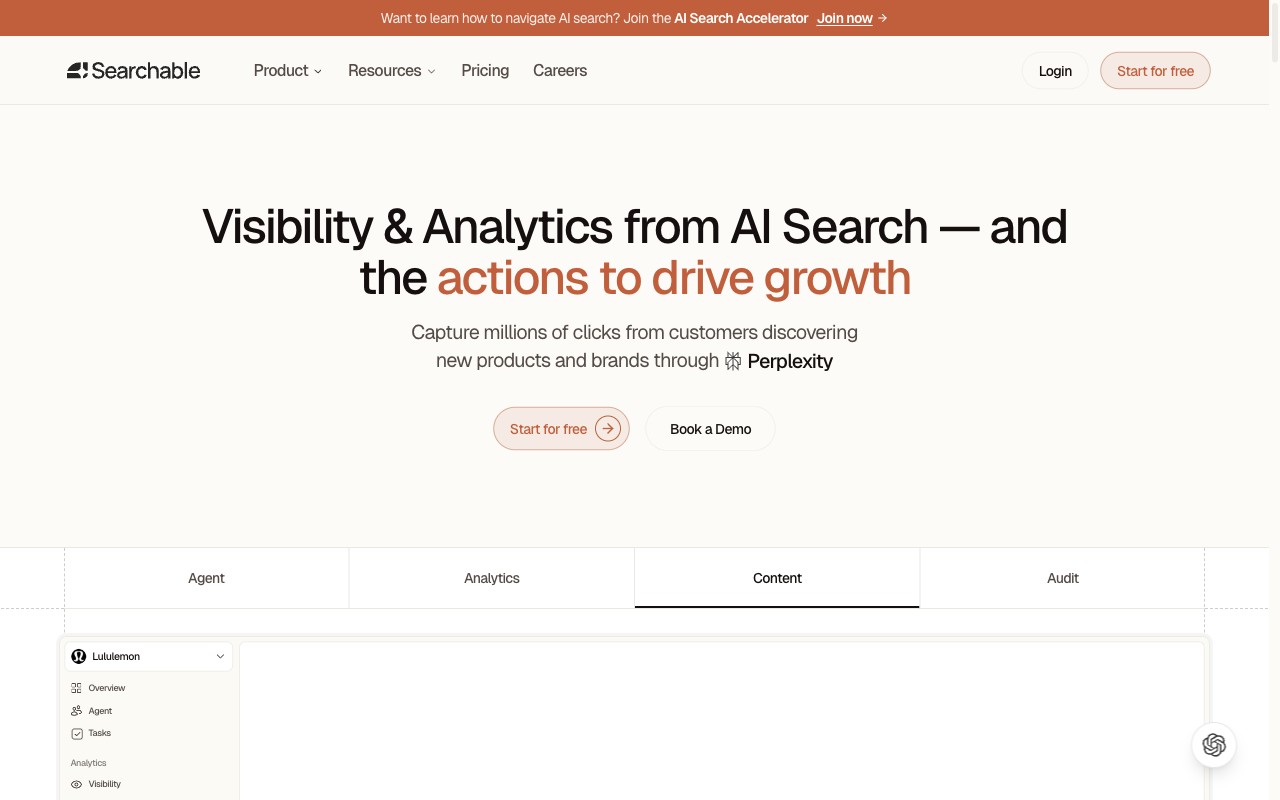
[Searchable](https://searchable.com) tracks brand citations and mentions across Perplexity, ChatGPT, Gemini, Claude, Grok, and AI Overviews. It's the widest multi-engine coverage on this list, and it starts at $50 per month.

**Tracking types:** Citation, brand mention, and prompt-level ranking.

What separates Searchable from the rest isn't just engine count; it's what happens after the data arrives. The platform tells you *why* you're visible or not, with per-engine optimisation recommendations. For teams stuck in the "now what?" phase of AI tracking, that matters more than another dashboard full of charts.

You also get competitive benchmarking against named rivals across every engine. That's the kind of proof that gets budget approved: "They appear in 60% of Perplexity answers, we appear in 12%."
<div style={{ overflow: 'hidden', borderRadius: '12px', border: '1px solid #EAE8E3', height: '340px', marginBottom: '1.5rem' }}>
  <img src="/claude-tool-screenshot-searchable.jpeg" alt="Searchable dashboard showing AI visibility across Perplexity and other engines" style={{ width: '100%', display: 'block', objectFit: 'cover', objectPosition: 'top' }} />
</div>

{/* Detailed Searchable scorecard */}
<div className="not-prose rounded-2xl border border-stone-200 bg-white overflow-hidden my-6">
  <div className="grid grid-cols-1 md:grid-cols-[260px_1fr]">
    <div className="p-5 sm:p-6 md:border-r border-b md:border-b-0 border-stone-100 bg-stone-50/50">
      <div className="flex items-center gap-3 mb-4">
        <div className="relative w-14 h-14 flex-shrink-0">
          <svg viewBox="0 0 36 36" className="w-14 h-14 -rotate-90">
            <circle cx="18" cy="18" r="14" fill="none" stroke="#EAE8E3" strokeWidth="3.5" />
            <circle cx="18" cy="18" r="14" fill="none" stroke="#4BAD79" strokeWidth="3.5" strokeDasharray="81.8 87.96" strokeLinecap="round" />
          </svg>
          <span className="absolute inset-0 flex items-center justify-center text-sm font-extrabold" style={{ color: '#4BAD79' }}>93</span>
        </div>
        <span className="text-xs font-semibold text-stone-400 uppercase tracking-wide">Overall Score</span>
      </div>
      <div className="space-y-3">
        <div>
          <div className="flex items-center justify-between mb-1">
            <span className="text-xs text-stone-500">Coverage</span>
            <span className="text-xs font-bold" style={{ color: '#C15F3C' }}>96</span>
          </div>
          <div className="h-2.5 bg-stone-100 rounded-full overflow-hidden">
            <div className="h-full rounded-full" style={{ width: '96%', backgroundColor: '#C15F3C' }} />
          </div>
        </div>
        <div>
          <div className="flex items-center justify-between mb-1">
            <span className="text-xs text-stone-500">Insights</span>
            <span className="text-xs font-bold" style={{ color: '#C15F3C' }}>92</span>
          </div>
          <div className="h-2.5 bg-stone-100 rounded-full overflow-hidden">
            <div className="h-full rounded-full" style={{ width: '92%', backgroundColor: '#C15F3C' }} />
          </div>
        </div>
        <div>
          <div className="flex items-center justify-between mb-1">
            <span className="text-xs text-stone-500">Value</span>
            <span className="text-xs font-bold" style={{ color: '#C15F3C' }}>90</span>
          </div>
          <div className="h-2.5 bg-stone-100 rounded-full overflow-hidden">
            <div className="h-full rounded-full" style={{ width: '90%', backgroundColor: '#C15F3C' }} />
          </div>
        </div>
      </div>
      <div className="mt-4 pt-4 border-t border-stone-100">
        <a href="https://www.searchable.com/free-visibility-report" className="text-base font-extrabold hover:underline" style={{ color: '#4BAD79' }}>Free</a>
        <span className="text-sm font-semibold text-stone-400 ml-1.5">/ from $50/mo</span>
      </div>
    </div>
    <div className="p-5 sm:p-6 space-y-3">
      <p className="text-sm text-stone-700 leading-relaxed">Tracks your brand across Perplexity, ChatGPT, Gemini, Claude, Grok, and <a href="/blog/optimise-google-ai-overviews" className="underline">AI Overviews</a> from one dashboard. Pairs monitoring with a built-in AI content engine, technical audits, and <a href="/blog/integrate-searchable-data-directly-to-claude-code-and-cursor-with-mcp" className="underline">MCP integration</a> for dev workflows. Doesn't just show data; tells you what to do about it.</p>
      <ul className="space-y-2.5 text-sm text-stone-600 my-2 py-3 border-y border-stone-100">
        <li className="flex items-start gap-2"><span className="font-bold text-base leading-tight" style={{ color: '#4BAD79' }}>+</span> 6 engines including Perplexity in the base plan</li>
        <li className="flex items-start gap-2"><span className="font-bold text-base leading-tight" style={{ color: '#4BAD79' }}>+</span> Content engine and tech audits built in, not just monitoring</li>
        <li className="flex items-start gap-2"><span className="font-bold text-base leading-tight" style={{ color: '#4BAD79' }}>+</span> Per-engine optimisation recommendations with competitive benchmarking</li>
        <li className="flex items-start gap-2"><span className="font-bold text-base leading-tight text-stone-300">-</span> No crawler tracking; can't see whether PerplexityBot visits your pages</li>
      </ul>
      <p className="text-xs text-stone-500 pt-2 font-medium">Best for: Teams who need Perplexity tracking as part of a bigger, multi-engine <a href="https://www.searchable.com/blog/improve-ai-brand-visibility" className="underline hover:text-stone-700">AI visibility</a> plan.</p>
    </div>
  </div>
</div>

{/* Why Searchable is built differently for Perplexity */}
<div className="not-prose my-6 rounded-2xl border border-stone-200 bg-white overflow-hidden">
  <div className="px-5 py-4 border-b border-stone-100">
    <p className="text-sm font-semibold text-stone-800">Why Searchable is built differently for Perplexity</p>
  </div>
  <div className="grid grid-cols-1 sm:grid-cols-3 divide-y sm:divide-y-0 sm:divide-x divide-stone-100">
    <div className="px-5 py-4">
      <div className="flex items-center gap-2 mb-2">
        <svg width="16" height="16" viewBox="0 0 16 16" fill="none" style={{ flexShrink: 0 }}><circle cx="8" cy="8" r="7.25" stroke="#C15F3C" strokeWidth="1.5" /><circle cx="8" cy="8" r="3.5" fill="#C15F3C" fillOpacity="0.15" /><circle cx="8" cy="8" r="1.5" fill="#C15F3C" /></svg>
        <p className="text-sm font-semibold text-stone-800">Citation + mention tracking</p>
      </div>
      <p className="text-sm text-stone-500 leading-relaxed">Tracks both URL citations and brand mentions in Perplexity answers. Most tools only do one or the other; Searchable captures both signals so you see the full picture of how Perplexity references your brand.</p>
    </div>
    <div className="px-5 py-4">
      <div className="flex items-center gap-2 mb-2">
        <svg width="16" height="16" viewBox="0 0 16 16" fill="none" style={{ flexShrink: 0 }}><path d="M2.5 13.5l1.5-4L11 3l2 2-7 7-3.5 1.5z" stroke="#C15F3C" strokeWidth="1.4" strokeLinejoin="round" /><path d="M9.5 4.5l2 2" stroke="#C15F3C" strokeWidth="1.4" /></svg>
        <p className="text-sm font-semibold text-stone-800">AI content engine</p>
      </div>
      <p className="text-sm text-stone-500 leading-relaxed">Generates content structured for AI citation: lists, comparisons, definitions, and answer-shaped formats that Perplexity is statistically more likely to surface and cite in its responses.</p>
    </div>
    <div className="px-5 py-4">
      <div className="flex items-center gap-2 mb-2">
        <svg width="16" height="16" viewBox="0 0 16 16" fill="none" style={{ flexShrink: 0 }}><path d="M10.5 2.5a3 3 0 0 1 0 4.5L5 12.5a1.5 1.5 0 0 1-2-2L8.5 5a3 3 0 0 1 2-2.5z" stroke="#C15F3C" strokeWidth="1.4" strokeLinejoin="round" /><path d="M3.5 10.5l2 2" stroke="#C15F3C" strokeWidth="1.4" strokeLinecap="round" /></svg>
        <p className="text-sm font-semibold text-stone-800">Technical AEO audits</p>
      </div>
      <p className="text-sm text-stone-500 leading-relaxed">Checks PerplexityBot crawl access, schema markup, plain-HTML content, and site structure: the technical layer that determines whether Perplexity can read your content at all.</p>
    </div>
  </div>
  <div className="grid grid-cols-1 sm:grid-cols-2 divide-y sm:divide-y-0 sm:divide-x divide-stone-100 border-t border-stone-100">
    <div className="px-5 py-4">
      <div className="flex items-center gap-2 mb-2">
        <svg width="16" height="16" viewBox="0 0 16 16" fill="none" style={{ flexShrink: 0 }}><rect x="2" y="8" width="3" height="6" rx="0.75" fill="#C15F3C" fillOpacity="0.2" stroke="#C15F3C" strokeWidth="1.3" /><rect x="6.5" y="5" width="3" height="9" rx="0.75" fill="#C15F3C" fillOpacity="0.2" stroke="#C15F3C" strokeWidth="1.3" /><rect x="11" y="2" width="3" height="12" rx="0.75" fill="#C15F3C" fillOpacity="0.35" stroke="#C15F3C" strokeWidth="1.3" /></svg>
        <p className="text-sm font-semibold text-stone-800">GA4 & GSC integration</p>
      </div>
      <p className="text-sm text-stone-500 leading-relaxed">Connect Perplexity visibility data to real traffic and conversions. See which AI-driven sessions land on your site, which pages they hit, and whether those visits convert.</p>
    </div>
    <div className="px-5 py-4">
      <div className="flex items-center gap-2 mb-2">
        <svg width="16" height="16" viewBox="0 0 16 16" fill="none" style={{ flexShrink: 0 }}><path d="M9 2L4 9h4l-1 5 5-7H8l1-5z" stroke="#C15F3C" strokeWidth="1.4" strokeLinejoin="round" fill="#C15F3C" fillOpacity="0.12" /></svg>
        <p className="text-sm font-semibold text-stone-800">MCP for Claude Code & Cursor</p>
      </div>
      <p className="text-sm text-stone-500 leading-relaxed">Dev teams can pull Searchable's AI visibility data directly into their coding environment via MCP. The only tracking tool with a native developer workflow integration.</p>
    </div>
  </div>
</div>

### 2. Rankability

Rankability goes deeper on citation data than anyone else on this list. It tracks which specific pages get cited in AI answers, how often, and how those patterns shift over time.

**Tracking types:** Citation and prompt-level ranking.

Where most tools tell you "you were mentioned," Rankability tells you *which page* was cited, *for which query*, and whether that citation is stable or volatile. That links content work directly to AI results. If you published a new guide last week and it's now being cited by Perplexity for three target queries, Rankability shows you that.

They also rank first on Google for several big keywords in this space. Clearly [practising what they preach](https://www.searchable.com/blog/what-is-aeo).

<div className="not-prose my-6 rounded-xl border border-stone-200 overflow-hidden text-sm">
  <div className="grid grid-cols-1 sm:grid-cols-3 divide-y sm:divide-y-0 sm:divide-x divide-stone-100">
    <div className="px-4 py-3.5">
      <div className="flex items-center gap-1.5 mb-1.5">
        <svg width="13" height="13" viewBox="0 0 13 13" fill="none"><circle cx="6.5" cy="6.5" r="6.5" fill="#4BAD79" fillOpacity="0.15"/><path d="M4 6.5l2 2 3-3" stroke="#4BAD79" strokeWidth="1.5" strokeLinecap="round" strokeLinejoin="round"/></svg>
        <p className="text-xs font-semibold uppercase tracking-wide" style={{ color: '#4BAD79' }}>Where it excels</p>
      </div>
      <p className="text-stone-700 leading-relaxed">Deepest citation data on the list: tracks which specific page was cited, for which query, and whether that citation is stable or volatile. Links content work directly to AI results.</p>
    </div>
    <div className="px-4 py-3.5">
      <div className="flex items-center gap-1.5 mb-1.5">
        <svg width="13" height="13" viewBox="0 0 13 13" fill="none"><circle cx="6.5" cy="6.5" r="6.5" fill="#E8A838" fillOpacity="0.15"/><path d="M6.5 4v3M6.5 9h.01" stroke="#E8A838" strokeWidth="1.5" strokeLinecap="round"/></svg>
        <p className="text-xs font-semibold uppercase tracking-wide" style={{ color: '#C18A20' }}>Where it falls short</p>
      </div>
      <p className="text-stone-700 leading-relaxed">No mention tracking or crawler tracking. If Perplexity names your brand without citing your URL, Rankability won't catch it.</p>
    </div>
    <div className="px-4 py-3.5 bg-stone-50">
      <div className="flex items-center gap-1.5 mb-1.5">
        <svg width="13" height="13" viewBox="0 0 13 13" fill="none"><circle cx="6.5" cy="6.5" r="6.5" fill="#C15F3C" fillOpacity="0.12"/><path d="M6.5 3.5v.75M6.5 8.75V9.5M4.5 6.5h4M5.25 5.25C5.25 4.84 5.84 4.5 6.5 4.5s1.25.34 1.25.75-.84.75-1.25.75-.5.16-.5.5.56.75 1.25.75" stroke="#C15F3C" strokeWidth="1.3" strokeLinecap="round"/></svg>
        <p className="text-xs font-semibold uppercase tracking-wide" style={{ color: '#C15F3C' }}>Pricing</p>
      </div>
      <p className="text-stone-700 font-medium mb-2">From $99/mo</p>
      <div className="flex items-center gap-1.5 mb-1.5 mt-3">
        <svg width="13" height="13" viewBox="0 0 13 13" fill="none"><circle cx="6.5" cy="6.5" r="6.5" fill="#C15F3C" fillOpacity="0.12"/><path d="M6.5 3L7.6 5.3l2.5.36-1.8 1.76.43 2.48L6.5 8.7l-2.23 1.2.43-2.48L2.9 5.66l2.5-.36L6.5 3z" stroke="#C15F3C" strokeWidth="1.2" strokeLinecap="round" strokeLinejoin="round"/></svg>
        <p className="text-xs font-semibold uppercase tracking-wide" style={{ color: '#C15F3C' }}>Best for</p>
      </div>
      <p className="text-stone-700">SEO teams who want granular, source-level citation data and care about linking specific pages to AI performance.</p>
    </div>
  </div>
</div>

### 3. SE Ranking (Visible)

SE Ranking Visible blends traditional SEO tracking with AI visibility across six engines: Perplexity, ChatGPT, Gemini, Claude, AI Overviews, and Copilot. That ties with Searchable for widest coverage.

**Tracking types:** Citation, brand mention, and prompt-level ranking.

If you already use SE Ranking for your SEO workflow, the Visible add-on drops AI tracking into your existing setup. No new tool to learn, no context switching. It splits tracking into citation, mention, and rank position types, which keeps the data clean.

It also tracks [Copilot](https://www.searchable.com/blog/best-copilot-tracking-tools), which few tools bother with. For teams running SEO and AI in one place, the combined setup can justify the higher price.

<div className="not-prose my-6 rounded-xl border border-stone-200 overflow-hidden text-sm">
  <div className="grid grid-cols-1 sm:grid-cols-3 divide-y sm:divide-y-0 sm:divide-x divide-stone-100">
    <div className="px-4 py-3.5">
      <div className="flex items-center gap-1.5 mb-1.5">
        <svg width="13" height="13" viewBox="0 0 13 13" fill="none"><circle cx="6.5" cy="6.5" r="6.5" fill="#4BAD79" fillOpacity="0.15"/><path d="M4 6.5l2 2 3-3" stroke="#4BAD79" strokeWidth="1.5" strokeLinecap="round" strokeLinejoin="round"/></svg>
        <p className="text-xs font-semibold uppercase tracking-wide" style={{ color: '#4BAD79' }}>Where it excels</p>
      </div>
      <p className="text-stone-700 leading-relaxed">Blends traditional SEO tracking with AI visibility across six engines. No context switching if you already use SE Ranking. Tracks Copilot, which few tools bother with.</p>
    </div>
    <div className="px-4 py-3.5">
      <div className="flex items-center gap-1.5 mb-1.5">
        <svg width="13" height="13" viewBox="0 0 13 13" fill="none"><circle cx="6.5" cy="6.5" r="6.5" fill="#E8A838" fillOpacity="0.15"/><path d="M6.5 4v3M6.5 9h.01" stroke="#E8A838" strokeWidth="1.5" strokeLinecap="round"/></svg>
        <p className="text-xs font-semibold uppercase tracking-wide" style={{ color: '#C18A20' }}>Where it falls short</p>
      </div>
      <p className="text-stone-700 leading-relaxed">Most expensive option on this list. AI tracking is an add-on to SE Ranking's core product, so if you don't need traditional SEO tracking, you're paying for tools you won't use.</p>
    </div>
    <div className="px-4 py-3.5 bg-stone-50">
      <div className="flex items-center gap-1.5 mb-1.5">
        <svg width="13" height="13" viewBox="0 0 13 13" fill="none"><circle cx="6.5" cy="6.5" r="6.5" fill="#C15F3C" fillOpacity="0.12"/><path d="M6.5 3.5v.75M6.5 8.75V9.5M4.5 6.5h4M5.25 5.25C5.25 4.84 5.84 4.5 6.5 4.5s1.25.34 1.25.75-.84.75-1.25.75-.5.16-.5.5.56.75 1.25.75" stroke="#C15F3C" strokeWidth="1.3" strokeLinecap="round"/></svg>
        <p className="text-xs font-semibold uppercase tracking-wide" style={{ color: '#C15F3C' }}>Pricing</p>
      </div>
      <p className="text-stone-700 font-medium mb-2">From $189/mo</p>
      <div className="flex items-center gap-1.5 mb-1.5 mt-3">
        <svg width="13" height="13" viewBox="0 0 13 13" fill="none"><circle cx="6.5" cy="6.5" r="6.5" fill="#C15F3C" fillOpacity="0.12"/><path d="M6.5 3L7.6 5.3l2.5.36-1.8 1.76.43 2.48L6.5 8.7l-2.23 1.2.43-2.48L2.9 5.66l2.5-.36L6.5 3z" stroke="#C15F3C" strokeWidth="1.2" strokeLinecap="round" strokeLinejoin="round"/></svg>
        <p className="text-xs font-semibold uppercase tracking-wide" style={{ color: '#C15F3C' }}>Best for</p>
      </div>
      <p className="text-stone-700">Teams already invested in SE Ranking who want AI visibility without adding a second vendor.</p>
    </div>
  </div>
</div>

### 4. xSeek

xSeek is the only tool on this list with true crawler tracking. It shows you when PerplexityBot visits and indexes your pages, data that no one else offers.

**Tracking types:** Citation and crawler tracking.

This is important because of a problem most people don't think about: if PerplexityBot never visits your page, no amount of content optimisation will get you cited. It's like optimising for Google while blocking Googlebot. xSeek shows the layer below visibility, answering the question "can Perplexity even find my content?"

It also tracks citations, so you get both sides: is Perplexity finding my content, and is it using it? The crawl-to-citation pipeline view is genuinely unique.

<div className="not-prose my-6 rounded-xl border border-stone-200 overflow-hidden text-sm">
  <div className="grid grid-cols-1 sm:grid-cols-3 divide-y sm:divide-y-0 sm:divide-x divide-stone-100">
    <div className="px-4 py-3.5">
      <div className="flex items-center gap-1.5 mb-1.5">
        <svg width="13" height="13" viewBox="0 0 13 13" fill="none"><circle cx="6.5" cy="6.5" r="6.5" fill="#4BAD79" fillOpacity="0.15"/><path d="M4 6.5l2 2 3-3" stroke="#4BAD79" strokeWidth="1.5" strokeLinecap="round" strokeLinejoin="round"/></svg>
        <p className="text-xs font-semibold uppercase tracking-wide" style={{ color: '#4BAD79' }}>Where it excels</p>
      </div>
      <p className="text-stone-700 leading-relaxed">Only tool with true crawler tracking: shows when PerplexityBot visits your pages. Crawl-to-citation pipeline view is genuinely unique. Answers "can Perplexity even find my content?"</p>
    </div>
    <div className="px-4 py-3.5">
      <div className="flex items-center gap-1.5 mb-1.5">
        <svg width="13" height="13" viewBox="0 0 13 13" fill="none"><circle cx="6.5" cy="6.5" r="6.5" fill="#E8A838" fillOpacity="0.15"/><path d="M6.5 4v3M6.5 9h.01" stroke="#E8A838" strokeWidth="1.5" strokeLinecap="round"/></svg>
        <p className="text-xs font-semibold uppercase tracking-wide" style={{ color: '#C18A20' }}>Where it falls short</p>
      </div>
      <p className="text-stone-700 leading-relaxed">Perplexity only. No multi-engine coverage at all. If you need to track <a href="https://www.searchable.com/blog/best-ai-search-monitoring-tools-for-chatgpt" className="underline hover:text-stone-900">ChatGPT</a>, Gemini, or other engines, you'll need a second tool.</p>
    </div>
    <div className="px-4 py-3.5 bg-stone-50">
      <div className="flex items-center gap-1.5 mb-1.5">
        <svg width="13" height="13" viewBox="0 0 13 13" fill="none"><circle cx="6.5" cy="6.5" r="6.5" fill="#C15F3C" fillOpacity="0.12"/><path d="M6.5 3.5v.75M6.5 8.75V9.5M4.5 6.5h4M5.25 5.25C5.25 4.84 5.84 4.5 6.5 4.5s1.25.34 1.25.75-.84.75-1.25.75-.5.16-.5.5.56.75 1.25.75" stroke="#C15F3C" strokeWidth="1.3" strokeLinecap="round"/></svg>
        <p className="text-xs font-semibold uppercase tracking-wide" style={{ color: '#C15F3C' }}>Pricing</p>
      </div>
      <p className="text-stone-700 font-medium mb-2">From $99/mo</p>
      <div className="flex items-center gap-1.5 mb-1.5 mt-3">
        <svg width="13" height="13" viewBox="0 0 13 13" fill="none"><circle cx="6.5" cy="6.5" r="6.5" fill="#C15F3C" fillOpacity="0.12"/><path d="M6.5 3L7.6 5.3l2.5.36-1.8 1.76.43 2.48L6.5 8.7l-2.23 1.2.43-2.48L2.9 5.66l2.5-.36L6.5 3z" stroke="#C15F3C" strokeWidth="1.2" strokeLinecap="round" strokeLinejoin="round"/></svg>
        <p className="text-xs font-semibold uppercase tracking-wide" style={{ color: '#C15F3C' }}>Best for</p>
      </div>
      <p className="text-stone-700">Technical SEO teams who want to trace the full path from crawl to citation within Perplexity.</p>
    </div>
  </div>
</div>

### 5. Otterly AI

Otterly AI is built for agencies. It tracks citations and mentions across Perplexity, ChatGPT, Gemini, and AI Overviews, with white-label reports baked in from day one.

**Tracking types:** Citation, brand mention, and prompt-level ranking.

The agency workflow is where Otterly stands out. Manage multiple brands, send white-label reports to clients, and set automated monitoring per account. The Lite plan starts at $29/mo, tied as cheapest with Keyword.com. Standard at $189/mo gets you 100 monitored prompts, which is enough for a small agency handling three to five clients.

[Visible in ChatGPT](https://www.searchable.com/blog/how-do-i-show-up-in-chatgpt-simple) but gone in Perplexity? That points to a platform-specific problem, and Otterly's multi-engine view surfaces that pattern quickly.

<div className="not-prose my-6 rounded-xl border border-stone-200 overflow-hidden text-sm">
  <div className="grid grid-cols-1 sm:grid-cols-3 divide-y sm:divide-y-0 sm:divide-x divide-stone-100">
    <div className="px-4 py-3.5">
      <div className="flex items-center gap-1.5 mb-1.5">
        <svg width="13" height="13" viewBox="0 0 13 13" fill="none"><circle cx="6.5" cy="6.5" r="6.5" fill="#4BAD79" fillOpacity="0.15"/><path d="M4 6.5l2 2 3-3" stroke="#4BAD79" strokeWidth="1.5" strokeLinecap="round" strokeLinejoin="round"/></svg>
        <p className="text-xs font-semibold uppercase tracking-wide" style={{ color: '#4BAD79' }}>Where it excels</p>
      </div>
      <p className="text-stone-700 leading-relaxed">Built for agencies: multi-brand management, white-label reports, and automated monitoring per account. The Lite plan at $29/mo makes it one of the cheapest entry points.</p>
    </div>
    <div className="px-4 py-3.5">
      <div className="flex items-center gap-1.5 mb-1.5">
        <svg width="13" height="13" viewBox="0 0 13 13" fill="none"><circle cx="6.5" cy="6.5" r="6.5" fill="#E8A838" fillOpacity="0.15"/><path d="M6.5 4v3M6.5 9h.01" stroke="#E8A838" strokeWidth="1.5" strokeLinecap="round"/></svg>
        <p className="text-xs font-semibold uppercase tracking-wide" style={{ color: '#C18A20' }}>Where it falls short</p>
      </div>
      <p className="text-stone-700 leading-relaxed">Four AI engines only. No Claude or Grok coverage. If those matter to your clients, you'll hit a gap.</p>
    </div>
    <div className="px-4 py-3.5 bg-stone-50">
      <div className="flex items-center gap-1.5 mb-1.5">
        <svg width="13" height="13" viewBox="0 0 13 13" fill="none"><circle cx="6.5" cy="6.5" r="6.5" fill="#C15F3C" fillOpacity="0.12"/><path d="M6.5 3.5v.75M6.5 8.75V9.5M4.5 6.5h4M5.25 5.25C5.25 4.84 5.84 4.5 6.5 4.5s1.25.34 1.25.75-.84.75-1.25.75-.5.16-.5.5.56.75 1.25.75" stroke="#C15F3C" strokeWidth="1.3" strokeLinecap="round"/></svg>
        <p className="text-xs font-semibold uppercase tracking-wide" style={{ color: '#C15F3C' }}>Pricing</p>
      </div>
      <p className="text-stone-700 font-medium mb-2">From $29/mo (Lite) / $189/mo (Standard)</p>
      <div className="flex items-center gap-1.5 mb-1.5 mt-3">
        <svg width="13" height="13" viewBox="0 0 13 13" fill="none"><circle cx="6.5" cy="6.5" r="6.5" fill="#C15F3C" fillOpacity="0.12"/><path d="M6.5 3L7.6 5.3l2.5.36-1.8 1.76.43 2.48L6.5 8.7l-2.23 1.2.43-2.48L2.9 5.66l2.5-.36L6.5 3z" stroke="#C15F3C" strokeWidth="1.2" strokeLinecap="round" strokeLinejoin="round"/></svg>
        <p className="text-xs font-semibold uppercase tracking-wide" style={{ color: '#C15F3C' }}>Best for</p>
      </div>
      <p className="text-stone-700">Agencies managing three or more client brands who need scalable, white-label AI visibility reports.</p>
    </div>
  </div>
</div>

### 6. Peec AI

Peec AI takes a different angle from everything else on this list. It focuses on brand perception: not just *whether* AI mentions you, but *how* it describes you.

**Tracking types:** Brand mention and prompt-level ranking.

Two brands might both appear in a Perplexity answer. But if one is called "the industry leader" and the other "a budget alternative," the commercial impact is wildly different. Peec catches that gap with sentiment analysis across Perplexity, ChatGPT, Gemini, and Claude.

Most tools answer "are we visible?" Peec answers "what do AI engines think of us?" Those are very different questions, and for brand managers, the second one matters more.

<div className="not-prose my-6 rounded-xl border border-stone-200 overflow-hidden text-sm">
  <div className="grid grid-cols-1 sm:grid-cols-3 divide-y sm:divide-y-0 sm:divide-x divide-stone-100">
    <div className="px-4 py-3.5">
      <div className="flex items-center gap-1.5 mb-1.5">
        <svg width="13" height="13" viewBox="0 0 13 13" fill="none"><circle cx="6.5" cy="6.5" r="6.5" fill="#4BAD79" fillOpacity="0.15"/><path d="M4 6.5l2 2 3-3" stroke="#4BAD79" strokeWidth="1.5" strokeLinecap="round" strokeLinejoin="round"/></svg>
        <p className="text-xs font-semibold uppercase tracking-wide" style={{ color: '#4BAD79' }}>Where it excels</p>
      </div>
      <p className="text-stone-700 leading-relaxed">Sentiment analysis across Perplexity, ChatGPT, Gemini, and Claude. Answers "what do AI engines think of us?" rather than just "are we visible?" Catches the gap between being named and being recommended.</p>
    </div>
    <div className="px-4 py-3.5">
      <div className="flex items-center gap-1.5 mb-1.5">
        <svg width="13" height="13" viewBox="0 0 13 13" fill="none"><circle cx="6.5" cy="6.5" r="6.5" fill="#E8A838" fillOpacity="0.15"/><path d="M6.5 4v3M6.5 9h.01" stroke="#E8A838" strokeWidth="1.5" strokeLinecap="round"/></svg>
        <p className="text-xs font-semibold uppercase tracking-wide" style={{ color: '#C18A20' }}>Where it falls short</p>
      </div>
      <p className="text-stone-700 leading-relaxed">No citation tracking at all. Peec shows how AI talks about you but doesn't tell you whether Perplexity links to your pages. You'll likely need a second tool for traffic data.</p>
    </div>
    <div className="px-4 py-3.5 bg-stone-50">
      <div className="flex items-center gap-1.5 mb-1.5">
        <svg width="13" height="13" viewBox="0 0 13 13" fill="none"><circle cx="6.5" cy="6.5" r="6.5" fill="#C15F3C" fillOpacity="0.12"/><path d="M6.5 3.5v.75M6.5 8.75V9.5M4.5 6.5h4M5.25 5.25C5.25 4.84 5.84 4.5 6.5 4.5s1.25.34 1.25.75-.84.75-1.25.75-.5.16-.5.5.56.75 1.25.75" stroke="#C15F3C" strokeWidth="1.3" strokeLinecap="round"/></svg>
        <p className="text-xs font-semibold uppercase tracking-wide" style={{ color: '#C15F3C' }}>Pricing</p>
      </div>
      <p className="text-stone-700 font-medium mb-2">From EUR 90/mo</p>
      <div className="flex items-center gap-1.5 mb-1.5 mt-3">
        <svg width="13" height="13" viewBox="0 0 13 13" fill="none"><circle cx="6.5" cy="6.5" r="6.5" fill="#C15F3C" fillOpacity="0.12"/><path d="M6.5 3L7.6 5.3l2.5.36-1.8 1.76.43 2.48L6.5 8.7l-2.23 1.2.43-2.48L2.9 5.66l2.5-.36L6.5 3z" stroke="#C15F3C" strokeWidth="1.2" strokeLinecap="round" strokeLinejoin="round"/></svg>
        <p className="text-xs font-semibold uppercase tracking-wide" style={{ color: '#C15F3C' }}>Best for</p>
      </div>
      <p className="text-stone-700">Brand managers who care about how AI shapes public perception; particularly useful for reputation tracking and competitive positioning.</p>
    </div>
  </div>
</div>

### 7. AIclicks

AIclicks tracks your brand across six AI engines: Perplexity, ChatGPT, Copilot, Gemini, Claude, and Grok. It adds geo-specific audits and content optimisation tips.

**Tracking types:** Citation and prompt-level ranking.

Six engines at $79/mo is solid value. The geo-audit feature lets you check how AI answers shift by region, which is genuinely useful for brands operating in multiple markets. Content tips give you specific next steps, not just charts.

<div className="not-prose my-6 rounded-xl border border-stone-200 overflow-hidden text-sm">
  <div className="grid grid-cols-1 sm:grid-cols-3 divide-y sm:divide-y-0 sm:divide-x divide-stone-100">
    <div className="px-4 py-3.5">
      <div className="flex items-center gap-1.5 mb-1.5">
        <svg width="13" height="13" viewBox="0 0 13 13" fill="none"><circle cx="6.5" cy="6.5" r="6.5" fill="#4BAD79" fillOpacity="0.15"/><path d="M4 6.5l2 2 3-3" stroke="#4BAD79" strokeWidth="1.5" strokeLinecap="round" strokeLinejoin="round"/></svg>
        <p className="text-xs font-semibold uppercase tracking-wide" style={{ color: '#4BAD79' }}>Where it excels</p>
      </div>
      <p className="text-stone-700 leading-relaxed">Six engines at $79/mo is solid value. Geo-audit feature checks how AI answers shift by region. Content tips give you specific next steps, not just charts.</p>
    </div>
    <div className="px-4 py-3.5">
      <div className="flex items-center gap-1.5 mb-1.5">
        <svg width="13" height="13" viewBox="0 0 13 13" fill="none"><circle cx="6.5" cy="6.5" r="6.5" fill="#E8A838" fillOpacity="0.15"/><path d="M6.5 4v3M6.5 9h.01" stroke="#E8A838" strokeWidth="1.5" strokeLinecap="round"/></svg>
        <p className="text-xs font-semibold uppercase tracking-wide" style={{ color: '#C18A20' }}>Where it falls short</p>
      </div>
      <p className="text-stone-700 leading-relaxed">No mention tracking. Content tips are helpful but less specific than Searchable's per-engine recommendations. The UI feels busier than it needs to be.</p>
    </div>
    <div className="px-4 py-3.5 bg-stone-50">
      <div className="flex items-center gap-1.5 mb-1.5">
        <svg width="13" height="13" viewBox="0 0 13 13" fill="none"><circle cx="6.5" cy="6.5" r="6.5" fill="#C15F3C" fillOpacity="0.12"/><path d="M6.5 3.5v.75M6.5 8.75V9.5M4.5 6.5h4M5.25 5.25C5.25 4.84 5.84 4.5 6.5 4.5s1.25.34 1.25.75-.84.75-1.25.75-.5.16-.5.5.56.75 1.25.75" stroke="#C15F3C" strokeWidth="1.3" strokeLinecap="round"/></svg>
        <p className="text-xs font-semibold uppercase tracking-wide" style={{ color: '#C15F3C' }}>Pricing</p>
      </div>
      <p className="text-stone-700 font-medium mb-2">From $79/mo</p>
      <div className="flex items-center gap-1.5 mb-1.5 mt-3">
        <svg width="13" height="13" viewBox="0 0 13 13" fill="none"><circle cx="6.5" cy="6.5" r="6.5" fill="#C15F3C" fillOpacity="0.12"/><path d="M6.5 3L7.6 5.3l2.5.36-1.8 1.76.43 2.48L6.5 8.7l-2.23 1.2.43-2.48L2.9 5.66l2.5-.36L6.5 3z" stroke="#C15F3C" strokeWidth="1.2" strokeLinecap="round" strokeLinejoin="round"/></svg>
        <p className="text-xs font-semibold uppercase tracking-wide" style={{ color: '#C15F3C' }}>Best for</p>
      </div>
      <p className="text-stone-700">Multi-market brands who need geo-specific AI visibility data across the widest set of engines at a mid-range price.</p>
    </div>
  </div>
</div>

### 8. LPagery

LPagery adapts the familiar keyword rank tracker workflow for Perplexity. You enter queries, it checks where your brand appears in Perplexity's responses over time.

**Tracking types:** Prompt-level ranking only.

If you've used a traditional rank tracker, this will feel familiar. Simple, focused, and priced for solo SEOs or small teams who don't need the complexity of a full AI visibility platform.

<div className="not-prose my-6 rounded-xl border border-stone-200 overflow-hidden text-sm">
  <div className="grid grid-cols-1 sm:grid-cols-3 divide-y sm:divide-y-0 sm:divide-x divide-stone-100">
    <div className="px-4 py-3.5">
      <div className="flex items-center gap-1.5 mb-1.5">
        <svg width="13" height="13" viewBox="0 0 13 13" fill="none"><circle cx="6.5" cy="6.5" r="6.5" fill="#4BAD79" fillOpacity="0.15"/><path d="M4 6.5l2 2 3-3" stroke="#4BAD79" strokeWidth="1.5" strokeLinecap="round" strokeLinejoin="round"/></svg>
        <p className="text-xs font-semibold uppercase tracking-wide" style={{ color: '#4BAD79' }}>Where it excels</p>
      </div>
      <p className="text-stone-700 leading-relaxed">Familiar rank tracker workflow adapted for Perplexity. Simple, focused, and priced for solo SEOs who don't need the complexity of a full AI visibility platform.</p>
    </div>
    <div className="px-4 py-3.5">
      <div className="flex items-center gap-1.5 mb-1.5">
        <svg width="13" height="13" viewBox="0 0 13 13" fill="none"><circle cx="6.5" cy="6.5" r="6.5" fill="#E8A838" fillOpacity="0.15"/><path d="M6.5 4v3M6.5 9h.01" stroke="#E8A838" strokeWidth="1.5" strokeLinecap="round"/></svg>
        <p className="text-xs font-semibold uppercase tracking-wide" style={{ color: '#C18A20' }}>Where it falls short</p>
      </div>
      <p className="text-stone-700 leading-relaxed">Perplexity only. No citation or mention tracking. This is rank checking, not visibility analysis. Less depth than anything above it on this list.</p>
    </div>
    <div className="px-4 py-3.5 bg-stone-50">
      <div className="flex items-center gap-1.5 mb-1.5">
        <svg width="13" height="13" viewBox="0 0 13 13" fill="none"><circle cx="6.5" cy="6.5" r="6.5" fill="#C15F3C" fillOpacity="0.12"/><path d="M6.5 3.5v.75M6.5 8.75V9.5M4.5 6.5h4M5.25 5.25C5.25 4.84 5.84 4.5 6.5 4.5s1.25.34 1.25.75-.84.75-1.25.75-.5.16-.5.5.56.75 1.25.75" stroke="#C15F3C" strokeWidth="1.3" strokeLinecap="round"/></svg>
        <p className="text-xs font-semibold uppercase tracking-wide" style={{ color: '#C15F3C' }}>Pricing</p>
      </div>
      <p className="text-stone-700 font-medium mb-2">From $59/mo</p>
      <div className="flex items-center gap-1.5 mb-1.5 mt-3">
        <svg width="13" height="13" viewBox="0 0 13 13" fill="none"><circle cx="6.5" cy="6.5" r="6.5" fill="#C15F3C" fillOpacity="0.12"/><path d="M6.5 3L7.6 5.3l2.5.36-1.8 1.76.43 2.48L6.5 8.7l-2.23 1.2.43-2.48L2.9 5.66l2.5-.36L6.5 3z" stroke="#C15F3C" strokeWidth="1.2" strokeLinecap="round" strokeLinejoin="round"/></svg>
        <p className="text-xs font-semibold uppercase tracking-wide" style={{ color: '#C15F3C' }}>Best for</p>
      </div>
      <p className="text-stone-700">Solo SEOs or small teams who want straightforward Perplexity position tracking without learning a new platform.</p>
    </div>
  </div>
</div>

### 9. Keyword.com

Keyword.com is an SEO platform that bolted Perplexity tracking alongside ChatGPT and Gemini support.

**Tracking types:** Prompt-level ranking only.

At $29/mo, it's the cheapest paid way to start tracking Perplexity. If you want to test whether AI visibility tracking is worth the investment before committing real budget, Keyword.com lets you try for the price of a lunch. The interface is clean, if basic.

<div className="not-prose my-6 rounded-xl border border-stone-200 overflow-hidden text-sm">
  <div className="grid grid-cols-1 sm:grid-cols-3 divide-y sm:divide-y-0 sm:divide-x divide-stone-100">
    <div className="px-4 py-3.5">
      <div className="flex items-center gap-1.5 mb-1.5">
        <svg width="13" height="13" viewBox="0 0 13 13" fill="none"><circle cx="6.5" cy="6.5" r="6.5" fill="#4BAD79" fillOpacity="0.15"/><path d="M4 6.5l2 2 3-3" stroke="#4BAD79" strokeWidth="1.5" strokeLinecap="round" strokeLinejoin="round"/></svg>
        <p className="text-xs font-semibold uppercase tracking-wide" style={{ color: '#4BAD79' }}>Where it excels</p>
      </div>
      <p className="text-stone-700 leading-relaxed">Cheapest paid entry at $29/mo. Clean, basic interface. Good way to test whether AI visibility tracking is worth the investment before committing real budget.</p>
    </div>
    <div className="px-4 py-3.5">
      <div className="flex items-center gap-1.5 mb-1.5">
        <svg width="13" height="13" viewBox="0 0 13 13" fill="none"><circle cx="6.5" cy="6.5" r="6.5" fill="#E8A838" fillOpacity="0.15"/><path d="M6.5 4v3M6.5 9h.01" stroke="#E8A838" strokeWidth="1.5" strokeLinecap="round"/></svg>
        <p className="text-xs font-semibold uppercase tracking-wide" style={{ color: '#C18A20' }}>Where it falls short</p>
      </div>
      <p className="text-stone-700 leading-relaxed">AI tracking is basic. No citations, no mentions, no competitor data. Just prompt-level position checks. Fine for a first step, but you'll outgrow it quickly.</p>
    </div>
    <div className="px-4 py-3.5 bg-stone-50">
      <div className="flex items-center gap-1.5 mb-1.5">
        <svg width="13" height="13" viewBox="0 0 13 13" fill="none"><circle cx="6.5" cy="6.5" r="6.5" fill="#C15F3C" fillOpacity="0.12"/><path d="M6.5 3.5v.75M6.5 8.75V9.5M4.5 6.5h4M5.25 5.25C5.25 4.84 5.84 4.5 6.5 4.5s1.25.34 1.25.75-.84.75-1.25.75-.5.16-.5.5.56.75 1.25.75" stroke="#C15F3C" strokeWidth="1.3" strokeLinecap="round"/></svg>
        <p className="text-xs font-semibold uppercase tracking-wide" style={{ color: '#C15F3C' }}>Pricing</p>
      </div>
      <p className="text-stone-700 font-medium mb-2">From $29/mo</p>
      <div className="flex items-center gap-1.5 mb-1.5 mt-3">
        <svg width="13" height="13" viewBox="0 0 13 13" fill="none"><circle cx="6.5" cy="6.5" r="6.5" fill="#C15F3C" fillOpacity="0.12"/><path d="M6.5 3L7.6 5.3l2.5.36-1.8 1.76.43 2.48L6.5 8.7l-2.23 1.2.43-2.48L2.9 5.66l2.5-.36L6.5 3z" stroke="#C15F3C" strokeWidth="1.2" strokeLinecap="round" strokeLinejoin="round"/></svg>
        <p className="text-xs font-semibold uppercase tracking-wide" style={{ color: '#C15F3C' }}>Best for</p>
      </div>
      <p className="text-stone-700">Teams testing Perplexity tracking on a minimal budget before scaling up.</p>
    </div>
  </div>
</div>

### 10. Advanced Web Ranking (AWR)

Advanced Web Ranking is a long-standing SEO tool that's added an AI module for Perplexity, ChatGPT, and Gemini.

**Tracking types:** Prompt-level ranking only.

If you already use AWR, the AI add-on drops right into your existing workflow. No new tool to learn. That saves time for teams with established processes. The SEO features around it are mature and reliable.

<div className="not-prose my-6 rounded-xl border border-stone-200 overflow-hidden text-sm">
  <div className="grid grid-cols-1 sm:grid-cols-3 divide-y sm:divide-y-0 sm:divide-x divide-stone-100">
    <div className="px-4 py-3.5">
      <div className="flex items-center gap-1.5 mb-1.5">
        <svg width="13" height="13" viewBox="0 0 13 13" fill="none"><circle cx="6.5" cy="6.5" r="6.5" fill="#4BAD79" fillOpacity="0.15"/><path d="M4 6.5l2 2 3-3" stroke="#4BAD79" strokeWidth="1.5" strokeLinecap="round" strokeLinejoin="round"/></svg>
        <p className="text-xs font-semibold uppercase tracking-wide" style={{ color: '#4BAD79' }}>Where it excels</p>
      </div>
      <p className="text-stone-700 leading-relaxed">If you already use AWR, the AI add-on drops right into your existing workflow. No new tool to learn. Mature, reliable SEO features around the AI module.</p>
    </div>
    <div className="px-4 py-3.5">
      <div className="flex items-center gap-1.5 mb-1.5">
        <svg width="13" height="13" viewBox="0 0 13 13" fill="none"><circle cx="6.5" cy="6.5" r="6.5" fill="#E8A838" fillOpacity="0.15"/><path d="M6.5 4v3M6.5 9h.01" stroke="#E8A838" strokeWidth="1.5" strokeLinecap="round"/></svg>
        <p className="text-xs font-semibold uppercase tracking-wide" style={{ color: '#C18A20' }}>Where it falls short</p>
      </div>
      <p className="text-stone-700 leading-relaxed">AI features are a bolt-on, not the core product. No citations, no mentions, no crawler data. The AI tracking feels like it was added to check a box, not as a strategic priority.</p>
    </div>
    <div className="px-4 py-3.5 bg-stone-50">
      <div className="flex items-center gap-1.5 mb-1.5">
        <svg width="13" height="13" viewBox="0 0 13 13" fill="none"><circle cx="6.5" cy="6.5" r="6.5" fill="#C15F3C" fillOpacity="0.12"/><path d="M6.5 3.5v.75M6.5 8.75V9.5M4.5 6.5h4M5.25 5.25C5.25 4.84 5.84 4.5 6.5 4.5s1.25.34 1.25.75-.84.75-1.25.75-.5.16-.5.5.56.75 1.25.75" stroke="#C15F3C" strokeWidth="1.3" strokeLinecap="round"/></svg>
        <p className="text-xs font-semibold uppercase tracking-wide" style={{ color: '#C15F3C' }}>Pricing</p>
      </div>
      <p className="text-stone-700 font-medium mb-2">From $49/mo</p>
      <div className="flex items-center gap-1.5 mb-1.5 mt-3">
        <svg width="13" height="13" viewBox="0 0 13 13" fill="none"><circle cx="6.5" cy="6.5" r="6.5" fill="#C15F3C" fillOpacity="0.12"/><path d="M6.5 3L7.6 5.3l2.5.36-1.8 1.76.43 2.48L6.5 8.7l-2.23 1.2.43-2.48L2.9 5.66l2.5-.36L6.5 3z" stroke="#C15F3C" strokeWidth="1.2" strokeLinecap="round" strokeLinejoin="round"/></svg>
        <p className="text-xs font-semibold uppercase tracking-wide" style={{ color: '#C15F3C' }}>Best for</p>
      </div>
      <p className="text-stone-700">Existing AWR users who want basic Perplexity tracking without switching platforms.</p>
    </div>
  </div>
</div>

---

## What Metrics Actually Matter in Perplexity Tracking?

Five metrics separate useful Perplexity data from vanity data. These also explain why two tools can show completely different numbers for the same brand.

{/* Metrics as visual cards */}
<div className="not-prose">
  <div className="rounded-2xl border border-stone-200 bg-white overflow-hidden my-8">
    <div className="px-6 py-5 border-b border-stone-100">
      <p className="text-base font-semibold text-stone-800">The 5 Metrics That Drive Decisions</p>
      <p className="text-sm text-stone-400 mt-0.5">Everything else is a vanity metric</p>
    </div>
    <div className="divide-y divide-stone-100">
      <div className="px-6 py-4 flex items-start gap-4">
        <div className="w-10 h-10 rounded-lg flex items-center justify-center flex-shrink-0" style={{ backgroundColor: 'rgb(193 95 60 / 0.08)' }}>
          <span className="text-base font-bold" style={{ color: '#C15F3C' }}>1</span>
        </div>
        <div>
          <p className="text-sm font-semibold text-stone-800 mb-0.5">Citation frequency</p>
          <p className="text-sm text-stone-500">How often Perplexity cites your URL in answers. The most direct proxy for traffic. More citations, more clicks. Track monthly to see if your [content strategy](https://www.searchable.com/blog/llm-seo) is working.</p>
        </div>
      </div>
      <div className="px-6 py-4 flex items-start gap-4">
        <div className="w-10 h-10 rounded-lg flex items-center justify-center flex-shrink-0" style={{ backgroundColor: 'rgb(193 95 60 / 0.08)' }}>
          <span className="text-base font-bold" style={{ color: '#C15F3C' }}>2</span>
        </div>
        <div>
          <p className="text-sm font-semibold text-stone-800 mb-0.5">Source position</p>
          <p className="text-sm text-stone-500">Where your URL sits in the source list. Position 1 gets far more clicks than position 5. Not all tools show this. If yours does, it's one of the most actionable numbers in the dashboard.</p>
        </div>
      </div>
      <div className="px-6 py-4 flex items-start gap-4">
        <div className="w-10 h-10 rounded-lg flex items-center justify-center flex-shrink-0" style={{ backgroundColor: 'rgb(193 95 60 / 0.08)' }}>
          <span className="text-base font-bold" style={{ color: '#C15F3C' }}>3</span>
        </div>
        <div>
          <p className="text-sm font-semibold text-stone-800 mb-0.5">Prompt coverage</p>
          <p className="text-sm text-stone-500">What percentage of your target queries show your brand. Track 100 queries, appear in 30: that's 30% coverage. This is the AI version of share of voice. Check monthly to measure whether your footprint is expanding or contracting.</p>
        </div>
      </div>
      <div className="px-6 py-4 flex items-start gap-4">
        <div className="w-10 h-10 rounded-lg flex items-center justify-center flex-shrink-0" style={{ backgroundColor: 'rgb(193 95 60 / 0.08)' }}>
          <span className="text-base font-bold" style={{ color: '#C15F3C' }}>4</span>
        </div>
        <div>
          <p className="text-sm font-semibold text-stone-800 mb-0.5">Mention sentiment</p>
          <p className="text-sm text-stone-500">How Perplexity frames your brand when it mentions you. Being named isn't enough if the AI recommends a competitor more enthusiastically. Peec AI tracks this best right now.</p>
        </div>
      </div>
      <div className="px-6 py-4 flex items-start gap-4">
        <div className="w-10 h-10 rounded-lg flex items-center justify-center flex-shrink-0" style={{ backgroundColor: 'rgb(193 95 60 / 0.08)' }}>
          <span className="text-base font-bold" style={{ color: '#C15F3C' }}>5</span>
        </div>
        <div>
          <p className="text-sm font-semibold text-stone-800 mb-0.5">Competitor share of voice</p>
          <p className="text-sm text-stone-500">Your citations vs rivals for the same queries. This is where budget cases live. Show leadership: "They appear in 60% of answers, we appear in 15%." That gap gets budget moving.</p>
        </div>
      </div>
    </div>
  </div>
</div>

**Watch out for vanity metrics.** Raw mention counts with no context, "visibility scores" with no clear methodology, and tracking volume with no connection to revenue: these look good in reports but rarely drive action. The tools that connect these five metrics to actual business outcomes are worth the premium.

---

## Best Free and Budget Perplexity Tracking Options

Truly free Perplexity rank tracking with no time limit barely exists. The category is too new, and running AI queries at scale costs money. Here's what's actually available at each budget level.

{/* Budget tiers as a price ruler */}
<div className="not-prose">
  <div className="rounded-2xl border border-stone-200 bg-white p-6 my-8">
    <p className="text-sm font-semibold text-stone-800 mb-1">Perplexity Tracking by Budget</p>
    <p className="text-xs text-stone-400 mb-6">What you get at each price point</p>
    {/* Price ruler */}
    <div className="relative mb-8">
      <div className="h-2 rounded-full" style={{ background: 'linear-gradient(to right, #EAE8E3, #D27C5E, #C15F3C)' }} />
      <div className="absolute top-0 left-0" style={{ left: '0%', transform: 'translateX(-50%)' }}>
        <div className="w-3 h-3 rounded-full bg-white border-2 border-stone-300 -mt-0.5" />
        <span className="text-xs text-stone-500 block mt-2 whitespace-nowrap">$0</span>
      </div>
      <div className="absolute top-0" style={{ left: '15%', transform: 'translateX(-50%)' }}>
        <div className="w-3.5 h-3.5 rounded-full bg-white border-2 -mt-[3px]" style={{ borderColor: '#D27C5E' }} />
        <span className="text-xs font-semibold block mt-2 whitespace-nowrap" style={{ color: '#D27C5E' }}>$29</span>
      </div>
      <div className="absolute top-0" style={{ left: '26%', transform: 'translateX(-50%)' }}>
        <div className="w-3.5 h-3.5 rounded-full bg-white border-2 -mt-[3px]" style={{ borderColor: '#C15F3C' }} />
        <span className="text-xs font-semibold block mt-2 whitespace-nowrap" style={{ color: '#C15F3C' }}>$50</span>
      </div>
      <div className="absolute top-0" style={{ left: '52%', transform: 'translateX(-50%)' }}>
        <div className="w-3 h-3 rounded-full bg-white border-2 border-stone-400 -mt-0.5" />
        <span className="text-xs text-stone-500 block mt-2 whitespace-nowrap">$99</span>
      </div>
      <div className="absolute top-0" style={{ left: '100%', transform: 'translateX(-50%)' }}>
        <div className="w-3 h-3 rounded-full bg-white border-2 border-stone-400 -mt-0.5" />
        <span className="text-xs text-stone-500 block mt-2 whitespace-nowrap">$189</span>
      </div>
    </div>
    {/* Detail cards */}
    <div className="grid grid-cols-1 sm:grid-cols-3 gap-4">
      <div className="rounded-xl border border-stone-200 p-4">
        <p className="text-xs font-semibold text-stone-400 uppercase tracking-wider mb-3">Free</p>
        <p className="text-sm text-stone-600 mb-3">Manual: query Perplexity yourself, log results in a spreadsheet. Works for 10-20 queries. Falls apart at 50+. You also miss citation data, rival tracking, and trends.</p>
        <div className="flex items-center gap-1.5 pt-2 border-t border-stone-100">
          <span className="text-xs text-stone-400">No tools at this tier</span>
        </div>
      </div>
      <div className="rounded-xl border p-4" style={{ borderColor: '#D27C5E' }}>
        <p className="text-xs font-semibold uppercase tracking-wider mb-3" style={{ color: '#D27C5E' }}>Under $50/mo</p>
        <p className="text-sm text-stone-600 mb-3">Basic prompt-level tracking. Enough to establish a baseline and prove the channel matters before asking for more budget.</p>
        <div className="flex items-center gap-3 pt-2 border-t border-stone-100">
          <div className="flex items-center gap-1.5">
            <img src="/favicons/keyword.com.png" alt="" className="w-4 h-4 rounded-sm" />
            <span className="text-xs text-stone-500">$29</span>
          </div>
          <div className="flex items-center gap-1.5">
            <img src="/favicons/advancedwebranking.com.png" alt="" className="w-4 h-4 rounded-sm" />
            <span className="text-xs text-stone-500">$49</span>
          </div>
          <div className="flex items-center gap-1.5">
            <img src="/favicons/otterly.ai.png" alt="" className="w-4 h-4 rounded-sm" />
            <span className="text-xs text-stone-500">$29</span>
          </div>
        </div>
      </div>
      <div className="rounded-xl border p-4" style={{ borderColor: '#C15F3C' }}>
        <p className="text-xs font-semibold uppercase tracking-wider mb-3" style={{ color: '#C15F3C' }}>$50-100/mo</p>
        <p className="text-sm text-stone-600 mb-3">Citation tracking, multi-engine coverage, and actionable insights. This is where Perplexity tracking gets serious.</p>
        <div className="flex items-center gap-3 pt-2 border-t border-stone-100 flex-wrap">
          <div className="flex items-center gap-1.5">
            <img src="/favicons/searchable.com.png" alt="" className="w-4 h-4 rounded-sm" />
            <span className="text-xs font-semibold" style={{ color: '#4BAD79' }}>$50</span>
          </div>
          <div className="flex items-center gap-1.5">
            <img src="/favicons/lpagery.io.png" alt="" className="w-4 h-4 rounded-sm" />
            <span className="text-xs text-stone-500">$59</span>
          </div>
          <div className="flex items-center gap-1.5">
            <img src="/favicons/aiclicks.io.png" alt="" className="w-4 h-4 rounded-sm" />
            <span className="text-xs text-stone-500">$79</span>
          </div>
          <div className="flex items-center gap-1.5">
            <img src="/favicons/peec.ai.png" alt="" className="w-4 h-4 rounded-sm" />
            <span className="text-xs text-stone-500">€90</span>
          </div>
          <div className="flex items-center gap-1.5">
            <img src="/favicons/rankability.com.png" alt="" className="w-4 h-4 rounded-sm" />
            <span className="text-xs text-stone-500">$99</span>
          </div>
          <div className="flex items-center gap-1.5">
            <img src="/favicons/xseek.io.png" alt="" className="w-4 h-4 rounded-sm" />
            <span className="text-xs text-stone-500">$99</span>
          </div>
        </div>
      </div>
    </div>
  </div>
</div>

**Free trials worth using:** [Searchable](https://searchable.com), Otterly AI, AIclicks, and Rankability all let you test before paying. Use the trial to check whether the tool tracks metrics your team actually cares about, not just whether the dashboard looks nice.

The honest reality: budget $29-99/mo for a real setup. Running AI queries at scale costs money, and that cost gets passed through. The investment is small relative to the conversion rates this channel delivers.

---

## How to Choose the Right Perplexity Rank Tracker

The right tool depends on four things: how many AI engines you need, whether you're an agency or single brand, your budget, and which tracking types matter most. Here's how to match those to a specific tool.

{/* Decision flowchart */}
<div className="not-prose">
  <div className="rounded-2xl border border-stone-200 bg-white overflow-hidden my-8">
    <div className="px-6 py-5 border-b border-stone-100">
      <p className="text-base font-semibold text-stone-800">Quick Decision Framework</p>
    </div>
    <div className="p-6 space-y-4">
      <div className="flex items-start gap-3">
        <span className="text-sm font-bold text-white rounded-full w-6 h-6 flex items-center justify-center flex-shrink-0 mt-0.5" style={{ backgroundColor: '#C15F3C' }}>?</span>
        <div>
          <p className="text-sm font-semibold text-stone-800">Need more than just Perplexity?</p>
          <p className="text-sm text-stone-500">Yes: <strong>Searchable</strong> (6 engines, $50/mo) or <strong>SE Ranking Visible</strong> (6 engines, $189/mo). Searchable is better value unless you're already on SE Ranking.</p>
        </div>
      </div>
      <div className="flex items-start gap-3">
        <span className="text-sm font-bold text-white rounded-full w-6 h-6 flex items-center justify-center flex-shrink-0 mt-0.5" style={{ backgroundColor: '#C15F3C' }}>?</span>
        <div>
          <p className="text-sm font-semibold text-stone-800">Running an agency with multiple clients?</p>
          <p className="text-sm text-stone-500">Yes: <strong>Otterly AI</strong>. White-label reports, multi-brand management, $29/mo entry.</p>
        </div>
      </div>
      <div className="flex items-start gap-3">
        <span className="text-sm font-bold text-white rounded-full w-6 h-6 flex items-center justify-center flex-shrink-0 mt-0.5" style={{ backgroundColor: '#C15F3C' }}>?</span>
        <div>
          <p className="text-sm font-semibold text-stone-800">Want the deepest Perplexity-specific data?</p>
          <p className="text-sm text-stone-500">Yes: <strong>xSeek</strong> (crawler + citation, $99/mo) or <strong>Rankability</strong> (source-level citation analytics, $99/mo).</p>
        </div>
      </div>
      <div className="flex items-start gap-3">
        <span className="text-sm font-bold text-white rounded-full w-6 h-6 flex items-center justify-center flex-shrink-0 mt-0.5" style={{ backgroundColor: '#C15F3C' }}>?</span>
        <div>
          <p className="text-sm font-semibold text-stone-800">Care most about how AI describes your brand?</p>
          <p className="text-sm text-stone-500">Yes: <strong>Searchable</strong> ($50/mo). Tracks sentiment and brand perception across all six engines.</p>
        </div>
      </div>
      <div className="flex items-start gap-3">
        <span className="text-sm font-bold text-white rounded-full w-6 h-6 flex items-center justify-center flex-shrink-0 mt-0.5" style={{ backgroundColor: '#C15F3C' }}>?</span>
        <div>
          <p className="text-sm font-semibold text-stone-800">Tight budget or just testing the waters?</p>
          <p className="text-sm text-stone-500">Yes: <strong>Keyword.com</strong> ($29/mo) or <strong>AWR</strong> ($49/mo). Basic prompt tracking. Good enough to prove the channel matters before asking for real budget.</p>
        </div>
      </div>
    </div>
  </div>
</div>

---

## FAQ: Perplexity Rank Tracking

<details className="group border border-stone-200 rounded-xl mb-3 overflow-hidden">
  <summary className="flex items-center justify-between px-5 py-4 cursor-pointer hover:bg-stone-50 transition-colors">
    <span className="text-sm font-semibold text-stone-800 pr-4">How do I track my brand's ranking in Perplexity AI?</span>
    <span className="text-stone-400 group-open:rotate-45 transition-transform text-lg flex-shrink-0">+</span>
  </summary>
  <div className="px-5 pb-4 text-sm text-stone-600 leading-relaxed">
    Use a Perplexity rank tracking tool like Searchable, Rankability, or AIclicks. These send queries to Perplexity on your behalf and check if your brand appears. They track citations, source position, and mentions over time, giving you data you can't get by hand at scale.
  </div>
</details>

<details className="group border border-stone-200 rounded-xl mb-3 overflow-hidden">
  <summary className="flex items-center justify-between px-5 py-4 cursor-pointer hover:bg-stone-50 transition-colors">
    <span className="text-sm font-semibold text-stone-800 pr-4">Is Perplexity rank tracking worth the investment?</span>
    <span className="text-stone-400 group-open:rotate-45 transition-transform text-lg flex-shrink-0">+</span>
  </summary>
  <div className="px-5 pb-4 text-sm text-stone-600 leading-relaxed">
    Yes. Perplexity has 45 million monthly users and handles 780 million queries. Its traffic converts at 10.5%. Only 45% of Google-visible brands also show up in AI search. Without tracking, you can't tell whether you're visible or invisible in a channel that drives real revenue.
  </div>
</details>

<details className="group border border-stone-200 rounded-xl mb-3 overflow-hidden">
  <summary className="flex items-center justify-between px-5 py-4 cursor-pointer hover:bg-stone-50 transition-colors">
    <span className="text-sm font-semibold text-stone-800 pr-4">What's the difference between citation tracking and crawler tracking?</span>
    <span className="text-stone-400 group-open:rotate-45 transition-transform text-lg flex-shrink-0">+</span>
  </summary>
  <div className="px-5 pb-4 text-sm text-stone-600 leading-relaxed">
    Citation tracking checks when Perplexity lists your URL as a source. It measures visibility. Crawler tracking checks when PerplexityBot visits your pages. It measures whether you can be found. A page that never gets crawled can't be cited. Only xSeek offers crawler tracking today.
  </div>
</details>

<details className="group border border-stone-200 rounded-xl mb-3 overflow-hidden">
  <summary className="flex items-center justify-between px-5 py-4 cursor-pointer hover:bg-stone-50 transition-colors">
    <span className="text-sm font-semibold text-stone-800 pr-4">Can I track Perplexity rankings for free?</span>
    <span className="text-stone-400 group-open:rotate-45 transition-transform text-lg flex-shrink-0">+</span>
  </summary>
  <div className="px-5 pb-4 text-sm text-stone-600 leading-relaxed">
    Truly free tools with no time limit are rare. Most offer 7-14 day trials. The cheapest paid option is Keyword.com at $29/mo. For zero cost, query Perplexity yourself and log results in a spreadsheet, but that breaks down past 10-20 queries and misses citation data entirely.
  </div>
</details>

<details className="group border border-stone-200 rounded-xl mb-3 overflow-hidden">
  <summary className="flex items-center justify-between px-5 py-4 cursor-pointer hover:bg-stone-50 transition-colors">
    <span className="text-sm font-semibold text-stone-800 pr-4">How does Perplexity rank and cite sources?</span>
    <span className="text-stone-400 group-open:rotate-45 transition-transform text-lg flex-shrink-0">+</span>
  </summary>
  <div className="px-5 pb-4 text-sm text-stone-600 leading-relaxed">
    Perplexity pulls from its own crawler (PerplexityBot), live web search, and AI training data to build answers and pick sources. Key factors include content relevance, recency, domain authority, and structured data. Reddit gets cited at a 6.6% rate, which shows that community presence also influences which sources Perplexity favours.
  </div>
</details>

<details className="group border border-stone-200 rounded-xl mb-3 overflow-hidden">
  <summary className="flex items-center justify-between px-5 py-4 cursor-pointer hover:bg-stone-50 transition-colors">
    <span className="text-sm font-semibold text-stone-800 pr-4">How do I get indexed by Perplexity?</span>
    <span className="text-stone-400 group-open:rotate-45 transition-transform text-lg flex-shrink-0">+</span>
  </summary>
  <div className="px-5 pb-4 text-sm text-stone-600 leading-relaxed">
    Make sure PerplexityBot isn't blocked in your robots.txt. Write clear, well-structured content with schema markup. Build domain strength through links and topical depth. Check PerplexityBot access in your server logs or use xSeek's crawler tracker. Good SEO fundamentals still form the base of AI visibility.
  </div>
</details>

<details className="group border border-stone-200 rounded-xl mb-3 overflow-hidden">
  <summary className="flex items-center justify-between px-5 py-4 cursor-pointer hover:bg-stone-50 transition-colors">
    <span className="text-sm font-semibold text-stone-800 pr-4">Which Perplexity rank tracker is best for agencies?</span>
    <span className="text-stone-400 group-open:rotate-45 transition-transform text-lg flex-shrink-0">+</span>
  </summary>
  <div className="px-5 pb-4 text-sm text-stone-600 leading-relaxed">
    Otterly AI is purpose-built for agencies with white-label reports and multi-client management from $29/mo. Searchable and Rankability also handle multiple brands. Pick based on what matters most: widest engine coverage (Searchable), deepest citation data (Rankability), or agency workflow (Otterly).
  </div>
</details>

<details className="group border border-stone-200 rounded-xl mb-3 overflow-hidden">
  <summary className="flex items-center justify-between px-5 py-4 cursor-pointer hover:bg-stone-50 transition-colors">
    <span className="text-sm font-semibold text-stone-800 pr-4">How accurate are Perplexity rank tracking tools?</span>
    <span className="text-stone-400 group-open:rotate-45 transition-transform text-lg flex-shrink-0">+</span>
  </summary>
  <div className="px-5 pb-4 text-sm text-stone-600 leading-relaxed">
    Accuracy varies because tools use different prompts, timing, and methods. Two tools can show different results for the same brand because they measure different things: citations vs mentions vs prompt position. Pick tools with transparent methods and consistent tracking schedules. Running two tools side by side gives a truer picture than relying on one alone.
  </div>
</details>

---

## Making the Investment Count

Perplexity isn't a small bet any more. 780 million queries. 45 million users. Traffic that converts at 10.5%. But only 45% of brands that rank on Google also show up in AI search, and 1 in 5 are [fully invisible](https://www.searchable.com/blog/improve-ai-brand-visibility).

If you take one thing from this guide, let it be the [4-type tracking framework](#the-4-types-of-perplexity-tracking-know-what-youre-buying). Knowing whether your tool tracks citations, mentions, crawls, or prompt positions is the difference between data that drives action and dashboards that just look busy.

Start with a free trial. Set your baseline. And stop guessing whether your brand shows up when 45 million people ask Perplexity for answers.

<div className="not-prose">
  
</div>

---

[Back to Blog](https://www.searchable.com/blog) | [Searchable Homepage](https://www.searchable.com)