Cohorte 6 · Début le 17 nov. Postuler

Changelog

Agent updates: page context and pre-release chart questions

The Agent can now use the page you're viewing as context. We're also testing chart questions and deeper brand-document context in a pre-release preview limited to internal accounts. Those preview features are not yet available to customer accounts.

Available now:

  • Page-aware answers: the Agent can use your current page, project and supported URL filters to understand what you're asking about, so you don't need to explain where you are in the product.

In pre-release testing:

  • Ask AI from a chart: start a conversation from Visibility Trend, Average Position or Share of Voice with that chart's data included.
  • Stronger brand voice: use stored brand documents, memory and tone across chat, Content mode and the editor.
  • Brand documents in the conversation: quote relevant material from brand documents in chat and content responses.

Page context and the brand-memory preview were deployed on 23 October. The chart-question preview followed on 30 October. Customer access to the previews has not opened yet; Agent access otherwise depends on project permissions and available credits.
Meet the Searchable Agent.

Enterprise OIDC sign-in and a SAML setup preview

Enterprise teams can sign in to Searchable through an OIDC identity provider, with setup arranged by our team. SAML configuration is in pre-release preparation: connections can be configured and tested, but SAML sign-in is not yet available.

Available for OIDC connections:

  • Identity-provider setup: connect an OIDC provider with verified email domains and workspace-specific configuration.
  • Test before enabling: validate the connection with a test sign-in before it goes live.
  • Session controls: removing a workspace member ends their SSO sessions. Disabling a connection can also end the sessions it created.
  • White-label support: SSO configuration respects verified partner domains.

SAML setup preview: our team can prepare connection metadata and run setup tests ahead of SAML sign-in support. A SAML connection cannot yet be activated for customer sign-in.

OIDC sign-in shipped on 21 October. SAML provisioning and testing preparation followed on 28–29 October; these dates do not mark the release of SAML sign-in.

Talk to our team about OIDC SSO.

Share your Accelerator certificate and revisit webinar recordings

Keep the proof of what you've learned and return to the sessions when you need them. Accelerator certificates now have their own hosted pages, and published webinar recordings and slides are available directly on event pages.

What's new:

  • Verifiable certificates: each certificate has a public verification link and credential ID, with clear status information if it expires or is revoked.
  • Download and share: save a PDF or share your certificate on LinkedIn and other social networks.
  • Recordings on the event page: once a recording is published, attendees can open it from their email and watch on the page, with slides where provided.
  • Access after the event: people who register after a recording is published can access it too.

Hosted certificates shipped on 14 October. The updated webinar recording flow followed on 26 October.

Explore the AI Search Accelerator or browse webinars.

Connect more AI agents and enable write access

Use Searchable from the AI assistants your team already works with, and choose whether a connection can make changes as well as read data.

What's new:

  • Slack and Teams agents: connect Searchable's MCP server to Slack AI agents and Microsoft 365 Copilot / Teams agents through OAuth.
  • Optional write access: an Allow write access switch is available when creating API keys and MCP tokens. It is off by default.
  • Clear permissions: the key list distinguishes read-only connections from those with read and write access. Write actions still respect your project role.
  • Read-only reporting integrations: Looker connections remain read-only.

Slack and Teams support shipped on 20 October; the key and token write-access controls followed on 24 October.

Read the MCP setup guide or connect Slack and Teams agents.

Set up your white-label platform yourself

White-label partners can now configure their own branding and domains in White Label Settings, with fewer setup steps requiring help from our team.

What's new:

  • Your visual identity: upload logos and set your brand colours.
  • Your domains: configure your custom app domain, email sending domain and analytics tracker host.
  • Consistent sign-in: magic links and email codes keep customers on the verified partner domain they opened.

Pre-release: pitch-to-client conversion. A restricted test preview adds conversion into a new or existing client workspace, with a proposed-move preview and conflict checks. It is currently limited to a test account and is not generally available to white-label partners.

The branding and domain controls above are for accounts with white-label access. Domain and email setup still require the relevant verification steps.

Explore white labelling.

Prompt Universe: from research to tracking

Move from exploring your market to choosing the questions you track. Prompt Universe now connects topic exploration, prompt selection and monitoring coverage in the same workflow.

What's new:

  • Browse and select: explore topics in the sidebar, open a topic sheet and select prompts across the universe in bulk.
  • Propose or track: send your selection for review or start tracking it in one action, according to your access.
  • See your coverage: a monitoring depth meter shows how thoroughly each topic is tracked. Prompts you've placed count towards topic coverage.
  • A consistent explorer: explore topics in the app and shared reports with clearer coverage bars and metric explanations.

Bulk selection and tracking shipped on 5 October; the unified explorer and monitoring depth updates followed on 21 October. Available in projects with Prompt Universe access.

Explore Prompt Universe.

Bulk-edit prompts with CSV imports and exports

Make changes across your prompt set without editing every row individually. Export your prompts, update the CSV and review the changes before applying them.

What's new:

  • Preview before applying: the import dialog shows a before/after comparison, with a checkbox for each prompt you want to update.
  • Keep edits aligned: exports include prompt IDs and revision numbers so updates can be matched to the right prompt and conflicting revisions identified.
  • Export the view you're using: downloads respect active filters and date ranges, include a note explaining them, and fetch metrics for all matching prompts rather than only the rows visible on screen.
  • Automate bulk updates: the public REST API and MCP support prompt updates, including a dry run before changes are applied.

CSV editing shipped on 7 October. Filter-aware exports and complete metric coverage followed on 20 October.

Read the API documentation or see the MCP guide.

Get a free AI Visibility Report

See how ChatGPT recommends your brand before you start a paid plan. Enter your website, choose competitors and receive a free AI Visibility Report based on 100 prompts.

Your report includes:

  • Visibility and share of voice: see how your brand appears alongside the competitors you select.
  • Brand sentiment: understand how your brand is described in the answers.
  • Source citations: inspect the sources behind the responses.
  • A PDF export: download the report to share with your team.

The free report covers ChatGPT. It gives you a starting point for exploring your AI search visibility.

Get your free AI Visibility Report.

Research, sources and team access improvements

Alongside the larger releases, we've expanded research coverage and added more control over sources, models and project access. Here's a roundup of updates and a pre-release preview deployed between 28 September and 19 October.

Topic research in 94 markets

Topic research expanded from 7 to 94 supported countries on 28 September, bringing topic generation to markets including Switzerland and Brazil.

More ways to categorise sources

On 6 October, Associated Sources added Owned Social, Affiliate, Influencer/Creator, Associate Influencer and Press tags. Filter the source registry by tag to inspect each group.

Pre-release: Claude Lite in the plan configurator

A pre-release configurator update deployed on 19 October adds Claude Lite to new and existing plans. Access is currently restricted to allowlisted staff and test accounts; customer self-service access has not opened yet. Lite answers use model knowledge with web search disabled; they do not provide the web-source coverage of standard search-enabled models.

Per-prompt sentiment through the API

From 19 October, the visibility/prompts API includes a sentiment score from 0–100 for each prompt. The sentiment endpoint also accepts a promptId filter for prompt-specific analysis.

Explicit access to all projects

Members and Viewers can now be given All projects access, including projects created later, without receiving admin permissions. This control shipped on 19 October; members with no project assignments and no All projects access have no project access.

Read about prompt management or explore the API.

Move projects between workspaces

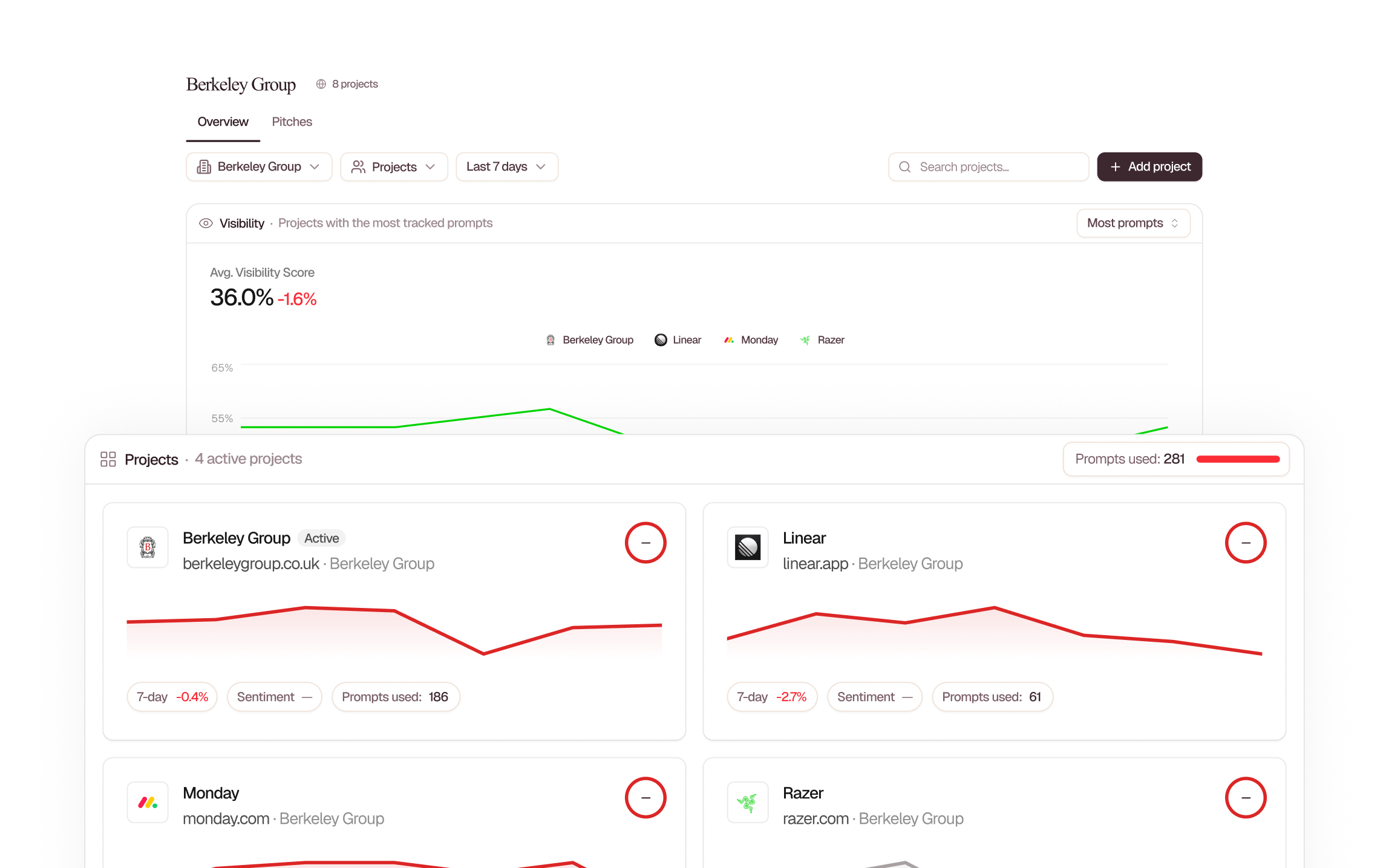
Reorganise your projects without a support request. Workspace Owners, Admins and Super Admins can now move a project to another workspace they have access to.

What's new:

  • Choose a destination: search workspaces by name and see your role in each before confirming the move.
  • Move from project settings: find the action in the project row menu or project detail view under Manage Account → Projects.
  • Organise client work: move a project into the workspace where your team needs to manage it.

The available destinations depend on your access to each workspace.

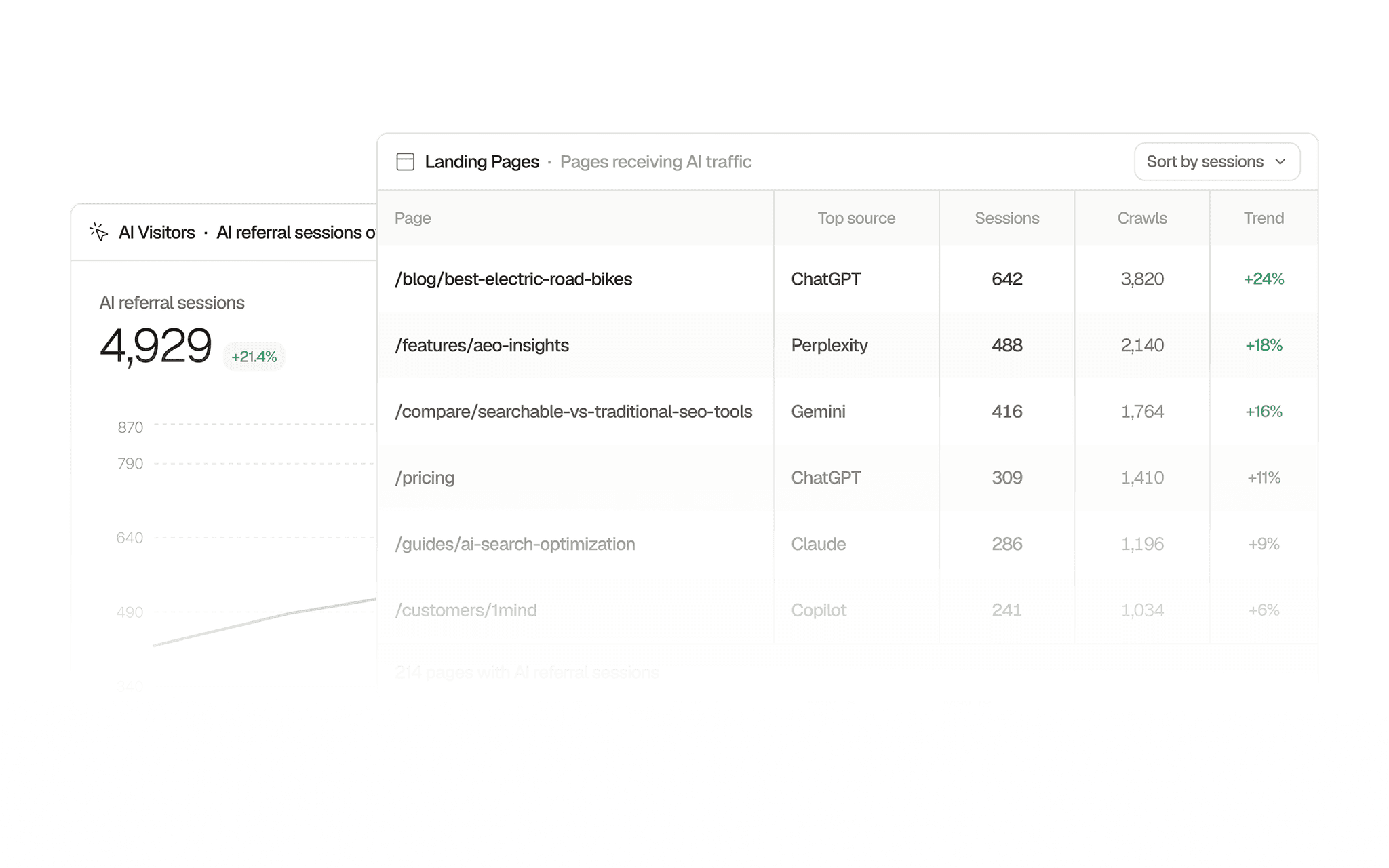
Sortable data tables in AI Traffic

The Visitors tab in AI Traffic now lets you open the data behind each chart as a table. It is easier to compare rows and find the metrics that a bar or line alone can't show.

What's new:

  • Tables across the Visitors tab: open Human Visitors, Top Pages, Acquisition Sources and Queries, Top Countries, Top Devices, and Referrals in a side panel.
  • Sort and compare: sort by the available columns and review a totals row without leaving the page.
  • More detail from each connected source: inspect impressions, click-through rate, and average position from Search Console or Bing; or engagement, scroll depth, and bounce rate from Searchable Analytics where available.
  • The same reporting context: tables use the active data source and filters, so you can move between the visual overview and its underlying rows.

Select the table icon on a Visitors card to explore its data. The columns available depend on your connected analytics source.

Import prompts and historical responses from Scrunch and Peec

Bring your existing prompt configurations and historical AI responses from Scrunch or Peec into Searchable, with help from our migration team.

Bring your research with you:

  • Prompt configurations: carry over supported prompts and their market settings.
  • Historical responses: bring existing answers into Searchable for analysis alongside your tracking.
  • Guided migration: our team helps plan and carry out your import.

Imported answers are analysed using Searchable's methodology, so calculated metrics may differ from those in your previous platform. Available history and coverage depend on the source account and API access.

Discuss a migration with our team.

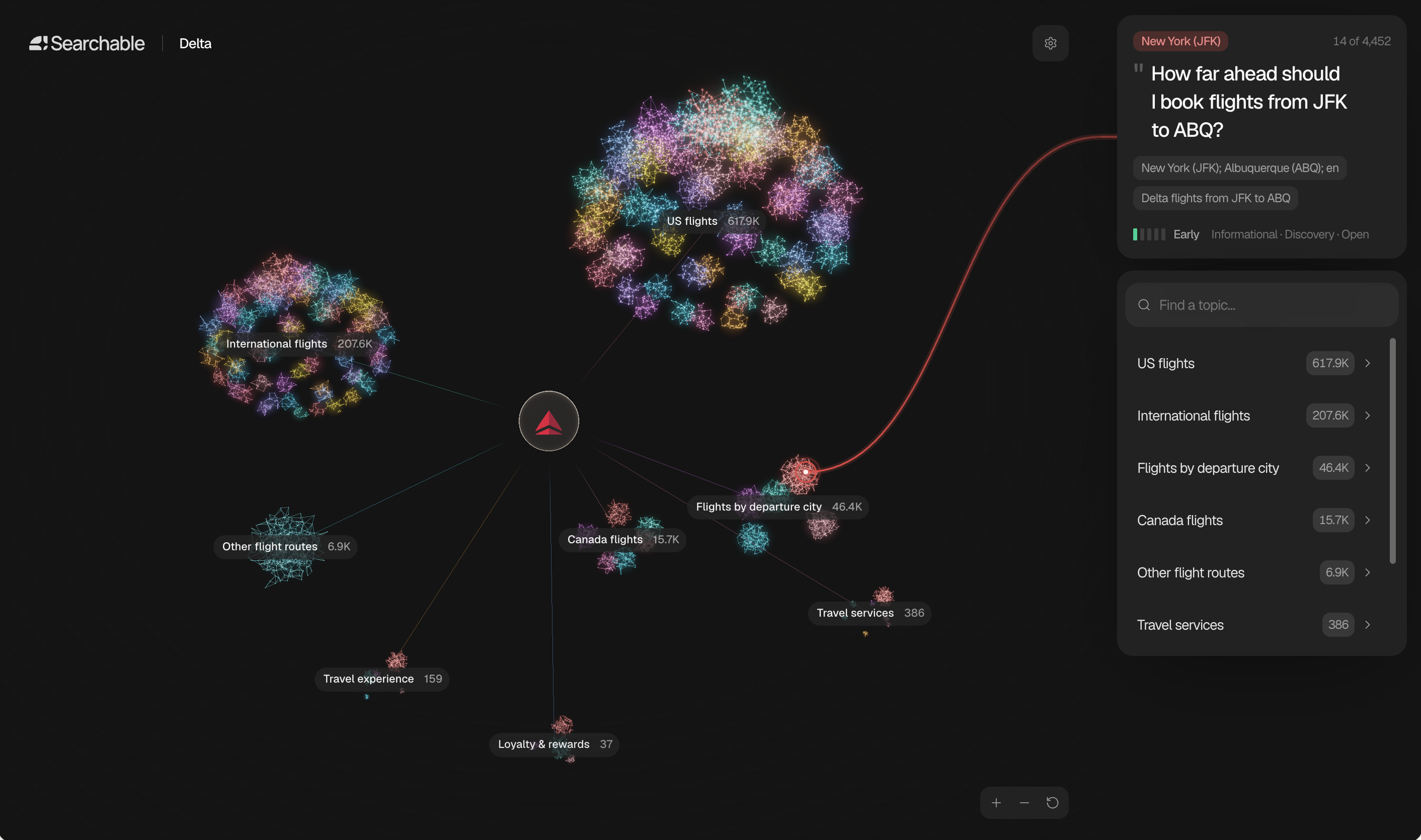
Prompt Universe: explore topics, questions and buyer journeys

Tracking starts with deciding which questions matter. Prompt Universe helps you explore the topics, subtopics, and questions around your market before choosing where to focus.

Prompt Universe showing Delta flight topics as connected clusters, with a selected travel question and topic list.

Explore an interactive map of the conversations relevant to your business, follow different buyer journeys, and use the research to inform your AI search strategy.

What you can explore:

  • Topics and subtopics: see how questions fit into a broader market.
  • Buyer journeys: explore the questions people ask as they discover, compare, and evaluate options.
  • Research for your brand: use the map and accompanying report to identify areas worth investigating and tracking.

Explore Prompt Universe with our team to see the questions and topics around your brand.

Explore Prompt Universe.

Claude Lite and Grok Lite tracking

Track how Claude and Grok describe your brand with more affordable Lite options. Lite models answer from their existing knowledge, with web search disabled.

What’s included:

  • Answers from model knowledge: Lite models respond using their existing knowledge rather than looking up information on the web.
  • No web citations or sources: Lite responses do not provide the web-source coverage of the standard, search-enabled models.
  • Separate tracking: compare Lite results with standard Claude and Grok results without mixing the two.

Talk to our team about Lite tracking.

White-label AI search platform for agencies

Offer clients Searchable under your agency's brand, from the domain they visit and the login they see to their workspace, reports, and emails.

Make the experience your own:

  • Your domain and login: welcome clients through a branded sign-in experience.
  • Your visual identity: apply your logo, colours, and brand name across the platform.
  • Branded reporting and communications: carry your identity through reports and customer emails.
  • Client workspaces: organise each client's projects within your agency's offering.

Contact our team to discuss white-label access and set up your agency’s branded platform.

Talk to us about white-label.

Workspace IP restrictions and sharing controls

Teams with specific IT requirements can now control how their workspace is accessed and how its data is shared. Our team can configure these policies for your workspace.

What's new:

  • Login IP allowlists: restrict sign-in to approved office or VPN IP ranges.
  • Invitation domain allowlists: limit team invitations to approved email domains.
  • API and MCP access policies: disable programmatic access, restrict it by IP, or prevent new API keys while keeping existing integrations running.
  • Report and conversation sharing policies: choose whether links are accessible to anyone with the link, workspace members only, or disabled. Reports and shared Agent conversations can have separate policies.

Contact our team to discuss the controls your organisation needs and arrange setup.

Report previews, PDF improvements and custom reporting periods

Reports now makes it clearer when you're editing, what you've published, and what a client will see. We've also improved PDF generation and email delivery.

What's new:

  • Switch between Editing and Preview: check the finished report without losing your place in the canvas.
  • See what's published: a published banner shows when you last made the report public, with actions to copy the link, view it, or publish an update.
  • Keep your workspace arranged: the Blocks and Agent panels remember their open or closed state for each report.
  • Understand missing data: report blocks distinguish a disconnected source from an empty date range and explain what to do next.
  • More reliable PDF exports: improved PDF generation and email delivery make it easier to share finished reports with clients.

Open a report in Reports to use the updated canvas.

AI Traffic reporting improvements:

  • Choose a custom reporting window or use the Last 365 Days preset with the history available for your project.
  • See the exact dates and number of days selected, and save your preferred default across devices and workspaces.
  • Custom-range charts now include the final day and stay aligned with their totals.

Ad tracking in Google AI Mode

Ads analytics now includes sponsored ads appearing in Google AI Mode answers, alongside the ChatGPT ads we already track.

What's new:

  • Coverage of Google AI Mode ads: see sponsored placements captured in the AI answers to your tracked prompts.
  • Advertiser and destination details: inspect the ad information returned with each answer, including the advertiser and landing-page link where available.

This adds the paid placements to your view of AI Mode, alongside organic visibility and shopping recommendations. Available for projects tracking Google AI Mode.

API and MCP: five new traffic reports and custom date ranges

You can now ask your connected AI assistant for a specific reporting period and get more of your AI traffic data without exporting it from the dashboard.

What's new:

  • Exact date ranges: query visibility, share of voice, sentiment, topics, and AI traffic using a start and end date.
  • Five more traffic reports: access sitemap coverage, human traffic, crawl/referral correlation, attribution, and request logs.
  • Host filtering: narrow traffic reports to a particular site or subdomain within a project.
  • Deeper topic analysis: retrieve prompt rankings within a topic and compare positions across topics and AI platforms.
  • More context for trends: include chart annotations with supported time-series reports, and search your prompt catalogue by text.

These additions are available through the public REST API and the existing MCP tools. Read the documentation.

Product and merchant tracking in Google AI Mode

Shopping analytics now captures the product cards recommended inside Google AI Mode answers. You can see which products and merchants appear when AI answers the shopping prompts you track.

What's new:

  • Product recommendations from another AI platform: Google AI Mode shopping results join your existing shopping analysis.
  • Merchant and price details: see the retailer, product link, and price where they are supplied in the answer.
  • Support for local price formats: prices are recognised across different currency and number formats.

Available for projects tracking Google AI Mode. Talk to our team about adding AI Mode.

July round-up

July was one of our biggest months yet. ChatGPT ads analytics arrived, the Agent picked up writing and planning powers, Reports was rebuilt from the ground up, and MCP became genuinely powerful. Here's everything in one place.

ChatGPT ads analytics

ChatGPT is ramping up ads across the world. It's a paid layer sitting right next to the answers your buyers already trust, and an important piece of the puzzle when it comes to understanding the AI visibility landscape.

  • Backdated data from day one: we've been capturing ads for over a month, so the history is there the moment you open it.
  • See every advertiser: filter to your direct competitors and browse the creatives they're running.
  • Check your own exposure: see which of your prompts trigger ads. Around 10 to 20% today depending on category, and rising.

Agent updates

Read the blog post
  • Content is now a mode of the Agent: ask the Agent for a blog and it opens the document workspace, canvas on the left and chat on the right. It plans, you approve, and the draft builds while you watch.
  • Edit in place: highlight a line to have it rewritten, fill in your SEO, then publish straight to WordPress, Webflow or Shopify.
  • Plan mode: ask for something substantial and the Agent builds a plan first, with a title, ordered steps, and one question where it needs an answer from you. It waits for your approval before running anything. Read the full blog post.

Reports, rebuilt

  • Over 80 data blocks: spanning AI visibility, AI traffic, Shopping, LLM Analytics, Search Console and GA4.
  • Blocks stay live: filtering to a single competitor re-scopes the report rather than making you rebuild it.
  • Share it your way: send as a PDF, a live link with a password and your own branding, or a scheduled email.
  • Or skip the building entirely: ask the Agent for a 30 day executive report.

MCP upgrade

  • Provider-neutral OAuth: Claude, Cursor, ChatGPT, Grok and Gemini all connect the same way. Add the server, sign in, and pick your projects.
  • 22 workflow tools: trigger audits and build reports without leaving the chat.
  • Interactive cards, not paragraphs: eight of them, from Competitor Ranking to Topic Analysis, with live date ranges and rows you can expand.

Also shipped

  • Compare competitors on the Visibility Score chart: one toggle overlays up to ten competitor trend lines on yours.
  • Chart change markers: charts mark themselves when prompts or locations change, so you can tell what caused a movement.
  • Visibility grouped by AI platform: slice visibility by individual engine, as you already could by topic or location.
  • WordPress connector: a plugin for AI traffic tracking, with WP Engine, Kinsta, Pressable and Flywheel routing straight to it.
  • A five-level role system: Owner, Super Admin, Admin, Member, Viewer.

Plus smaller fixes: the Prompts table sorts by sentiment, prompts on the Research page edit with one click, Knowledge Base topics rename in place, and report folders persist across devices.

Referral Programme

Get rewarded for bringing other teams to Searchable. Active paying customers can now refer new accounts in exchange for a recurring revenue share, while the people they refer get a discount on their first six months. A simple way to earn from a network you've already built.

What's new:

  • 20% revenue share for referrers: earn 20% of every referred account's payments for their first 6 months.
  • 30% discount for referees: new customers get 30% off their first 6 months on any paid plan, applied automatically at checkout.
  • No cap on referrals: refer as many accounts as you like, with rewards stacking across every successful signup.
  • Built-in referrer dashboard: track your unique link, clicks, signups, qualified referrals, pending balance, and payout status from inside Searchable.
  • Flexible monthly payouts: Stripe (bank), PayPal, or USDC, with a $20 minimum threshold.
  • Clean attribution: last-click attribution with a 30-day cookie window, and a 30-day holding period before payouts clear to cover refunds.

Find your referral link in-app under the new Referrals section.

AI Traffic integrations: CloudFront, Fastly, Google Cloud, Akamai and Netlify

AI Traffic supports more of the infrastructure your website already runs on. You can connect AWS CloudFront, Fastly, Google Cloud, Akamai, and Netlify alongside the existing Cloudflare and Vercel integrations.

Connect your provider to see which AI crawlers visit your site and which pages they request. This gives you visibility into AI activity that a browser analytics script alone cannot capture.

Supported connections include:

  • AWS CloudFront
  • Fastly
  • Google Cloud
  • Akamai
  • Netlify

Setup depends on your provider and may require help from whoever manages your hosting. Crawler activity and human visits from AI platforms are measured separately; connect Searchable Analytics or a supported analytics source to measure referral traffic too.

Talk to our team about connecting your website.

Public API & MCP upgrade

We've massively expanded what our public API and MCP can do. External tools, AI agents, and our own reporting agents can now pull almost everything the dashboard shows, automatically, with the same numbers as the UI.

What's new:

  • Google Analytics (GA4): AI-driven traffic, referrals, top pages, and traffic sources, available directly via API.
  • Sources: which sites and pages cite the brand, with content types, trends, and full drill-down.
  • Sentiment: brand sentiment, history, and head-to-head competitor comparison.
  • Location: visibility broken down by country and region, plus location filters on sentiment and sources.
  • Query fanout: the follow-up questions AI engines ask while answering a prompt.
  • Opportunities: now surfaced via the API.
  • On-demand reports: generate shareable visibility and combined reports via API (previously sentiment-only).
  • Trigger audits on demand: kick off audits from any external tool or agent.
  • White-label and unbranded outputs: plus pagination for large datasets, expanded docs, and live tests.
  • Speed boost: visibility and sentiment reads now run on ClickHouse, purpose-built for this kind of querying, so responses are dramatically faster. Every fast path ships with parity tests that prove it returns the exact same numbers as before.

Net effect: our AI connector grew from 8 to 30 tools, roughly 4x. Agents can now answer far richer questions about a brand's AI visibility without anyone exporting data by hand, and everything is much quicker.

Pricing redesign

We've redesigned Searchable's pricing pages with one goal: make it obvious which plan fits you. Whether you're a brand running AI search visibility for your own product or an agency managing it across a portfolio of clients, you now have a dedicated page built around how you actually work.

What's new:

  • Brands have space to expand even further: a new Enterprise tier with 1,250 prompts for in-house teams running visibility across large product portfolios.
  • Agencies get their own page: an agency-native set of plans built around how agencies actually operate, with Pitch Workspaces, white-label, Looker and more features on the way.
  • Cleaner self-serve to enterprise ladder: two dedicated pages, a new tier, and a clean path from self-serve to talking to our team when you outgrow them.
  • No change for existing customers: if you're already on a plan, your pricing stays exactly as it is. Agency accounts can switch to the new tiers in-app if they're a better fit.

Take a look at the new pricing.

LLM Analytics

Read the blog post

Your next customer may meet you through an answer they never typed into Google. By the time a human visitor lands on your site, an AI system may already have crawled, summarised, compared, and judged your pages. Most analytics tools only show the click. LLM Analytics shows the AI systems reading your site before the click happens, and whether that attention turns into AI-referred visitors.

What's new:

  • Bot type tracking: AI citations, training, indexing, and agent visits surface as four distinct streams, broken down by page and by platform.
  • Attribution percentage: the blended ratio of crawls to referral clicks, so you can tell which platforms turn AI awareness into traffic.
  • Crawl coverage: the share of your site AI is aware of, rolled up into a site health score so you know where the gaps are.
  • Bot discovery: every crawler reaching your site, including the major ones from Google, OpenAI, Anthropic, Amazon, Apple, TikTok and Bingbot, ready to add to your tracking when one matters.
  • Granular access logs: timestamped, page-level entries showing exactly when and how each platform indexed your content.

Setup is native on Vercel, supported on Cloudflare, and available via custom REST API for any other stack. Read the full launch blog post.

Pitch Workspaces

Read the blog post

If you've ever had to choose between using prompts to track a paying client and using them to chase new business, this one is for you. Pitch Workspaces give you dedicated capacity to track AI visibility for prospects, without eating into the allocation reserved for your live clients.

What's new:

  • Spin up a pitch in seconds: create temporary workspaces with up to 500 prompts, allocated across as many pitches as you want during the month.
  • Keep pitches separate from live work: a clean distinction between paying clients and prospective ones, so your dashboards, reports, and team workflows stay focused.
  • Win the pitch, keep the data: convert a Pitch Workspace into a full domain and project in one click, retaining all the visibility data you've gathered.
  • Lose the pitch, no clutter: archive it. If the prospect comes back later, resurrect the workspace and pick up where you left off.

Available on agency plans. Read the full blog post.

Prompt Research 2.0

We've completely redesigned Prompt Research. It's now easier to discover the prompts that matter, with AI-powered generation, competitor insights, and a three-step path from research to tracking.

What's new:

  • Enhanced prompt generation: generate relevant prompts from your brand context, seed keywords, or competitor analysis. Select your source, configure settings, and let us suggest what to track.
  • Smart topic suggestions: topics surfaced automatically based on your brand, industry, and competitive context.
  • Flexible review workflow: review generated prompts before tracking. Select the ones you want active immediately, save others for later in Proposed prompts, or discard what's not relevant.
  • Location and language targeting: configure prompts for specific countries, cities, and languages from the moment you add them.
  • Configurable table views: add the metrics you care about with flexible column views, and save the views you use most for quick access. Your Prompts table got this upgrade too.

New workflow in three steps: configure research, select topics, track prompts.

Visibility 2.0

A few weeks earlier, we shared that we were refocusing Searchable: simplifying the product, cutting complexity, and concentrating on the parts customers use most. Visibility 2.0 is the first major release from that work, rebuilt directly on customer feedback.

What's new:

  • Fully redesigned AEO Insights: access key insights quicker, with new visualisations and an enhanced Query Fanout that shows the richer set of queries AI actually uses to answer your prompts.
  • Competitor impersonation: step into your competitors' shoes to see how they perform against the same prompts.
  • Location-specific visibility: see how you perform country by country, with regional detail available for select countries.
  • Shopping visibility: see which prompts drive product recommendations, and which brands and merchants are getting recommended the most.
  • Quality-of-life upgrades: faster dashboards, better filtering, clearer signalling across the board.

Everything is already live in your account. Just log in and explore.

Sentiment

Sentiment gives you a clear view of what AI says about your product and brand, and how you compare to your competitors. It's built from your branded prompts, additional prompts we capture, and background analysis we run on top of it all.

What's new:

  • Brand sentiment snapshot: positive, neutral, and negative perceptions across AI platforms.
  • Platform-specific views: compare sentiment across ChatGPT, AI Overviews, and others, since each platform has slightly different opinions about your brand.
  • Trend over time: track how sentiment evolves with weekly updates, and click into any trend to see examples and quotes from AI.
  • Head-to-head competitor comparison: see exactly where you win versus your direct competitors and where they're leading you on specific topics.
  • Topic-level analysis: understand your strengths and weaknesses within specific categories relevant to your brand.
  • Brand facts review: see statements AI claims about your business and mark them as correct or incorrect.

Sentiment is updated weekly and personalised for your brand. Find it in your main menu.

Articles is now Content

The old article system was a manufacturing line: a fixed nine-step pipeline that worked for a narrow use case and couldn't adapt outside of it. Content rebuilds the experience from the ground up around a canvas where writing and editing happen together.

What's new:

  • Canvas-first editing: write and edit in the same space, with no handoff to a separate editor.
  • Conversational brief building: capture intent, audience, angle, CTA, and constraints before drafting.
  • Inline edits with diffs: update a paragraph or section and review the change instantly. No full regeneration required.
  • Research and SEO on demand: pull in stats, quotes, meta descriptions, schema, FAQs, and internal links when you're ready.
  • More flexibility: create articles, LinkedIn posts, product copy, YouTube descriptions and more, all from the same workflow.

Your existing articles remain untouched. The new system runs separately, and you can use both during the transition. Contact support@searchable.com for early access.

Q1 launch round-up

The start of 2026 was a busy season. AI Search Summit landed, our second AI Search Accelerator cohort welcomed more than double the attendees of the first, and the platform itself shipped six new capabilities between January and early February. Here's everything in one place.

Mentions 2.0

A fully revamped analytics layer, plus a brand-new topic layer that gives every prompt a category to roll up to.

  • Competitor benchmarking: across mentions, citations, and position.
  • Automatic topic clustering: prompts cluster into topics automatically, adding a new dimension to your AI visibility.
  • Query fan-out: see exactly what searches AI performed for each query to arrive at the answer.
  • Gap analysis: track which prompts are owned only by your competitors.

AI Model Add-ons

Expand your analysis to three new models: Microsoft Copilot, Google AI Mode, and Deepseek.

  • Microsoft Copilot: ideal if your target customers live in the Microsoft suite.
  • Google AI Mode: see how you perform in Google's rapidly growing answer engine.
  • Deepseek: a niche model with a small but dedicated user base.

Add new models in Manage Account in Settings.

Searchable MCP

Searchable data, directly inside Claude Code and Cursor. Pull live visibility data into the AI tools you already work in, or build agents on top of your Searchable data using the MCP server. Read the setup guide.

Unbranded view

Branded prompts may make you look good by driving more mentions and citations, but they can obscure the real picture. Toggle Unbranded view on to filter out all data coming from branded prompts and get an unbiased view of your performance. Available across Visibility, Mentions, Sources, and Exports.

Granular competitor management

Getting a precise read on your competitors can be as important as knowing your own position. New tools to group competitor sub-brands into one, filter out brands that aren't really your competitors, and much more. Find them in Knowledge Base.

Agentic commerce audit

A new free tool to measure how well your website is optimised for shopping agents. So far, only 1% of websites have passed fully. Will you join their ranks?

Sources

When someone asks ChatGPT, Claude, or Perplexity a question, the LLM searches the web, finds relevant pages, and uses them to build its answer. Sources shows you exactly which URLs are being used, for your brand and your competitors, so you can make smarter decisions about your content strategy.

What's new:

  • See which of your pages get cited most: and which issues to fix to make them perform even better.
  • Discover content gaps: where competitors get cited, but you don't. These are the topics where your next article should focus.
  • Identify high-performing article types: how-to guides, comparisons, topic guides, and which formats get cited most in your space.
  • Run a competitor deep-dive: click into any competitor to see their most-cited pages, article type distribution, and where they're outranking you in citation frequency.
  • Move straight to fixes: Sources surfaces specific actions you can take right now, from publishing checklist content to fixing technical issues on your most-cited pages.

Head to Analytics → Sources to explore. The Insights panel at the top will surface the highest-impact actions right away.

Get an email when we ship.

New launches and upgrades, sent to your inbox.