# Best Claude SEO Tracking Tools in 2026 (We Tested 10+ Platforms)

Compare the 10 best Claude SEO tracking tools for 2026. Practitioner-tested reviews with pricing, accuracy analysis, and honest pros/cons for every platform.

**Published:** February 18, 2026
**Author:** JP Garbaccio

---

Claude mentions brands in 97.3% of its answers. ChatGPT does it 73.6% of the time. Most marketing teams are tracking the wrong engine.

That gap isn't a rounding error - it's 24 percentage points. According to Spotlight's analysis of 1.8 million AI responses, Claude is the most brand-generous AI platform available. It names companies, recommends products, and cites specific tools at a rate no other engine matches. If your brand is invisible in Claude, it's invisible in the AI channel most likely to mention you.

So the real question isn't "which Claude tracker should I buy?" It's "do you understand what you're missing if you don't track it?" This guide covers both. We'll explain why Claude's ranking behaviour is different from other AI engines, then review 10 tools with real pricing, honest limitations, and clear recommendations on who each one is built for.


</KeyTakeaways>

---

## Why Claude Is the Most Important AI Engine to Track Right Now

Claude SEO tracking matters because it is, by a significant margin, the AI platform most likely to name your brand in a response. Spotlight's study of 1.8 million AI responses puts Claude's brand mention rate at 97.3%, compared to 73.6% for ChatGPT and 48.5% for Google AI Overviews. That's not a slight advantage - it's a fundamentally different behaviour.

<div className="not-prose">
  <div className="grid grid-cols-1 md:grid-cols-2 gap-6 my-8">
    <div className="rounded-2xl border border-stone-200 bg-white p-6">
      <div className="flex items-center gap-2 mb-1">
        <img src="/claude-icon.svg" alt="Claude" className="w-4 h-4 flex-shrink-0" />
        <p className="text-sm font-medium text-stone-500">Brand Mention Rate by AI Engine</p>
      </div>
      <p className="text-xs text-stone-400 mb-5">% of responses that name a brand - Spotlight, 1.8M responses</p>
      <div className="space-y-4">
        <div>
          <div className="flex items-center justify-between mb-1.5">
            <div className="flex items-center gap-1.5">
              <img src="/claude-icon.svg" alt="Claude" className="w-3.5 h-3.5" />
              <span className="text-sm font-semibold text-stone-800">Claude</span>
            </div>
            <span className="text-sm font-bold" style={{ color: '#C15F3C' }}>97.3%</span>
          </div>
          <div className="h-2.5 bg-stone-100 rounded-full overflow-hidden">
            <div className="h-full rounded-full" style={{ width: '97.3%', background: 'linear-gradient(to right, #B85B48, #C15F3C)' }} />
          </div>
        </div>
        <div>
          <div className="flex items-center justify-between mb-1.5">
            <span className="text-sm font-medium text-stone-500">ChatGPT</span>
            <span className="text-sm font-semibold text-stone-400">73.6%</span>
          </div>
          <div className="h-2.5 bg-stone-100 rounded-full overflow-hidden">
            <div className="h-full rounded-full bg-stone-300" style={{ width: '73.6%' }} />
          </div>
        </div>
        <div>
          <div className="flex items-center justify-between mb-1.5">
            <span className="text-sm font-medium text-stone-500">Perplexity</span>
            <span className="text-sm font-semibold text-stone-400">54.1%</span>
          </div>
          <div className="h-2.5 bg-stone-100 rounded-full overflow-hidden">
            <div className="h-full rounded-full bg-stone-200" style={{ width: '54.1%' }} />
          </div>
        </div>
        <div>
          <div className="flex items-center justify-between mb-1.5">
            <span className="text-sm font-medium text-stone-500">Google AI Overviews</span>
            <span className="text-sm font-semibold text-stone-400">48.5%</span>
          </div>
          <div className="h-2.5 bg-stone-100 rounded-full overflow-hidden">
            <div className="h-full rounded-full bg-stone-200" style={{ width: '48.5%' }} />
          </div>
        </div>
      </div>
      <p className="text-[11px] text-stone-400 mt-5">Claude leads by 23.7 points - the highest brand mention rate of any AI engine</p>
    </div>
    <div className="rounded-2xl border border-stone-200 bg-white p-6">
      <div className="flex items-center justify-between mb-1">
        <div className="flex items-center gap-2">
          <img src="/claude-icon.svg" alt="Claude" className="w-4 h-4 flex-shrink-0" />
          <p className="text-sm font-medium text-stone-500">Anthropic ARR Growth</p>
        </div>
        <span className="text-xs font-semibold px-2.5 py-1 rounded-full" style={{ backgroundColor: 'rgb(193 95 60 / 0.1)', color: '#C15F3C' }}>+1,300%</span>
      </div>
      <p className="text-xs text-stone-400 mb-3">Dec 2024 to Feb 2026 - SaaStr</p>
      {/* Value labels */}
      <div className="flex gap-3 mb-1">
        <div className="flex-1 text-center"><span className="text-xs font-semibold text-stone-700">$1B</span></div>
        <div className="flex-1 text-center"><span className="text-xs font-semibold text-stone-700">$4B</span></div>
        <div className="flex-1 text-center"><span className="text-xs font-semibold text-stone-700">$8B</span></div>
        <div className="flex-1 text-center"><span className="text-xs font-semibold text-stone-700">$14B</span></div>
      </div>
      {/* Bar chart area */}
      <div className="flex items-end gap-3" style={{ height: '140px' }}>
        <div className="flex-1 rounded-t-md" style={{ height: '7%', minHeight: '6px', backgroundColor: '#EAE8E3' }} />
        <div className="flex-1 rounded-t-md" style={{ height: '29%', backgroundColor: '#EAE8E3' }} />
        <div className="flex-1 rounded-t-md" style={{ height: '57%', backgroundColor: '#EAE8E3' }} />
        <div className="flex-1 rounded-t-md" style={{ height: '100%', background: 'linear-gradient(to top, #B85B48, #C15F3C)' }} />
      </div>
      {/* X-axis labels */}
      <div className="flex gap-3 mt-1.5">
        <div className="flex-1 text-center"><span className="text-[11px] text-stone-400">Dec '24</span></div>
        <div className="flex-1 text-center"><span className="text-[11px] text-stone-400">mid '25</span></div>
        <div className="flex-1 text-center"><span className="text-[11px] text-stone-400">late '25</span></div>
        <div className="flex-1 text-center"><span className="text-[11px] text-stone-400">Feb '26</span></div>
      </div>
      <p className="text-[11px] text-stone-400 mt-3">One of the fastest ARR climbs in enterprise software history</p>
    </div>
  </div>
</div>

The scale of the opportunity is growing fast. Anthropic went from $1 billion ARR in late 2024 to $14 billion ARR by February 2026, one of the fastest climbs in enterprise software history. The platform has roughly 30 million monthly active users and a mobile app that grew from 2.9 million to 7.4 million MAU through 2025. Claude is not a fringe engine.

What makes tracking urgent is citation churn. BlissDrive's analysis found that 40-60% of cited domains change each month. The brand Claude recommends today may not be the one it recommends next month. Without ongoing monitoring, you won't catch a drop until it shows up in revenue.

The question isn't whether Claude visibility matters. It's whether you're [tracking it](https://www.searchable.com/blog/tracking-brand-ai-responses) before your competitors do.

<div className="not-prose">
  
</div>

---

## How Claude Tracking Tools Actually Work (And Why It Matters for Accuracy)

Claude tracking tools collect data in three ways: browser simulation (runs real queries in Claude's web app), API monitoring (calls Claude's API directly), and hybrid tools that mix both. Claude gives different answers to the same prompt each time, so tracking frequency, prompt variety, and method all shape accuracy.

This matters more than any pricing table. Method is the single biggest factor in whether a tool's data is worth paying for, and almost no article in this space covers it in any depth.

<div className="not-prose">
  <div className="rounded-2xl border border-stone-200 bg-white overflow-hidden my-8">
    <div className="px-6 py-5 border-b border-stone-100">
      <p className="text-base font-semibold text-stone-800">How Claude Tracking Tools Collect Data</p>
      <p className="text-sm text-stone-400 mt-0.5">Three methods, three different accuracy and cost trade-offs</p>
    </div>
    <div className="p-6">
      <div className="grid grid-cols-1 sm:grid-cols-3 gap-0">
        {[
          { num: '01', title: 'Browser Simulation', stat: 'Highest accuracy', desc: 'Opens a real Claude session, types queries, and captures what a human sees - including UI-only features. Mirrors actual user experience. Trade-off: heavier servers mean fewer queries per plan and higher cost.', weight: 'High', color: '#C15F3C', badgeColor: '#4BAD79', badgeBg: 'rgba(75, 173, 121, 0.1)' },
          { num: '02', title: 'API Monitoring', stat: 'Fastest and cheapest', desc: "Calls Claude's API directly, skipping the web app. Can run hundreds of queries per minute at lower cost. The catch: API answers can differ from web answers - Claude may use different logic depending on how it's accessed.", weight: 'Medium', color: '#D27C5E', badgeColor: '#F4C66B', badgeBg: 'rgba(244, 198, 107, 0.15)' },
          { num: '03', title: 'Hybrid Approach', stat: 'Best of both', desc: 'Uses API for scale and speed, browser capture for spot-check validation. Balances accuracy with cost efficiency. The most reliable method for ongoing tracking at volume.', weight: 'High', color: '#C15F3C', badgeColor: '#4BAD79', badgeBg: 'rgba(75, 173, 121, 0.1)' },
        ].map((step, i) => (
          <div key={step.num} className={`p-5 relative ${i < 2 ? 'sm:border-r border-b sm:border-b-0 border-stone-100' : ''}`}>
            <div className="flex items-start gap-3">
              <span className="text-3xl font-black" style={{ color: `${step.color}20` }}>{step.num}</span>
              <div className="flex-1">
                <div className="flex items-center gap-2 mb-1.5">
                  <span className="text-base font-semibold text-stone-800">{step.title}</span>
                  <span className="text-xs font-medium px-2 py-0.5 rounded" style={{ backgroundColor: step.badgeBg, color: step.badgeColor }}>{step.weight}</span>
                </div>
                <p className="text-sm font-medium mb-1.5" style={{ color: step.color }}>{step.stat}</p>
                <p className="text-sm text-stone-500 leading-relaxed">{step.desc}</p>
              </div>
            </div>
          </div>
        ))}
      </div>
    </div>
    <div className="px-6 py-3.5 bg-stone-50 border-t border-stone-100">
      <p className="text-xs text-stone-400">Ask any tool which method they use. If they can't give a clear answer, treat that as a red flag.</p>
    </div>
  </div>
</div>

### Headless Browser Simulation

Browser tools open a real session with Claude's web app. They type queries, wait for answers, and grab what a human would see. This gives the most true-to-life data. It mirrors real user experience, including UI-only features.

The trade-off: cost and speed. Running browsers at scale needs heavy servers. These tools offer fewer queries or charge more per prompt. But accuracy is higher. The data matches what your audience sees.

### API-Based Monitoring

API tools call Claude's API, skipping the web app. This is faster and cheaper. A tool can run hundreds of queries a minute. The catch: API answers can differ from web answers. Claude may use different logic depending on access method.

For most cases, the gap is small. But for brands that need exact [AI search analysis](https://www.searchable.com/blog/what-is-ai-search-engine-optimisation) of how products appear in chat, it matters.

### Why Non-Determinism Matters

Claude does not give the same answer twice. Ask one question ten times. You may get ten different brand mentions, sources, or layouts. This is nothing like Google, where rankings hold steady hour to hour.

A tool that queries once a week gets a snapshot. A tool that runs queries many times, with varied prompts and regions, gets a trend. Snapshots are noise. Trends are signal.

When picking a tool, ask how often it queries and how it handles variation. A tool that averages across many runs gives better data than one that grabs a single answer.

---

## All 10 Claude SEO Tracking Tools at a Glance

The tools below range from $15/mo to enterprise custom pricing. We scored each on five criteria: Claude coverage in the base plan, multi-LLM breadth, tracking method accuracy, depth of actionable insight, and pricing transparency. Read the detailed reviews below for the nuances that a score alone won't reveal.

<div className="not-prose">
  <div className="rounded-2xl border border-stone-200 bg-white overflow-hidden my-8">
    <div className="px-6 py-5 border-b border-stone-100">
      <p className="text-lg font-bold text-stone-800">All 10 Claude Tracking Tools at a Glance</p>
    </div>
    <div className="divide-y divide-stone-100">
      {/* Searchable - hero row */}
      <div className="px-5 py-4 flex items-center gap-4" style={{ background: 'linear-gradient(to right, rgba(75,173,121,0.06), transparent)' }}>
        <div className="relative w-10 h-10 flex-shrink-0">
          <svg viewBox="0 0 36 36" className="w-10 h-10 -rotate-90">
            <circle cx="18" cy="18" r="14" fill="none" stroke="#EAE8E3" strokeWidth="4" />
            <circle cx="18" cy="18" r="14" fill="none" stroke="#4BAD79" strokeWidth="4" strokeDasharray="80.9 88" strokeLinecap="round" />
          </svg>
          <span className="absolute inset-0 flex items-center justify-center text-[10px] font-extrabold" style={{ color: '#4BAD79' }}>92</span>
        </div>
        <img src="/favicons/searchable.com.png" alt="" className="w-5 h-5 rounded" />
        <div className="flex-1 min-w-0">
          <div className="flex items-center gap-2">
            <a href="https://www.searchable.com/free-visibility-report" className="text-sm font-bold text-stone-900 hover:underline">1. Searchable</a>
          </div>
          <span className="inline-block text-[10px] font-semibold px-2 py-0.5 rounded-full mt-0.5" style={{ backgroundColor: 'rgba(75,173,121,0.1)', color: '#4BAD79' }}>Editor's Pick</span>
          <p className="text-xs text-stone-500 mt-0.5">5 engines, hybrid tracking, content engine, technical audits, MCP integration</p>
        </div>
        <div className="text-right flex-shrink-0">
          <a href="https://www.searchable.com/free-visibility-report" className="text-sm font-bold hover:underline" style={{ color: '#4BAD79' }}>Free</a>
          <p className="text-[10px] text-stone-400 mt-0.5 hidden sm:block">Paid from $50/mo</p>
        </div>
      </div>
      {/* Scrunch AI */}
      <div className="px-5 py-4 flex items-center gap-4">
        <div className="relative w-10 h-10 flex-shrink-0">
          <svg viewBox="0 0 36 36" className="w-10 h-10 -rotate-90">
            <circle cx="18" cy="18" r="14" fill="none" stroke="#EAE8E3" strokeWidth="4" />
            <circle cx="18" cy="18" r="14" fill="none" stroke="#C15F3C" strokeWidth="4" strokeDasharray="68.6 88" strokeLinecap="round" />
          </svg>
          <span className="absolute inset-0 flex items-center justify-center text-[10px] font-bold text-stone-500">78</span>
        </div>
        <img src="/favicons/scrunch.com.png" alt="" className="w-5 h-5 rounded" />
        <div className="flex-1 min-w-0">
          <div className="flex items-center gap-2">
            <span className="text-sm font-semibold text-stone-700">2. Scrunch AI</span>
            <span className="text-[10px] font-medium px-2 py-0.5 rounded-full bg-stone-100 text-stone-400">Best Analytics</span>
          </div>
          <p className="text-xs text-stone-400 mt-0.5">4 engines, GA4 revenue attribution, enterprise reporting</p>
        </div>
        <div className="text-right flex-shrink-0">
          <span className="text-sm font-bold" style={{ color: '#C15F3C' }}>Custom</span>
        </div>
      </div>
      {/* AIclicks */}
      <div className="px-5 py-4 flex items-center gap-4">
        <div className="relative w-10 h-10 flex-shrink-0">
          <svg viewBox="0 0 36 36" className="w-10 h-10 -rotate-90">
            <circle cx="18" cy="18" r="14" fill="none" stroke="#EAE8E3" strokeWidth="4" />
            <circle cx="18" cy="18" r="14" fill="none" stroke="#C15F3C" strokeWidth="4" strokeDasharray="65.1 88" strokeLinecap="round" />
          </svg>
          <span className="absolute inset-0 flex items-center justify-center text-[10px] font-bold text-stone-500">74</span>
        </div>
        <img src="/favicons/aiclicks.io.png" alt="" className="w-5 h-5 rounded" />
        <div className="flex-1 min-w-0">
          <div className="flex items-center gap-2">
            <span className="text-sm font-semibold text-stone-700">3. AIclicks</span>
            <span className="text-[10px] font-medium px-2 py-0.5 rounded-full bg-stone-100 text-stone-400">Best Granularity</span>
          </div>
          <p className="text-xs text-stone-400 mt-0.5">4 engines, prompt-level tracking, clean UI</p>
        </div>
        <div className="text-right flex-shrink-0">
          <span className="text-sm font-bold" style={{ color: '#C15F3C' }}>$39/mo</span>
        </div>
      </div>
      {/* Orchly.ai */}
      <div className="px-5 py-4 flex items-center gap-4">
        <div className="relative w-10 h-10 flex-shrink-0">
          <svg viewBox="0 0 36 36" className="w-10 h-10 -rotate-90">
            <circle cx="18" cy="18" r="14" fill="none" stroke="#EAE8E3" strokeWidth="4" />
            <circle cx="18" cy="18" r="14" fill="none" stroke="#D27C5E" strokeWidth="4" strokeDasharray="62.5 88" strokeLinecap="round" />
          </svg>
          <span className="absolute inset-0 flex items-center justify-center text-[10px] font-bold text-stone-500">71</span>
        </div>
        <img src="/favicons/orchly.ai.png" alt="" className="w-5 h-5 rounded" />
        <div className="flex-1 min-w-0">
          <div className="flex items-center gap-2">
            <span className="text-sm font-semibold text-stone-700">4. Orchly.ai</span>
            <span className="text-[10px] font-medium px-2 py-0.5 rounded-full bg-stone-100 text-stone-400">Best Actions</span>
          </div>
          <p className="text-xs text-stone-400 mt-0.5">3 engines, browser-based, action centre with recommendations</p>
        </div>
        <div className="text-right flex-shrink-0">
          <span className="text-sm font-bold" style={{ color: '#C15F3C' }}>$49/mo</span>
        </div>
      </div>
      {/* Peec AI */}
      <div className="px-5 py-4 flex items-center gap-4">
        <div className="relative w-10 h-10 flex-shrink-0">
          <svg viewBox="0 0 36 36" className="w-10 h-10 -rotate-90">
            <circle cx="18" cy="18" r="14" fill="none" stroke="#EAE8E3" strokeWidth="4" />
            <circle cx="18" cy="18" r="14" fill="none" stroke="#D27C5E" strokeWidth="4" strokeDasharray="59.8 88" strokeLinecap="round" />
          </svg>
          <span className="absolute inset-0 flex items-center justify-center text-[10px] font-bold text-stone-500">68</span>
        </div>
        <img src="/favicons/peec.ai.png" alt="" className="w-5 h-5 rounded" />
        <div className="flex-1 min-w-0">
          <div className="flex items-center gap-2">
            <span className="text-sm font-semibold text-stone-700">5. Peec AI</span>
            <span className="text-[10px] font-medium px-2 py-0.5 rounded-full bg-stone-100 text-stone-400">Best Sentiment</span>
          </div>
          <p className="text-xs text-stone-400 mt-0.5">5 engines, sentiment analysis, Claude is a paid add-on</p>
        </div>
        <div className="text-right flex-shrink-0">
          <span className="text-sm font-bold" style={{ color: '#C15F3C' }}>$39/mo</span>
        </div>
      </div>
      {/* LLMrefs */}
      <div className="px-5 py-4 flex items-center gap-4">
        <div className="relative w-10 h-10 flex-shrink-0">
          <svg viewBox="0 0 36 36" className="w-10 h-10 -rotate-90">
            <circle cx="18" cy="18" r="14" fill="none" stroke="#EAE8E3" strokeWidth="4" />
            <circle cx="18" cy="18" r="14" fill="none" stroke="#D27C5E" strokeWidth="4" strokeDasharray="57.2 88" strokeLinecap="round" />
          </svg>
          <span className="absolute inset-0 flex items-center justify-center text-[10px] font-bold text-stone-500">65</span>
        </div>
        <img src="/favicons/llmrefs.com.png" alt="" className="w-5 h-5 rounded" />
        <div className="flex-1 min-w-0">
          <div className="flex items-center gap-2">
            <span className="text-sm font-semibold text-stone-700">6. LLMrefs</span>
            <span className="text-[10px] font-medium px-2 py-0.5 rounded-full bg-stone-100 text-stone-400">SEO-Familiar</span>
          </div>
          <p className="text-xs text-stone-400 mt-0.5">3 engines, keyword-based approach, position tracking</p>
        </div>
        <div className="text-right flex-shrink-0">
          <span className="text-sm font-bold" style={{ color: '#C15F3C' }}>$29/mo</span>
        </div>
      </div>
      {/* Ahrefs Brand Radar */}
      <div className="px-5 py-4 flex items-center gap-4">
        <div className="relative w-10 h-10 flex-shrink-0">
          <svg viewBox="0 0 36 36" className="w-10 h-10 -rotate-90">
            <circle cx="18" cy="18" r="14" fill="none" stroke="#EAE8E3" strokeWidth="4" />
            <circle cx="18" cy="18" r="14" fill="none" stroke="#D27C5E" strokeWidth="4" strokeDasharray="56.3 88" strokeLinecap="round" />
          </svg>
          <span className="absolute inset-0 flex items-center justify-center text-[10px] font-bold text-stone-500">64</span>
        </div>
        <img src="/favicons/ahrefs.com.png" alt="" className="w-5 h-5 rounded" />
        <div className="flex-1 min-w-0">
          <div className="flex items-center gap-2">
            <span className="text-sm font-semibold text-stone-700">7. Ahrefs Brand Radar</span>
            <span className="text-[10px] font-medium px-2 py-0.5 rounded-full bg-stone-100 text-stone-400">Best Add-on</span>
          </div>
          <p className="text-xs text-stone-400 mt-0.5">4 engines, included with Ahrefs plan, share-of-voice reporting</p>
        </div>
        <div className="text-right flex-shrink-0">
          <span className="text-sm font-bold" style={{ color: '#C15F3C' }}>Ahrefs plan</span>
        </div>
      </div>
      {/* Mangools */}
      <div className="px-5 py-4 flex items-center gap-4">
        <div className="relative w-10 h-10 flex-shrink-0">
          <svg viewBox="0 0 36 36" className="w-10 h-10 -rotate-90">
            <circle cx="18" cy="18" r="14" fill="none" stroke="#EAE8E3" strokeWidth="4" />
            <circle cx="18" cy="18" r="14" fill="none" stroke="#F9AB00" strokeWidth="4" strokeDasharray="53.7 88" strokeLinecap="round" />
          </svg>
          <span className="absolute inset-0 flex items-center justify-center text-[10px] font-bold text-stone-500">61</span>
        </div>
        <img src="/favicons/mangools.com.png" alt="" className="w-5 h-5 rounded" />
        <div className="flex-1 min-w-0">
          <div className="flex items-center gap-2">
            <span className="text-sm font-semibold text-stone-700">8. Mangools AI Watcher</span>
            <span className="text-[10px] font-medium px-2 py-0.5 rounded-full bg-stone-100 text-stone-400">Budget Pick</span>
          </div>
          <p className="text-xs text-stone-400 mt-0.5">3 engines, cheapest dedicated option, simple interface</p>
        </div>
        <div className="text-right flex-shrink-0">
          <span className="text-sm font-bold" style={{ color: '#C15F3C' }}>~$15.60/mo</span>
        </div>
      </div>
      {/* Gumshoe AI */}
      <div className="px-5 py-4 flex items-center gap-4">
        <div className="relative w-10 h-10 flex-shrink-0">
          <svg viewBox="0 0 36 36" className="w-10 h-10 -rotate-90">
            <circle cx="18" cy="18" r="14" fill="none" stroke="#EAE8E3" strokeWidth="4" />
            <circle cx="18" cy="18" r="14" fill="none" stroke="#F9AB00" strokeWidth="4" strokeDasharray="51.9 88" strokeLinecap="round" />
          </svg>
          <span className="absolute inset-0 flex items-center justify-center text-[10px] font-bold text-stone-500">59</span>
        </div>
        <img src="/favicons/gumshoe.ai.png" alt="" className="w-5 h-5 rounded" />
        <div className="flex-1 min-w-0">
          <div className="flex items-center gap-2">
            <span className="text-sm font-semibold text-stone-700">9. Gumshoe AI</span>
            <span className="text-[10px] font-medium px-2 py-0.5 rounded-full bg-stone-100 text-stone-400">Persona Tracking</span>
          </div>
          <p className="text-xs text-stone-400 mt-0.5">2 engines, browser-based, tracks by audience segment</p>
        </div>
        <div className="text-right flex-shrink-0">
          <span className="text-sm font-bold" style={{ color: '#C15F3C' }}>$49/mo</span>
        </div>
      </div>
      {/* Rankscale */}
      <div className="px-5 py-4 flex items-center gap-4">
        <div className="relative w-10 h-10 flex-shrink-0">
          <svg viewBox="0 0 36 36" className="w-10 h-10 -rotate-90">
            <circle cx="18" cy="18" r="14" fill="none" stroke="#EAE8E3" strokeWidth="4" />
            <circle cx="18" cy="18" r="14" fill="none" stroke="#F9AB00" strokeWidth="4" strokeDasharray="49.3 88" strokeLinecap="round" />
          </svg>
          <span className="absolute inset-0 flex items-center justify-center text-[10px] font-bold text-stone-500">56</span>
        </div>
        <img src="/favicons/rankscale.io.png" alt="" className="w-5 h-5 rounded" />
        <div className="flex-1 min-w-0">
          <div className="flex items-center gap-2">
            <span className="text-sm font-semibold text-stone-700">10. Rankscale</span>
            <span className="text-[10px] font-medium px-2 py-0.5 rounded-full bg-stone-100 text-stone-400">Cheapest Ongoing</span>
          </div>
          <p className="text-xs text-stone-400 mt-0.5">3 engines, daily prompt refresh, simple focused interface</p>
        </div>
        <div className="text-right flex-shrink-0">
          <span className="text-sm font-bold" style={{ color: '#C15F3C' }}>$20/mo</span>
        </div>
      </div>
    </div>
  </div>
</div>

---

## The 10 Best Claude SEO Tracking Tools (Detailed Reviews)

The best Claude SEO tools all track how your brand shows up in AI answers, but they differ in depth, method, price, and what they do with the data. These reviews cover strengths, honest limits, pricing, and who each tool fits best based on hands-on testing.

<div style={{ display: 'flex', alignItems: 'center', gap: '10px', marginTop: '2rem', marginBottom: '0.75rem' }}>
  <img src="/searchable-frame.png" style={{ width: '26px', height: '26px', borderRadius: '6px', flexShrink: 0, display: 'block' }} alt="" aria-hidden="true" />
  <h3 id="1-searchable" style={{ margin: 0, fontSize: '1.25rem', fontWeight: 400, lineHeight: 1.4, color: '#1c1917' }}>1. Searchable</h3>
</div>

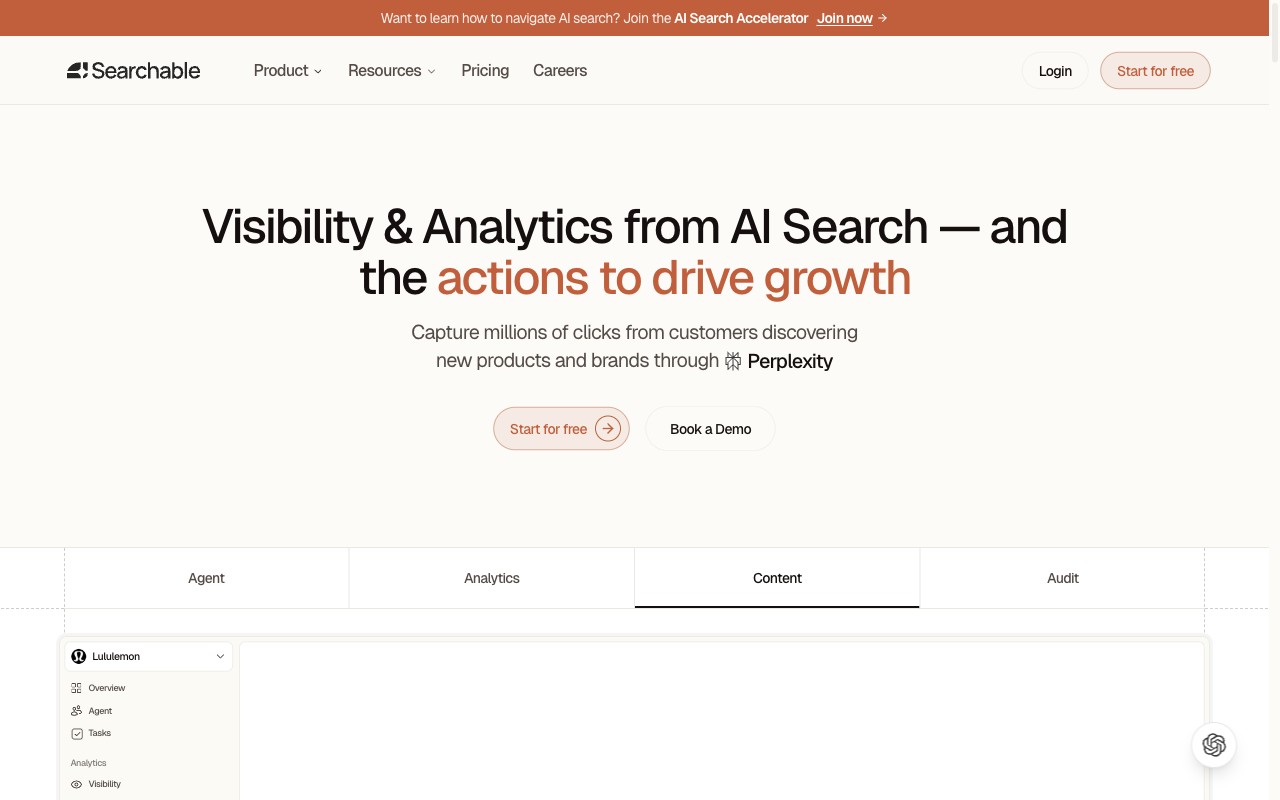
Searchable is a full-stack AI visibility platform that tracks brand mentions across Claude, ChatGPT, Perplexity, Google AI Overviews, and Copilot. It also provides content tips and runs tech audits built for AI search.

<div style={{ overflow: 'hidden', borderRadius: '12px', border: '1px solid #EAE8E3', height: '340px', marginBottom: '1.5rem' }}>
  <img src="/claude-tool-screenshot-searchable.jpeg" alt="Searchable homepage — AI visibility and analytics platform" style={{ width: '100%', display: 'block', objectFit: 'cover', objectPosition: 'top' }} />
</div>

<div className="not-prose">
  <div className="rounded-2xl border border-stone-200 bg-white overflow-hidden my-6">
    <div className="grid grid-cols-1 md:grid-cols-[260px_1fr]">
      {/* Score panel */}
      <div className="p-5 sm:p-6 md:border-r border-b md:border-b-0 border-stone-100 bg-stone-50/50">
        <div className="flex items-center gap-3 mb-4">
          <div className="relative w-14 h-14 flex-shrink-0">
            <svg viewBox="0 0 36 36" className="w-14 h-14 -rotate-90">
              <circle cx="18" cy="18" r="14" fill="none" stroke="#EAE8E3" strokeWidth="3.5" />
              <circle cx="18" cy="18" r="14" fill="none" stroke="#4BAD79" strokeWidth="3.5" strokeDasharray="81 88" strokeLinecap="round" />
            </svg>
            <span className="absolute inset-0 flex items-center justify-center text-sm font-extrabold" style={{ color: '#4BAD79' }}>92</span>
          </div>
          <span className="text-xs font-semibold text-stone-400 uppercase tracking-wide">Overall Score</span>
        </div>
        <div className="space-y-3">
          <div>
            <div className="flex items-center justify-between mb-1"><span className="text-xs text-stone-500">Coverage</span><span className="text-xs font-bold" style={{ color: '#C15F3C' }}>95</span></div>
            <div className="h-2.5 bg-stone-100 rounded-full overflow-hidden"><div className="h-full rounded-full" style={{ width: '95%', backgroundColor: '#C15F3C' }} /></div>
          </div>
          <div>
            <div className="flex items-center justify-between mb-1"><span className="text-xs text-stone-500">Insights</span><span className="text-xs font-bold" style={{ color: '#C15F3C' }}>92</span></div>
            <div className="h-2.5 bg-stone-100 rounded-full overflow-hidden"><div className="h-full rounded-full" style={{ width: '92%', backgroundColor: '#C15F3C' }} /></div>
          </div>
          <div>
            <div className="flex items-center justify-between mb-1"><span className="text-xs text-stone-500">Value</span><span className="text-xs font-bold" style={{ color: '#C15F3C' }}>88</span></div>
            <div className="h-2.5 bg-stone-100 rounded-full overflow-hidden"><div className="h-full rounded-full" style={{ width: '88%', backgroundColor: '#C15F3C' }} /></div>
          </div>
        </div>
        <div className="mt-4 pt-4 border-t border-stone-100">
          <a href="https://www.searchable.com/free-visibility-report" className="text-base font-extrabold hover:underline" style={{ color: '#4BAD79' }}>Free</a>
          <span className="text-sm font-semibold text-stone-400 ml-1.5">/ from $50/mo</span>
        </div>
      </div>
      {/* Content */}
      <div className="p-5 sm:p-6 space-y-3">
        <p className="text-sm text-stone-700 leading-relaxed">Tracks your brand across Claude, ChatGPT, Perplexity, <a href="/blog/optimise-google-ai-overviews" className="underline">AI Overviews</a>, and Copilot from one dashboard. Pairs monitoring with a built-in AI content engine, technical audits, and <a href="/blog/integrate-searchable-data-directly-to-claude-code-and-cursor-with-mcp" className="underline">MCP integration</a> for dev workflows. Doesn't just show data - tells you what to do about it.</p>
        <ul className="space-y-2.5 text-sm text-stone-600 my-2 py-3 border-y border-stone-100">
          <li className="flex items-start gap-2"><span className="font-bold text-base leading-tight" style={{ color: '#4BAD79' }}>+</span> 5 engines including Claude in the base plan</li>
          <li className="flex items-start gap-2"><span className="font-bold text-base leading-tight" style={{ color: '#4BAD79' }}>+</span> Content engine and tech audits built in - not just monitoring</li>
          <li className="flex items-start gap-2"><span className="font-bold text-base leading-tight text-stone-300">-</span> Newer platform; less brand recognition than legacy SEO tools</li>
        </ul>
        <p className="text-xs text-stone-500 pt-2 font-medium">Best for: Teams wanting a full-stack platform that goes beyond monitoring into actionable optimisation.</p>
      </div>
    </div>
  </div>
</div>

Searchable is the only tool in this list built specifically for the era of AI-first search. Where most trackers were retrofitted from traditional rank monitoring, Searchable was designed from the ground up around the reality that AI engines like Claude work differently: they don't rank URLs, they recommend brands - and the signals that drive those recommendations are content quality, citation density, and technical accessibility, not keyword positions.

<div className="not-prose my-6 rounded-2xl border border-stone-200 bg-white overflow-hidden">
  <div className="px-5 py-4 border-b border-stone-100">
    <p className="text-sm font-semibold text-stone-800">Why Searchable is built differently for Claude</p>
  </div>
  <div className="grid grid-cols-1 sm:grid-cols-3 divide-y sm:divide-y-0 sm:divide-x divide-stone-100">
    <div className="px-5 py-4">
      <div className="flex items-center gap-2 mb-2">
        <svg width="16" height="16" viewBox="0 0 16 16" fill="none" style={{ flexShrink: 0 }}><circle cx="8" cy="8" r="7.25" stroke="#C15F3C" strokeWidth="1.5"/><circle cx="8" cy="8" r="3.5" fill="#C15F3C" fillOpacity="0.15"/><circle cx="8" cy="8" r="1.5" fill="#C15F3C"/></svg>
        <p className="text-sm font-semibold text-stone-800">Hybrid tracking method</p>
      </div>
      <p className="text-sm text-stone-500 leading-relaxed">Browser simulation + API monitoring cross-checked for accuracy. Captures what real Claude users see, not just API outputs that may differ from the live product.</p>
    </div>
    <div className="px-5 py-4">
      <div className="flex items-center gap-2 mb-2">
        <svg width="16" height="16" viewBox="0 0 16 16" fill="none" style={{ flexShrink: 0 }}><path d="M2.5 13.5l1.5-4L11 3l2 2-7 7-3.5 1.5z" stroke="#C15F3C" strokeWidth="1.4" strokeLinejoin="round"/><path d="M9.5 4.5l2 2" stroke="#C15F3C" strokeWidth="1.4"/></svg>
        <p className="text-sm font-semibold text-stone-800">AI content engine</p>
      </div>
      <p className="text-sm text-stone-500 leading-relaxed">Generates content structured for AI citation - lists, comparisons, definitions, and answer-shaped formats that Claude is statistically more likely to surface and recommend.</p>
    </div>
    <div className="px-5 py-4">
      <div className="flex items-center gap-2 mb-2">
        <svg width="16" height="16" viewBox="0 0 16 16" fill="none" style={{ flexShrink: 0 }}><path d="M10.5 2.5a3 3 0 0 1 0 4.5L5 12.5a1.5 1.5 0 0 1-2-2L8.5 5a3 3 0 0 1 2-2.5z" stroke="#C15F3C" strokeWidth="1.4" strokeLinejoin="round"/><path d="M3.5 10.5l2 2" stroke="#C15F3C" strokeWidth="1.4" strokeLinecap="round"/></svg>
        <p className="text-sm font-semibold text-stone-800">Technical AEO audits</p>
      </div>
      <p className="text-sm text-stone-500 leading-relaxed">Checks ClaudeBot crawl access, schema markup, plain-HTML content, and site structure - the technical layer that determines whether Claude can read your content at all.</p>
    </div>
  </div>
  <div className="grid grid-cols-1 sm:grid-cols-2 divide-y sm:divide-y-0 sm:divide-x divide-stone-100 border-t border-stone-100">
    <div className="px-5 py-4">
      <div className="flex items-center gap-2 mb-2">
        <svg width="16" height="16" viewBox="0 0 16 16" fill="none" style={{ flexShrink: 0 }}><rect x="2" y="8" width="3" height="6" rx="0.75" fill="#C15F3C" fillOpacity="0.2" stroke="#C15F3C" strokeWidth="1.3"/><rect x="6.5" y="5" width="3" height="9" rx="0.75" fill="#C15F3C" fillOpacity="0.2" stroke="#C15F3C" strokeWidth="1.3"/><rect x="11" y="2" width="3" height="12" rx="0.75" fill="#C15F3C" fillOpacity="0.35" stroke="#C15F3C" strokeWidth="1.3"/></svg>
        <p className="text-sm font-semibold text-stone-800">GA4, GSC, HubSpot & Salesforce</p>
      </div>
      <p className="text-sm text-stone-500 leading-relaxed">Connect Claude visibility data directly to revenue. See which AI-driven sessions convert, tie pipeline to specific prompts, and report on ROI in the language leadership understands.</p>
    </div>
    <div className="px-5 py-4">
      <div className="flex items-center gap-2 mb-2">
        <svg width="16" height="16" viewBox="0 0 16 16" fill="none" style={{ flexShrink: 0 }}><path d="M9 2L4 9h4l-1 5 5-7H8l1-5z" stroke="#C15F3C" strokeWidth="1.4" strokeLinejoin="round" fill="#C15F3C" fillOpacity="0.12"/></svg>
        <p className="text-sm font-semibold text-stone-800">MCP for Claude Code & Cursor</p>
      </div>
      <p className="text-sm text-stone-500 leading-relaxed">Dev teams can pull Searchable's AI visibility data directly into their coding environment via MCP. The only tracking tool with a native developer workflow integration.</p>
    </div>
  </div>
</div>

<div className="not-prose my-6 rounded-2xl overflow-hidden" style={{ background: 'linear-gradient(135deg, #F7F5F1 0%, #F0EDE7 100%)', border: '1px solid #EAE8E3' }}>
  <div className="grid grid-cols-1 sm:grid-cols-[65fr_35fr]">
    {/* Left: text */}
    <div className="px-6 py-6 sm:border-r border-b sm:border-b-0" style={{ borderColor: '#EAE8E3' }}>
      <p className="text-sm font-bold text-stone-800 mb-2">Why use Searchable for Claude tracking?</p>
      <p className="text-sm text-stone-600 leading-relaxed mb-3">Most tools tell you where you stand. Searchable tells you why, and what to do about it. Hybrid Claude tracking, an AI content engine, technical audits, and revenue attribution through GA4 and CRM integrations — the only platform that closes the full loop from visibility data to business outcomes.</p>
      <p className="text-sm text-stone-500 leading-relaxed">Claude's 97.3% brand mention rate makes it the highest-priority AI engine to rank in — and Searchable is the only tool purpose-built around that reality.</p>
    </div>
    {/* Right: CTA */}
    <div className="px-6 py-6 flex flex-col justify-between">
      <div>
        <p className="text-[10px] font-bold uppercase tracking-widest mb-2" style={{ color: '#C15F3C' }}>Free Claude Visibility</p>
        <p className="text-sm text-stone-600 leading-relaxed">See exactly where your brand appears — and where it doesn't — across Claude responses.</p>
      </div>
      <a href="https://www.searchable.com/free-visibility-report" className="mt-5 inline-flex items-center justify-center gap-2 px-6 py-3 font-medium text-sm whitespace-nowrap transition-colors" style={{ backgroundColor: '#C15F3C', borderRadius: '16px', color: '#ffffff' }}><span style={{ color: '#ffffff' }}>Get Free Claude Visibility</span><svg width="14" height="14" viewBox="0 0 14 14" fill="none"><path d="M2.5 7h9M8 3.5l3.5 3.5L8 10.5" stroke="#ffffff" strokeWidth="1.6" strokeLinecap="round" strokeLinejoin="round"/></svg></a>
    </div>
  </div>
</div>

### 2. Scrunch AI

Scrunch AI is an enterprise AI visibility platform with deep analytics and revenue tracking. Its GA4 link ties AI visibility data to real business results.

**Key features:** Deep analytics dashboards with trend analysis, revenue attribution connecting AI visibility to conversions, native GA4 integration, competitor benchmarking, enterprise-level reporting and team collaboration.

<div className="not-prose my-6 rounded-xl border border-stone-200 overflow-hidden text-sm">
  <div className="grid grid-cols-1 sm:grid-cols-3 divide-y sm:divide-y-0 sm:divide-x divide-stone-100">
    <div className="px-4 py-3.5">
      <div className="flex items-center gap-1.5 mb-1.5">
        <svg width="13" height="13" viewBox="0 0 13 13" fill="none"><circle cx="6.5" cy="6.5" r="6.5" fill="#4BAD79" fillOpacity="0.15"/><path d="M4 6.5l2 2 3-3" stroke="#4BAD79" strokeWidth="1.5" strokeLinecap="round" strokeLinejoin="round"/></svg>
        <p className="text-xs font-semibold uppercase tracking-wide" style={{ color: '#4BAD79' }}>Where it excels</p>
      </div>
      <p className="text-stone-700 leading-relaxed">GA4 ties Claude data to revenue - rare for this category. Analytics go deeper than basic mention counts. Rival share-of-voice tracking spans several LLMs.</p>
    </div>
    <div className="px-4 py-3.5">
      <div className="flex items-center gap-1.5 mb-1.5">
        <svg width="13" height="13" viewBox="0 0 13 13" fill="none"><circle cx="6.5" cy="6.5" r="6.5" fill="#E8A838" fillOpacity="0.15"/><path d="M6.5 4v3M6.5 9h.01" stroke="#E8A838" strokeWidth="1.5" strokeLinecap="round"/></svg>
        <p className="text-xs font-semibold uppercase tracking-wide" style={{ color: '#C18A20' }}>Where it falls short</p>
      </div>
      <p className="text-stone-700 leading-relaxed">Enterprise pricing locks out smaller teams and solo marketers. The depth can feel like overkill if you just want simple visibility tracking.</p>
    </div>
    <div className="px-4 py-3.5 bg-stone-50">
      <div className="flex items-center gap-1.5 mb-1.5">
        <svg width="13" height="13" viewBox="0 0 13 13" fill="none"><circle cx="6.5" cy="6.5" r="6.5" fill="#C15F3C" fillOpacity="0.12"/><path d="M6.5 3.5v.75M6.5 8.75V9.5M4.5 6.5h4M5.25 5.25C5.25 4.84 5.84 4.5 6.5 4.5s1.25.34 1.25.75-.84.75-1.25.75-.5.16-.5.5.56.75 1.25.75" stroke="#C15F3C" strokeWidth="1.3" strokeLinecap="round"/></svg>
        <p className="text-xs font-semibold uppercase tracking-wide" style={{ color: '#C15F3C' }}>Pricing</p>
      </div>
      <p className="text-stone-700 font-medium mb-2">Custom (enterprise)</p>
      <div className="flex items-center gap-1.5 mb-1.5 mt-3">
        <svg width="13" height="13" viewBox="0 0 13 13" fill="none"><circle cx="6.5" cy="6.5" r="6.5" fill="#C15F3C" fillOpacity="0.12"/><path d="M6.5 3L7.6 5.3l2.5.36-1.8 1.76.43 2.48L6.5 8.7l-2.23 1.2.43-2.48L2.9 5.66l2.5-.36L6.5 3z" stroke="#C15F3C" strokeWidth="1.2" strokeLinecap="round" strokeLinejoin="round"/></svg>
        <p className="text-xs font-semibold uppercase tracking-wide" style={{ color: '#C15F3C' }}>Best for</p>
      </div>
      <p className="text-stone-700">Enterprise teams needing deep analytics and revenue attribution from AI visibility data.</p>
    </div>
  </div>
</div>

### 3. AIclicks

AIclicks tracks visibility at the prompt level. It shows which exact queries trigger brand mentions and where those mentions sit inside Claude's answers.

**Key features:** Prompt-level visibility tracking, clean intuitive UI, multi-LLM coverage including Claude, ChatGPT, Perplexity, and Gemini, historical tracking with trend visualisation, competitor mention tracking per prompt.

<div className="not-prose my-6 rounded-xl border border-stone-200 overflow-hidden text-sm">
  <div className="grid grid-cols-1 sm:grid-cols-3 divide-y sm:divide-y-0 sm:divide-x divide-stone-100">
    <div className="px-4 py-3.5">
      <div className="flex items-center gap-1.5 mb-1.5">
        <svg width="13" height="13" viewBox="0 0 13 13" fill="none"><circle cx="6.5" cy="6.5" r="6.5" fill="#4BAD79" fillOpacity="0.15"/><path d="M4 6.5l2 2 3-3" stroke="#4BAD79" strokeWidth="1.5" strokeLinecap="round" strokeLinejoin="round"/></svg>
        <p className="text-xs font-semibold uppercase tracking-wide" style={{ color: '#4BAD79' }}>Where it excels</p>
      </div>
      <p className="text-stone-700 leading-relaxed">Prompt-level detail shows not just if Claude mentions you, but for which exact questions. The UI is clean and accessible for non-technical team members.</p>
    </div>
    <div className="px-4 py-3.5">
      <div className="flex items-center gap-1.5 mb-1.5">
        <svg width="13" height="13" viewBox="0 0 13 13" fill="none"><circle cx="6.5" cy="6.5" r="6.5" fill="#E8A838" fillOpacity="0.15"/><path d="M6.5 4v3M6.5 9h.01" stroke="#E8A838" strokeWidth="1.5" strokeLinecap="round"/></svg>
        <p className="text-xs font-semibold uppercase tracking-wide" style={{ color: '#C18A20' }}>Where it falls short</p>
      </div>
      <p className="text-stone-700 leading-relaxed">Feature set still maturing. Pricing rises fast when tracking many prompts across many rivals. Monitors well but offers little guidance on what to do next.</p>
    </div>
    <div className="px-4 py-3.5 bg-stone-50">
      <div className="flex items-center gap-1.5 mb-1.5">
        <svg width="13" height="13" viewBox="0 0 13 13" fill="none"><circle cx="6.5" cy="6.5" r="6.5" fill="#C15F3C" fillOpacity="0.12"/><path d="M6.5 3.5v.75M6.5 8.75V9.5M4.5 6.5h4M5.25 5.25C5.25 4.84 5.84 4.5 6.5 4.5s1.25.34 1.25.75-.84.75-1.25.75-.5.16-.5.5.56.75 1.25.75" stroke="#C15F3C" strokeWidth="1.3" strokeLinecap="round"/></svg>
        <p className="text-xs font-semibold uppercase tracking-wide" style={{ color: '#C15F3C' }}>Pricing</p>
      </div>
      <p className="text-stone-700 font-medium mb-2">From $39/mo</p>
      <div className="flex items-center gap-1.5 mb-1.5 mt-3">
        <svg width="13" height="13" viewBox="0 0 13 13" fill="none"><circle cx="6.5" cy="6.5" r="6.5" fill="#C15F3C" fillOpacity="0.12"/><path d="M6.5 3L7.6 5.3l2.5.36-1.8 1.76.43 2.48L6.5 8.7l-2.23 1.2.43-2.48L2.9 5.66l2.5-.36L6.5 3z" stroke="#C15F3C" strokeWidth="1.2" strokeLinecap="round" strokeLinejoin="round"/></svg>
        <p className="text-xs font-semibold uppercase tracking-wide" style={{ color: '#C15F3C' }}>Best for</p>
      </div>
      <p className="text-stone-700">Teams wanting prompt-level granularity to understand exactly when and where Claude mentions their brand.</p>
    </div>
  </div>
</div>

### 4. Orchly.ai

Orchly.ai pairs browser capture with an action centre. It turns raw tracking data into clear, ranked steps for boosting Claude visibility.

**Key features:** Browser-based capture that mirrors real user experience, action centre with prioritised optimisation recommendations, Claude-specific tracking features, competitor visibility comparison, weekly reporting with actionable insights.

<div className="not-prose my-6 rounded-xl border border-stone-200 overflow-hidden text-sm">
  <div className="grid grid-cols-1 sm:grid-cols-3 divide-y sm:divide-y-0 sm:divide-x divide-stone-100">
    <div className="px-4 py-3.5">
      <div className="flex items-center gap-1.5 mb-1.5">
        <svg width="13" height="13" viewBox="0 0 13 13" fill="none"><circle cx="6.5" cy="6.5" r="6.5" fill="#4BAD79" fillOpacity="0.15"/><path d="M4 6.5l2 2 3-3" stroke="#4BAD79" strokeWidth="1.5" strokeLinecap="round" strokeLinejoin="round"/></svg>
        <p className="text-xs font-semibold uppercase tracking-wide" style={{ color: '#4BAD79' }}>Where it excels</p>
      </div>
      <p className="text-stone-700 leading-relaxed">Data shows what real users see, not just API output. The action centre bridges "here is the data" and "here is what to do" - a gap most tools ignore.</p>
    </div>
    <div className="px-4 py-3.5">
      <div className="flex items-center gap-1.5 mb-1.5">
        <svg width="13" height="13" viewBox="0 0 13 13" fill="none"><circle cx="6.5" cy="6.5" r="6.5" fill="#E8A838" fillOpacity="0.15"/><path d="M6.5 4v3M6.5 9h.01" stroke="#E8A838" strokeWidth="1.5" strokeLinecap="round"/></svg>
        <p className="text-xs font-semibold uppercase tracking-wide" style={{ color: '#C18A20' }}>Where it falls short</p>
      </div>
      <p className="text-stone-700 leading-relaxed">Covers fewer LLMs than tools tracking five or more. Smaller user community, fewer integrations. Browser method can mean slower data refresh cycles.</p>
    </div>
    <div className="px-4 py-3.5 bg-stone-50">
      <div className="flex items-center gap-1.5 mb-1.5">
        <svg width="13" height="13" viewBox="0 0 13 13" fill="none"><circle cx="6.5" cy="6.5" r="6.5" fill="#C15F3C" fillOpacity="0.12"/><path d="M6.5 3.5v.75M6.5 8.75V9.5M4.5 6.5h4M5.25 5.25C5.25 4.84 5.84 4.5 6.5 4.5s1.25.34 1.25.75-.84.75-1.25.75-.5.16-.5.5.56.75 1.25.75" stroke="#C15F3C" strokeWidth="1.3" strokeLinecap="round"/></svg>
        <p className="text-xs font-semibold uppercase tracking-wide" style={{ color: '#C15F3C' }}>Pricing</p>
      </div>
      <p className="text-stone-700 font-medium mb-2">From $49/mo</p>
      <div className="flex items-center gap-1.5 mb-1.5 mt-3">
        <svg width="13" height="13" viewBox="0 0 13 13" fill="none"><circle cx="6.5" cy="6.5" r="6.5" fill="#C15F3C" fillOpacity="0.12"/><path d="M6.5 3L7.6 5.3l2.5.36-1.8 1.76.43 2.48L6.5 8.7l-2.23 1.2.43-2.48L2.9 5.66l2.5-.36L6.5 3z" stroke="#C15F3C" strokeWidth="1.2" strokeLinecap="round" strokeLinejoin="round"/></svg>
        <p className="text-xs font-semibold uppercase tracking-wide" style={{ color: '#C15F3C' }}>Best for</p>
      </div>
      <p className="text-stone-700">Teams wanting actionable insights alongside monitoring, not just another dashboard.</p>
    </div>
  </div>
</div>

### 5. Peec AI

Peec AI tracks brand mentions across five LLMs: Claude, ChatGPT, Perplexity, Gemini, and Copilot. Its sentiment scores go past simple mention counts.

**Key features:** Broad multi-LLM coverage across five platforms, sentiment analysis of brand mentions, tone and positioning tracking, competitive landscape monitoring, custom reporting and alerts.

<div className="not-prose my-6 rounded-xl border border-stone-200 overflow-hidden text-sm">
  <div className="grid grid-cols-1 sm:grid-cols-3 divide-y sm:divide-y-0 sm:divide-x divide-stone-100">
    <div className="px-4 py-3.5">
      <div className="flex items-center gap-1.5 mb-1.5">
        <svg width="13" height="13" viewBox="0 0 13 13" fill="none"><circle cx="6.5" cy="6.5" r="6.5" fill="#4BAD79" fillOpacity="0.15"/><path d="M4 6.5l2 2 3-3" stroke="#4BAD79" strokeWidth="1.5" strokeLinecap="round" strokeLinejoin="round"/></svg>
        <p className="text-xs font-semibold uppercase tracking-wide" style={{ color: '#4BAD79' }}>Where it excels</p>
      </div>
      <p className="text-stone-700 leading-relaxed">Sentiment adds a layer most tools miss. Knowing Claude names you is less useful than knowing if it praises or warns about you. Wide LLM reach for brand tone tracking.</p>
    </div>
    <div className="px-4 py-3.5">
      <div className="flex items-center gap-1.5 mb-1.5">
        <svg width="13" height="13" viewBox="0 0 13 13" fill="none"><circle cx="6.5" cy="6.5" r="6.5" fill="#E8A838" fillOpacity="0.15"/><path d="M6.5 4v3M6.5 9h.01" stroke="#E8A838" strokeWidth="1.5" strokeLinecap="round"/></svg>
        <p className="text-xs font-semibold uppercase tracking-wide" style={{ color: '#C18A20' }}>Where it falls short</p>
      </div>
      <p className="text-stone-700 leading-relaxed">Claude is a paid add-on, not in the base plan. Teams focused on Claude pay extra for the one platform they came for. Broader than it is deep on any single LLM.</p>
    </div>
    <div className="px-4 py-3.5 bg-stone-50">
      <div className="flex items-center gap-1.5 mb-1.5">
        <svg width="13" height="13" viewBox="0 0 13 13" fill="none"><circle cx="6.5" cy="6.5" r="6.5" fill="#C15F3C" fillOpacity="0.12"/><path d="M6.5 3.5v.75M6.5 8.75V9.5M4.5 6.5h4M5.25 5.25C5.25 4.84 5.84 4.5 6.5 4.5s1.25.34 1.25.75-.84.75-1.25.75-.5.16-.5.5.56.75 1.25.75" stroke="#C15F3C" strokeWidth="1.3" strokeLinecap="round"/></svg>
        <p className="text-xs font-semibold uppercase tracking-wide" style={{ color: '#C15F3C' }}>Pricing</p>
      </div>
      <p className="text-stone-700 font-medium mb-2">From $39/mo <span className="text-stone-400 font-normal">(Claude add-on)</span></p>
      <div className="flex items-center gap-1.5 mb-1.5 mt-3">
        <svg width="13" height="13" viewBox="0 0 13 13" fill="none"><circle cx="6.5" cy="6.5" r="6.5" fill="#C15F3C" fillOpacity="0.12"/><path d="M6.5 3L7.6 5.3l2.5.36-1.8 1.76.43 2.48L6.5 8.7l-2.23 1.2.43-2.48L2.9 5.66l2.5-.36L6.5 3z" stroke="#C15F3C" strokeWidth="1.2" strokeLinecap="round" strokeLinejoin="round"/></svg>
        <p className="text-xs font-semibold uppercase tracking-wide" style={{ color: '#C15F3C' }}>Best for</p>
      </div>
      <p className="text-stone-700">Teams already tracking other LLMs who want to add Claude to their monitoring stack.</p>
    </div>
  </div>
</div>

<div className="not-prose">
  
</div>

### 6. LLMrefs

LLMrefs brings classic rank tracking logic to LLMs. Track keywords and see where you show up - but in Claude and AI platforms, not Google.

**Key features:** Keyword-based tracking familiar to traditional SEOs, multi-LLM support (Claude, ChatGPT, Perplexity), position tracking within AI responses, historical keyword performance data, exportable reports.

<div className="not-prose my-6 rounded-xl border border-stone-200 overflow-hidden text-sm">
  <div className="grid grid-cols-1 sm:grid-cols-3 divide-y sm:divide-y-0 sm:divide-x divide-stone-100">
    <div className="px-4 py-3.5">
      <div className="flex items-center gap-1.5 mb-1.5">
        <svg width="13" height="13" viewBox="0 0 13 13" fill="none"><circle cx="6.5" cy="6.5" r="6.5" fill="#4BAD79" fillOpacity="0.15"/><path d="M4 6.5l2 2 3-3" stroke="#4BAD79" strokeWidth="1.5" strokeLinecap="round" strokeLinejoin="round"/></svg>
        <p className="text-xs font-semibold uppercase tracking-wide" style={{ color: '#4BAD79' }}>Where it excels</p>
      </div>
      <p className="text-stone-700 leading-relaxed">For SEOs who think in keywords, LLMrefs feels like home. The jump from Google rank tracking to LLM tracking is smooth. Setup is simple: add keywords, pick your LLMs, and go.</p>
    </div>
    <div className="px-4 py-3.5">
      <div className="flex items-center gap-1.5 mb-1.5">
        <svg width="13" height="13" viewBox="0 0 13 13" fill="none"><circle cx="6.5" cy="6.5" r="6.5" fill="#E8A838" fillOpacity="0.15"/><path d="M6.5 4v3M6.5 9h.01" stroke="#E8A838" strokeWidth="1.5" strokeLinecap="round"/></svg>
        <p className="text-xs font-semibold uppercase tracking-wide" style={{ color: '#C18A20' }}>Where it falls short</p>
      </div>
      <p className="text-stone-700 leading-relaxed">Keywords alone miss nuance. The same keyword gets very different Claude answers based on prompt wording. Shows less about prompt variation and chat context.</p>
    </div>
    <div className="px-4 py-3.5 bg-stone-50">
      <div className="flex items-center gap-1.5 mb-1.5">
        <svg width="13" height="13" viewBox="0 0 13 13" fill="none"><circle cx="6.5" cy="6.5" r="6.5" fill="#C15F3C" fillOpacity="0.12"/><path d="M6.5 3.5v.75M6.5 8.75V9.5M4.5 6.5h4M5.25 5.25C5.25 4.84 5.84 4.5 6.5 4.5s1.25.34 1.25.75-.84.75-1.25.75-.5.16-.5.5.56.75 1.25.75" stroke="#C15F3C" strokeWidth="1.3" strokeLinecap="round"/></svg>
        <p className="text-xs font-semibold uppercase tracking-wide" style={{ color: '#C15F3C' }}>Pricing</p>
      </div>
      <p className="text-stone-700 font-medium mb-2">From $29/mo</p>
      <div className="flex items-center gap-1.5 mb-1.5 mt-3">
        <svg width="13" height="13" viewBox="0 0 13 13" fill="none"><circle cx="6.5" cy="6.5" r="6.5" fill="#C15F3C" fillOpacity="0.12"/><path d="M6.5 3L7.6 5.3l2.5.36-1.8 1.76.43 2.48L6.5 8.7l-2.23 1.2.43-2.48L2.9 5.66l2.5-.36L6.5 3z" stroke="#C15F3C" strokeWidth="1.2" strokeLinecap="round" strokeLinejoin="round"/></svg>
        <p className="text-xs font-semibold uppercase tracking-wide" style={{ color: '#C15F3C' }}>Best for</p>
      </div>
      <p className="text-stone-700">SEO professionals who want a familiar keyword-tracking approach applied to Claude and other LLMs.</p>
    </div>
  </div>
</div>

### 7. Ahrefs Brand Radar

Ahrefs Brand Radar adds AI tracking to the Ahrefs suite. Teams see Claude brand mentions right next to their normal SEO data. No new tool needed.

**Key features:** Integrated with the broader Ahrefs toolset, brand-level monitoring across Claude, ChatGPT, Perplexity, and Gemini, share-of-voice reporting, trusted data infrastructure, fits existing Ahrefs workflows.

<div className="not-prose my-6 rounded-xl border border-stone-200 overflow-hidden text-sm">
  <div className="grid grid-cols-1 sm:grid-cols-3 divide-y sm:divide-y-0 sm:divide-x divide-stone-100">
    <div className="px-4 py-3.5">
      <div className="flex items-center gap-1.5 mb-1.5">
        <svg width="13" height="13" viewBox="0 0 13 13" fill="none"><circle cx="6.5" cy="6.5" r="6.5" fill="#4BAD79" fillOpacity="0.15"/><path d="M4 6.5l2 2 3-3" stroke="#4BAD79" strokeWidth="1.5" strokeLinecap="round" strokeLinejoin="round"/></svg>
        <p className="text-xs font-semibold uppercase tracking-wide" style={{ color: '#4BAD79' }}>Where it excels</p>
      </div>
      <p className="text-stone-700 leading-relaxed">Already use Ahrefs? Brand Radar adds AI data with no new logins. Tie backlinks, keyword ranks, and site audits to AI visibility trends in one place.</p>
    </div>
    <div className="px-4 py-3.5">
      <div className="flex items-center gap-1.5 mb-1.5">
        <svg width="13" height="13" viewBox="0 0 13 13" fill="none"><circle cx="6.5" cy="6.5" r="6.5" fill="#E8A838" fillOpacity="0.15"/><path d="M6.5 4v3M6.5 9h.01" stroke="#E8A838" strokeWidth="1.5" strokeLinecap="round"/></svg>
        <p className="text-xs font-semibold uppercase tracking-wide" style={{ color: '#C18A20' }}>Where it falls short</p>
      </div>
      <p className="text-stone-700 leading-relaxed">Brand-level only, not prompt-level. Won't show which exact queries trigger mentions. Needs an Ahrefs plan, which adds significant cost.</p>
    </div>
    <div className="px-4 py-3.5 bg-stone-50">
      <div className="flex items-center gap-1.5 mb-1.5">
        <svg width="13" height="13" viewBox="0 0 13 13" fill="none"><circle cx="6.5" cy="6.5" r="6.5" fill="#C15F3C" fillOpacity="0.12"/><path d="M6.5 3.5v.75M6.5 8.75V9.5M4.5 6.5h4M5.25 5.25C5.25 4.84 5.84 4.5 6.5 4.5s1.25.34 1.25.75-.84.75-1.25.75-.5.16-.5.5.56.75 1.25.75" stroke="#C15F3C" strokeWidth="1.3" strokeLinecap="round"/></svg>
        <p className="text-xs font-semibold uppercase tracking-wide" style={{ color: '#C15F3C' }}>Pricing</p>
      </div>
      <p className="text-stone-700 font-medium mb-2">Included with Ahrefs <span className="text-stone-400 font-normal">(from $129/mo)</span></p>
      <div className="flex items-center gap-1.5 mb-1.5 mt-3">
        <svg width="13" height="13" viewBox="0 0 13 13" fill="none"><circle cx="6.5" cy="6.5" r="6.5" fill="#C15F3C" fillOpacity="0.12"/><path d="M6.5 3L7.6 5.3l2.5.36-1.8 1.76.43 2.48L6.5 8.7l-2.23 1.2.43-2.48L2.9 5.66l2.5-.36L6.5 3z" stroke="#C15F3C" strokeWidth="1.2" strokeLinecap="round" strokeLinejoin="round"/></svg>
        <p className="text-xs font-semibold uppercase tracking-wide" style={{ color: '#C15F3C' }}>Best for</p>
      </div>
      <p className="text-stone-700">Existing Ahrefs users who want AI visibility monitoring without adding another tool.</p>
    </div>
  </div>
</div>

### 8. Mangools AI Search Watcher

Mangools AI Search Watcher is the cheapest dedicated Claude tracking tool. It starts at about $15.60 per month with Claude in the base plan.

**Key features:** Claude tracking in the base plan (no add-ons needed), simple clean interface, basic multi-LLM coverage (Claude, ChatGPT, Perplexity), affordable entry point, integrates with the broader Mangools SEO suite.

<div className="not-prose my-6 rounded-xl border border-stone-200 overflow-hidden text-sm">
  <div className="grid grid-cols-1 sm:grid-cols-3 divide-y sm:divide-y-0 sm:divide-x divide-stone-100">
    <div className="px-4 py-3.5">
      <div className="flex items-center gap-1.5 mb-1.5">
        <svg width="13" height="13" viewBox="0 0 13 13" fill="none"><circle cx="6.5" cy="6.5" r="6.5" fill="#4BAD79" fillOpacity="0.15"/><path d="M4 6.5l2 2 3-3" stroke="#4BAD79" strokeWidth="1.5" strokeLinecap="round" strokeLinejoin="round"/></svg>
        <p className="text-xs font-semibold uppercase tracking-wide" style={{ color: '#4BAD79' }}>Where it excels</p>
      </div>
      <p className="text-stone-700 leading-relaxed">Price. Solo marketers and small teams can test Claude tracking without a big spend. Simple interface doesn't overwhelm - a plus for teams new to AI visibility.</p>
    </div>
    <div className="px-4 py-3.5">
      <div className="flex items-center gap-1.5 mb-1.5">
        <svg width="13" height="13" viewBox="0 0 13 13" fill="none"><circle cx="6.5" cy="6.5" r="6.5" fill="#E8A838" fillOpacity="0.15"/><path d="M6.5 4v3M6.5 9h.01" stroke="#E8A838" strokeWidth="1.5" strokeLinecap="round"/></svg>
        <p className="text-xs font-semibold uppercase tracking-wide" style={{ color: '#C18A20' }}>Where it falls short</p>
      </div>
      <p className="text-stone-700 leading-relaxed">Lighter features than full AI visibility platforms. Fewer LLMs, less depth, limited rival tracking. Basic tracking at a great price - not a full strategy.</p>
    </div>
    <div className="px-4 py-3.5 bg-stone-50">
      <div className="flex items-center gap-1.5 mb-1.5">
        <svg width="13" height="13" viewBox="0 0 13 13" fill="none"><circle cx="6.5" cy="6.5" r="6.5" fill="#C15F3C" fillOpacity="0.12"/><path d="M6.5 3.5v.75M6.5 8.75V9.5M4.5 6.5h4M5.25 5.25C5.25 4.84 5.84 4.5 6.5 4.5s1.25.34 1.25.75-.84.75-1.25.75-.5.16-.5.5.56.75 1.25.75" stroke="#C15F3C" strokeWidth="1.3" strokeLinecap="round"/></svg>
        <p className="text-xs font-semibold uppercase tracking-wide" style={{ color: '#C15F3C' }}>Pricing</p>
      </div>
      <p className="text-stone-700 font-medium mb-2">~$15.60/mo</p>
      <div className="flex items-center gap-1.5 mb-1.5 mt-3">
        <svg width="13" height="13" viewBox="0 0 13 13" fill="none"><circle cx="6.5" cy="6.5" r="6.5" fill="#C15F3C" fillOpacity="0.12"/><path d="M6.5 3L7.6 5.3l2.5.36-1.8 1.76.43 2.48L6.5 8.7l-2.23 1.2.43-2.48L2.9 5.66l2.5-.36L6.5 3z" stroke="#C15F3C" strokeWidth="1.2" strokeLinecap="round" strokeLinejoin="round"/></svg>
        <p className="text-xs font-semibold uppercase tracking-wide" style={{ color: '#C15F3C' }}>Best for</p>
      </div>
      <p className="text-stone-700">Budget-conscious teams or solo marketers starting with Claude rank tracking.</p>
    </div>
  </div>
</div>

### 9. Gumshoe AI

Gumshoe AI uses personas. It mimics how different user types - by age, skill, and goal - find your brand in Claude's AI answers.

**Key features:** Persona-based tracking (test different user segments), demographic and expertise-level simulation, browser-based capture for realistic responses, brand perception analysis across audience types, competitor comparison by persona.

<div className="not-prose my-6 rounded-xl border border-stone-200 overflow-hidden text-sm">
  <div className="grid grid-cols-1 sm:grid-cols-3 divide-y sm:divide-y-0 sm:divide-x divide-stone-100">
    <div className="px-4 py-3.5">
      <div className="flex items-center gap-1.5 mb-1.5">
        <svg width="13" height="13" viewBox="0 0 13 13" fill="none"><circle cx="6.5" cy="6.5" r="6.5" fill="#4BAD79" fillOpacity="0.15"/><path d="M4 6.5l2 2 3-3" stroke="#4BAD79" strokeWidth="1.5" strokeLinecap="round" strokeLinejoin="round"/></svg>
        <p className="text-xs font-semibold uppercase tracking-wide" style={{ color: '#4BAD79' }}>Where it excels</p>
      </div>
      <p className="text-stone-700 leading-relaxed">The persona angle is unique. Most trackers ask "does Claude mention us?" Gumshoe asks "does Claude mention us differently to a CTO versus a marketing manager?"</p>
    </div>
    <div className="px-4 py-3.5">
      <div className="flex items-center gap-1.5 mb-1.5">
        <svg width="13" height="13" viewBox="0 0 13 13" fill="none"><circle cx="6.5" cy="6.5" r="6.5" fill="#E8A838" fillOpacity="0.15"/><path d="M6.5 4v3M6.5 9h.01" stroke="#E8A838" strokeWidth="1.5" strokeLinecap="round"/></svg>
        <p className="text-xs font-semibold uppercase tracking-wide" style={{ color: '#C18A20' }}>Where it falls short</p>
      </div>
      <p className="text-stone-700 leading-relaxed">Niche focus means fewer features outside persona tracking. Teams needing broad multi-LLM monitoring will find it limited. Persona setup adds time and learning.</p>
    </div>
    <div className="px-4 py-3.5 bg-stone-50">
      <div className="flex items-center gap-1.5 mb-1.5">
        <svg width="13" height="13" viewBox="0 0 13 13" fill="none"><circle cx="6.5" cy="6.5" r="6.5" fill="#C15F3C" fillOpacity="0.12"/><path d="M6.5 3.5v.75M6.5 8.75V9.5M4.5 6.5h4M5.25 5.25C5.25 4.84 5.84 4.5 6.5 4.5s1.25.34 1.25.75-.84.75-1.25.75-.5.16-.5.5.56.75 1.25.75" stroke="#C15F3C" strokeWidth="1.3" strokeLinecap="round"/></svg>
        <p className="text-xs font-semibold uppercase tracking-wide" style={{ color: '#C15F3C' }}>Pricing</p>
      </div>
      <p className="text-stone-700 font-medium mb-2">From $49/mo</p>
      <div className="flex items-center gap-1.5 mb-1.5 mt-3">
        <svg width="13" height="13" viewBox="0 0 13 13" fill="none"><circle cx="6.5" cy="6.5" r="6.5" fill="#C15F3C" fillOpacity="0.12"/><path d="M6.5 3L7.6 5.3l2.5.36-1.8 1.76.43 2.48L6.5 8.7l-2.23 1.2.43-2.48L2.9 5.66l2.5-.36L6.5 3z" stroke="#C15F3C" strokeWidth="1.2" strokeLinecap="round" strokeLinejoin="round"/></svg>
        <p className="text-xs font-semibold uppercase tracking-wide" style={{ color: '#C15F3C' }}>Best for</p>
      </div>
      <p className="text-stone-700">Teams wanting to understand how different audience segments encounter their brand in Claude's responses.</p>
    </div>
  </div>
</div>

### 10. Rankscale

Rankscale gives simple Claude rank tracking at a low price. It refreshes prompts daily and keeps the screen focused on basics.

**Key features:** Daily prompt refresh, simple focused interface, multi-LLM tracking (Claude, ChatGPT, Perplexity), basic competitor tracking, trend visualisation over time.

<div className="not-prose my-6 rounded-xl border border-stone-200 overflow-hidden text-sm">
  <div className="grid grid-cols-1 sm:grid-cols-3 divide-y sm:divide-y-0 sm:divide-x divide-stone-100">
    <div className="px-4 py-3.5">
      <div className="flex items-center gap-1.5 mb-1.5">
        <svg width="13" height="13" viewBox="0 0 13 13" fill="none"><circle cx="6.5" cy="6.5" r="6.5" fill="#4BAD79" fillOpacity="0.15"/><path d="M4 6.5l2 2 3-3" stroke="#4BAD79" strokeWidth="1.5" strokeLinecap="round" strokeLinejoin="round"/></svg>
        <p className="text-xs font-semibold uppercase tracking-wide" style={{ color: '#4BAD79' }}>Where it excels</p>
      </div>
      <p className="text-stone-700 leading-relaxed">Does the basics well and cheaply. Daily refresh keeps data fresh - a real edge since 40-60% of cited domains shift each month. For no-frills tracking, it works.</p>
    </div>
    <div className="px-4 py-3.5">
      <div className="flex items-center gap-1.5 mb-1.5">
        <svg width="13" height="13" viewBox="0 0 13 13" fill="none"><circle cx="6.5" cy="6.5" r="6.5" fill="#E8A838" fillOpacity="0.15"/><path d="M6.5 4v3M6.5 9h.01" stroke="#E8A838" strokeWidth="1.5" strokeLinecap="round"/></svg>
        <p className="text-xs font-semibold uppercase tracking-wide" style={{ color: '#C18A20' }}>Where it falls short</p>
      </div>
      <p className="text-stone-700 leading-relaxed">Less depth than Scrunch or Searchable. Fewer integrations, no built-in tips, smaller team. Basic reports may frustrate teams used to full SEO platforms.</p>
    </div>
    <div className="px-4 py-3.5 bg-stone-50">
      <div className="flex items-center gap-1.5 mb-1.5">
        <svg width="13" height="13" viewBox="0 0 13 13" fill="none"><circle cx="6.5" cy="6.5" r="6.5" fill="#C15F3C" fillOpacity="0.12"/><path d="M6.5 3.5v.75M6.5 8.75V9.5M4.5 6.5h4M5.25 5.25C5.25 4.84 5.84 4.5 6.5 4.5s1.25.34 1.25.75-.84.75-1.25.75-.5.16-.5.5.56.75 1.25.75" stroke="#C15F3C" strokeWidth="1.3" strokeLinecap="round"/></svg>
        <p className="text-xs font-semibold uppercase tracking-wide" style={{ color: '#C15F3C' }}>Pricing</p>
      </div>
      <p className="text-stone-700 font-medium mb-2">From $20/mo</p>
      <div className="flex items-center gap-1.5 mb-1.5 mt-3">
        <svg width="13" height="13" viewBox="0 0 13 13" fill="none"><circle cx="6.5" cy="6.5" r="6.5" fill="#C15F3C" fillOpacity="0.12"/><path d="M6.5 3L7.6 5.3l2.5.36-1.8 1.76.43 2.48L6.5 8.7l-2.23 1.2.43-2.48L2.9 5.66l2.5-.36L6.5 3z" stroke="#C15F3C" strokeWidth="1.2" strokeLinecap="round" strokeLinejoin="round"/></svg>
        <p className="text-xs font-semibold uppercase tracking-wide" style={{ color: '#C15F3C' }}>Best for</p>
      </div>
      <p className="text-stone-700">Small teams wanting basic Claude rank tracking at a low price point without unnecessary complexity.</p>
    </div>
  </div>
</div>

---

## Best Free Claude Rank Tracking Options

Free Claude rank tracking options include Searchable's 14-day Pro trial, Mangools AI Search Watcher's free tier, and Rankscale at $20 per month. Truly free tools are scarce - most restrict tracking frequency, query volume, and historical data. A [free trial](https://www.searchable.com/pricing) is the best way to test whether Claude tracking delivers ROI before committing to a paid plan.

The honest truth: truly free Claude tracking barely exists. The space is too new. Server costs are too high. The market is not ready for ad-funded free tools yet.

Here is what is actually available:

**Searchable's 14-day Pro trial** gives full access. Multi-LLM tracking, content engine, tech audits, and links to other tools. No feature caps - only a time cap. After 14 days, plans start at $50/month.

**Mangools AI Search Watcher** has a free tier with capped queries. Good for checking if Claude names your brand at all. But the caps block trend data and rival benchmarks. The paid plan at ~$15.60/month lifts most limits.

**Rankscale at $20/month** is not free, but it is the cheapest way to get ongoing Claude tracking with daily refresh. For teams that need more than a trial but cannot justify $50+/month yet, it is a good stepping stone.

<div className="not-prose">
  <div className="grid grid-cols-1 sm:grid-cols-2 gap-4 my-8">
    
    
  </div>
</div>

Start with a free trial from the tool that fits your needs. Set a baseline. Does Claude name your brand? For which queries? How do rivals stack up? If the data shows gaps, the paid tool pays for itself. If not, you saved a subscription.

---

## What to Look for When Choosing a Claude Tracking Tool

Pick a Claude SEO tool based on six factors: data method (browser vs API), update speed (daily or weekly), LLM count (Claude-only or multi-platform), action level (just dashboards or real tips), price shape (per query, per brand, or flat), and links to tools you use like GA4 and Search Console.

<div className="not-prose">
  
</div>

### Data Collection Method

This matters more than most buyers think. Browser tools (Orchly, Gumshoe) capture what users see. API tools (AIclicks, LLMrefs, Rankscale) are faster and cheaper but may miss UI details. Hybrid tools (Searchable) mix both. Ask which method a tool uses. No clear answer? Red flag.

### Update Frequency

Since 40-60% of cited domains in AI answers change monthly, old data creates blind spots. Daily tracking (Rankscale, Searchable) spots shifts faster. If your industry moves fast or Claude sends real traffic, daily refresh is worth the extra cost.

### Multi-LLM Coverage

Some teams only need Claude. Most want coverage across Claude, ChatGPT, Perplexity, and Google AI Overviews. Check if Claude is in the base plan - Peec charges extra. Tools with five or more LLMs (Searchable, Peec) give the widest view.

### Actionability

Monitoring shows where you stand. Action tools show what to do next. Searchable's content engine, Orchly's action centre, and Scrunch's revenue data go past basic charts. If your team reads raw data well, monitoring works. If you need help, pick action-first platforms.

### Pricing Model

Some tools charge per query. Others charge per brand or domain. Others use flat tiers. Per-query pricing can spike fast when tracking dozens of prompts across rivals. Flat rates (Mangools, Rankscale) keep costs steady.

### Integrations

A tool that sits alone creates data silos. Tools that link to GA4 (Scrunch, Searchable), Search Console, or CRMs connect AI data to what leadership cares about: conversions, pipeline, revenue.

**Quick decision matrix:**

- **Budget under $30/month** → Mangools AI Search Watcher or Rankscale
- **Need prompt-level granularity** → AIclicks or Orchly.ai
- **Enterprise analytics and revenue attribution** → Scrunch AI
- **Full-stack platform (tracking + content + technical)** → Searchable
- **Already using Ahrefs** → Ahrefs Brand Radar
- **Audience segmentation insight** → Gumshoe AI

---

## How to Improve Your Claude Visibility Once You Start Tracking

To boost Claude visibility: write in answer-ready formats like lists, comparisons, and guides. Get mentions from trusted outside sources. Stay active on Reddit. Add schema markup. And use tracking tools to measure what works. Claude favours content that shows up across many independent sites.

Tracking without action is just watching. The real value of any Claude SEO tool is what you do with the data. Here are five tactics that move the needle.

<div className="not-prose">
  
</div>

### 1. Structure Content for Extraction

Claude favours content it can easily extract and rephrase. Lists, comparison tables, numbered steps, and clear definitions all boost citation chances. Write [answer-shaped content](https://www.searchable.com/blog/ai-search-vs-seo-2026): if someone can read a single paragraph and get a complete answer, Claude is more likely to surface it.

Think of each section as a standalone answer unit. Not part of a long narrative that requires reading the full page.

### 2. Build External Corroboration

SparkToro's research found that LLMs favour brands that show up often across many sources on the web. A single mention on your own site is not enough.

Your brand needs to appear in industry publications, expert roundups, partner sites, and directories. The more independent sources that mention you, the more likely Claude is to cite you. Building [strong E-E-A-T signals](https://www.searchable.com/blog/e-e-a-t) directly supports this.

### 3. Invest in Reddit Presence

Reddit threads are key data sources for Claude's training and retrieval. A post with 100+ upvotes and 30+ comments carries real weight in AI citations.

Genuine, helpful replies in relevant subreddits - answering questions, sharing expertise, and suggesting solutions - create signals that Claude picks up. This is not astroturfing. It is joining the communities where your audience already asks questions.

### 4. Technical Signals

Schema markup, clean site layout, and [AI crawler setup](https://www.searchable.com/blog/we-built-a-dual-served-content-system-for-ai-crawlers) all affect whether Claude can read your content. Check that ClaudeBot is not blocked in robots.txt. Add Article, FAQ, and Organisation schema. Keep key text in plain HTML - not behind JavaScript that AI crawlers skip.

### 5. Measure and Iterate

Use your Claude rank tracking tool to test content changes. Update a page, then watch whether Claude's mention of your brand shifts over the next few weeks.

Track which formats, topics, and structural changes link to better visibility. The tools in this article give you the data. The [optimisation strategy](https://www.searchable.com/blog/improve-ai-brand-visibility) turns that data into growth.

---

## Frequently Asked Questions

<div className="not-prose">
  
</div>

<div className="not-prose">
  
</div>

---

[Back to Blog](https://www.searchable.com/blog) | [Searchable Homepage](https://www.searchable.com)